

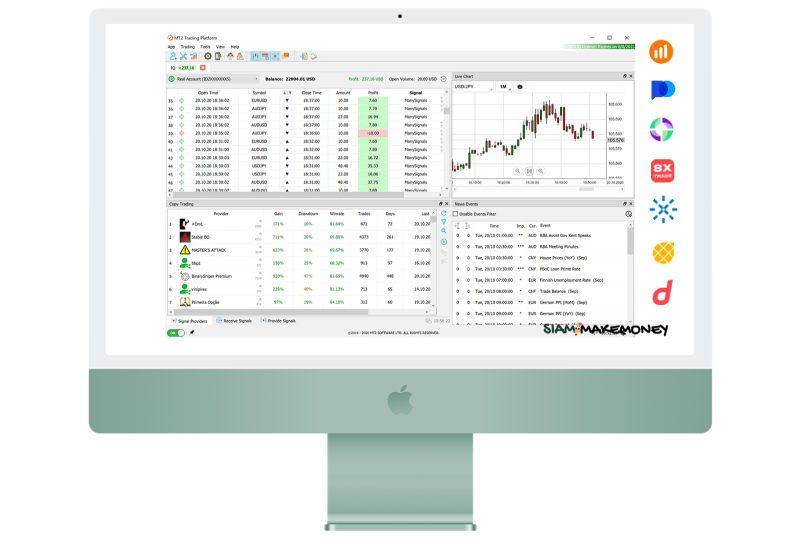
Get to know MT2Trading, binary options trading bots and how to use them in detail.
MT2Trading is a platform that allows users to trade BinaryOption automatically and safely. It supports a wide range of brokers such as IQOption Binary.com, Alpari Gcoption PocketToption and others. There are also options to customize various parameters. to meet the specific needs of each individual (You can use a free demo account on a broker)
More details and free download here 👉 mt2trading.com

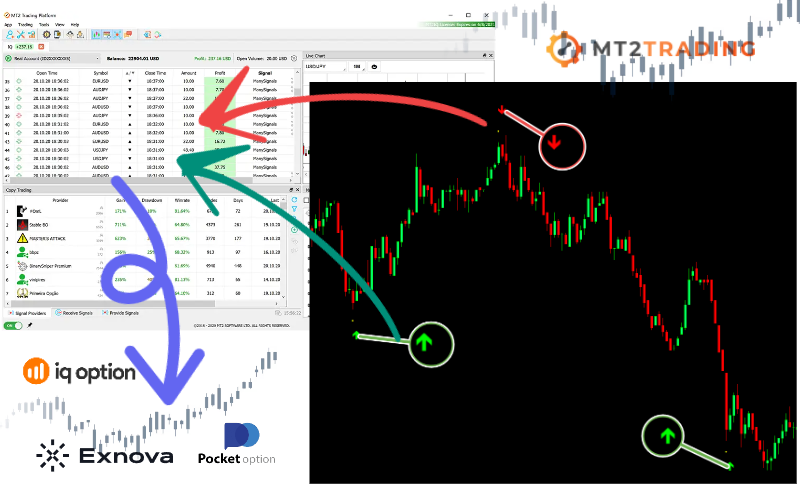
MT2Trading features
- Free use for demo account on brokers.
- Connect the MT4 MT5 using the arrow signal. to open an automated trading
- You can set up trading both automatically and trade yourself.
- Set up a trade in candlesticks. or the next candle
- Set up Martingale, set the number of next trading openings.
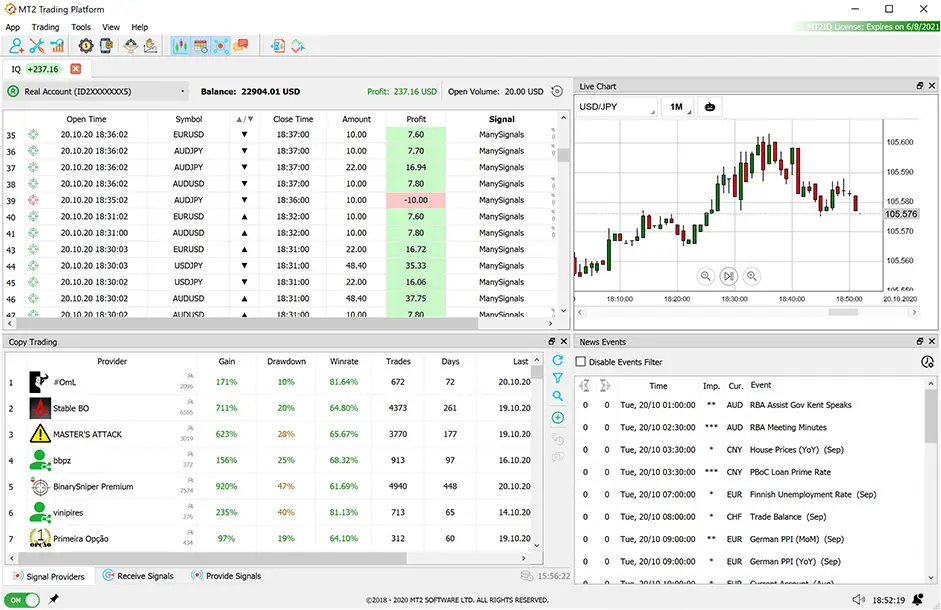
- Trading copy service And you can be a service provider as well.
- Set up stop trading over time and important economic news.
- Set to stop trading according to the amount of profit and loss.
- Set a limit on the total number of pairs or pairs that are open for trading.
- Connect multiple brokers at the same time
- View trading history and winning rates, names, signals, losses and profits.
- Track your trading account via mobile application.
Get 10% discount on paid plans here 🎁 mt2trading.com
How to sign up and use MT2Trading for beginners
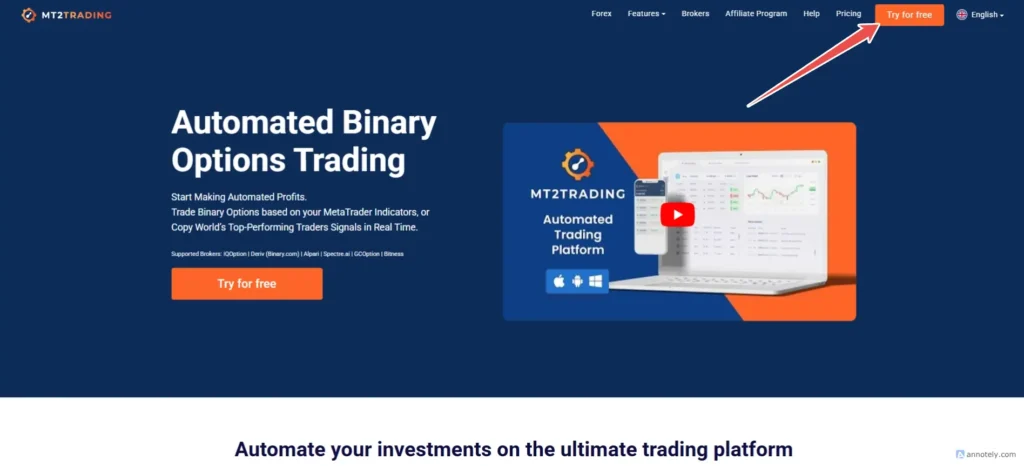
Go to the website and download it for free.
Go to the website to download it for free here 👉 mt2trading.com
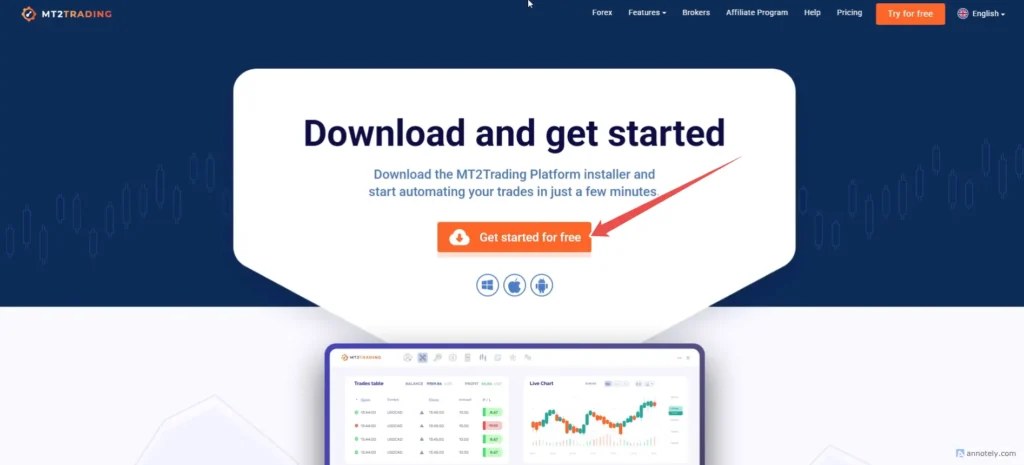
- Right click on the file 'MT2TRADING_SETUP.ZIP'
- Select an option 'Extract files here'
- Open the folder where the file has been extracted.
- Double click on ‘MT2TRADING_SETUP’ to run MT2 settings
Once downloaded, extract the file/you will see the file name. mt2trading_setup / Click Install The program will be installed at
C:\Program Files\MT2TradingSome antivirus providers may detect this platform as malicious and block downloads or installations. to fix this problem You should disable your antivirus only at the time of installation.
How to use MT2Trading program
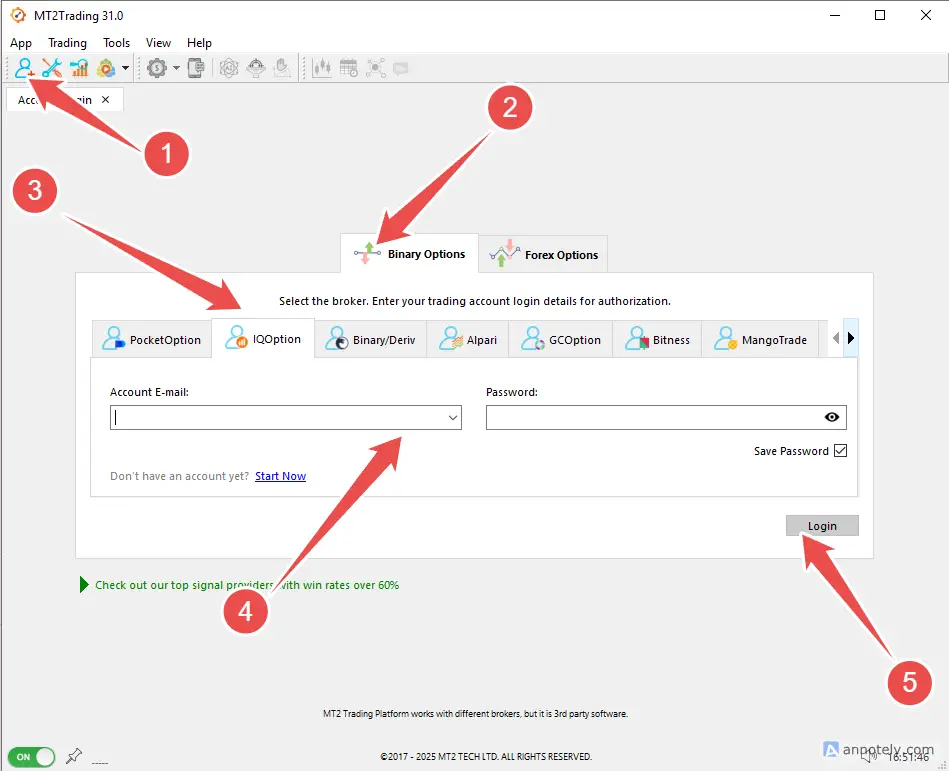
- Add a binaryoption broker account
- Select BinaryOption
- choose a broker
- Enter your username and password. (broker's)
- Press the login button
*For the default program, you will see some brokers. You can set up additional brokers. Go to the top menu of APP/Options/Brokers/Markets (check the check mark in the box of your desired broker).
App / Options / Brokers / MarketsHow to load Install Connect MT4 MT5
Go to the website to apply for an account and download MT4 👉 PocketToption.com
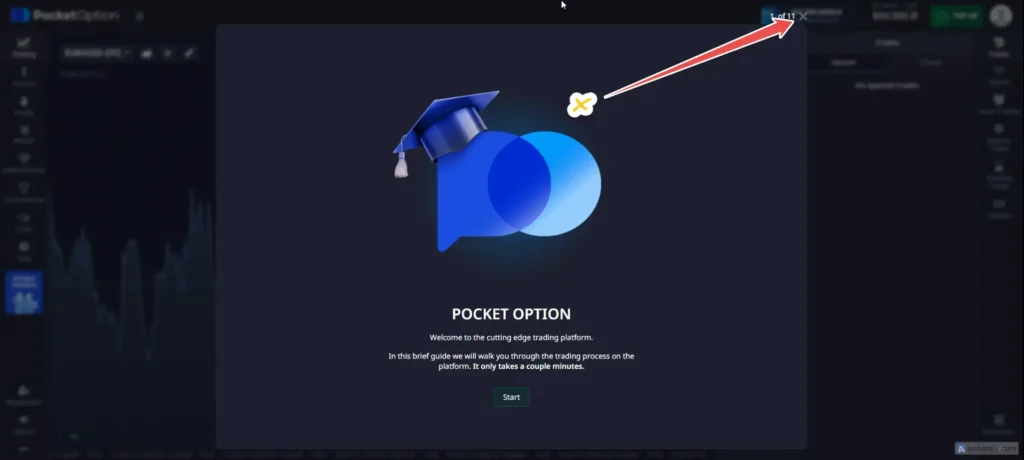
- Turn off all pop-ups
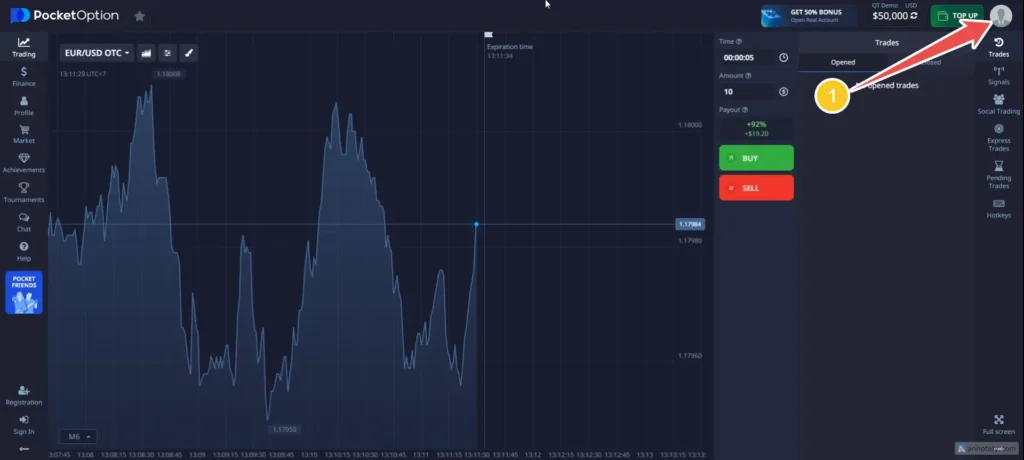
- Click on the account image
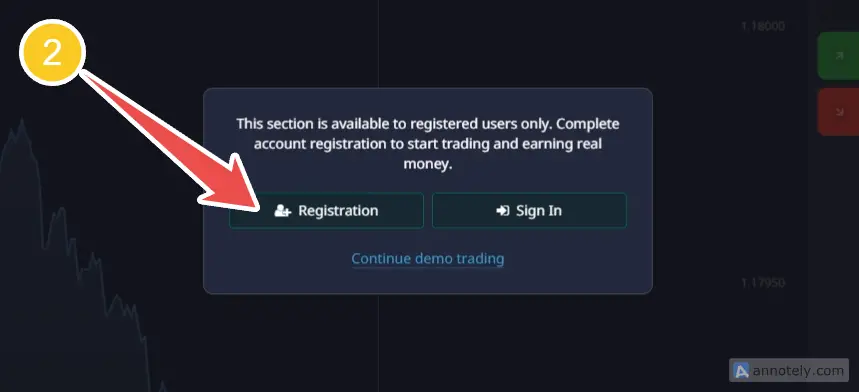
- Register for PocketToption, press the Registration button.
How to subscribe to PocketToption
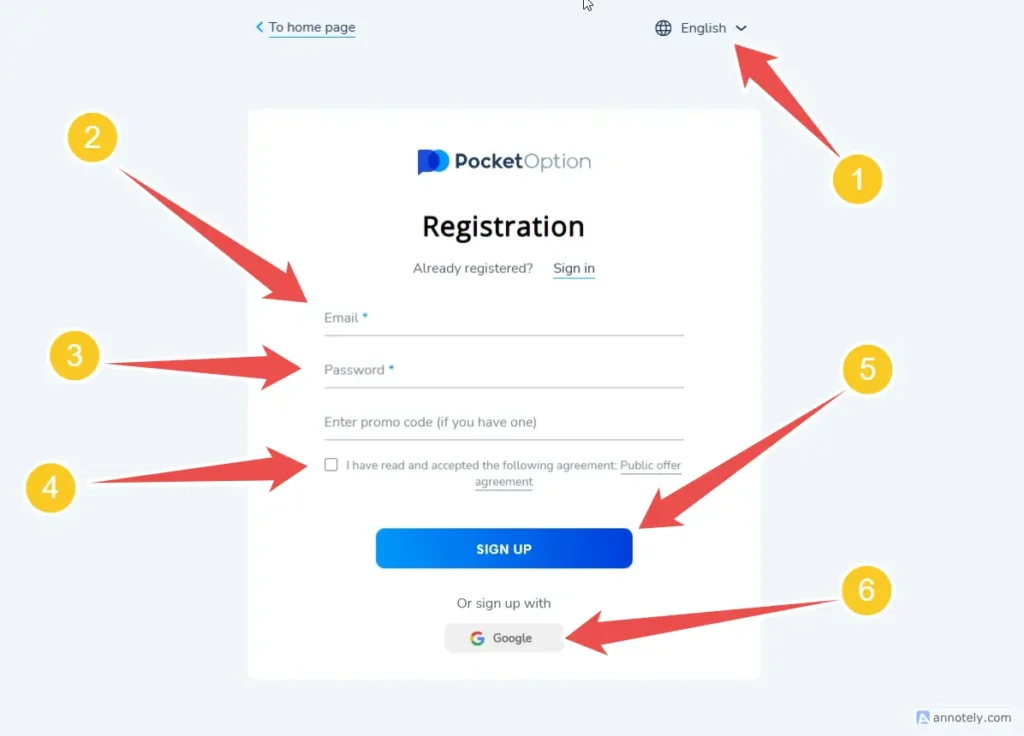
- You can choose a language to make it easier.
- Enter an email to sign up.
- Enter a password for your account. (for login)
- Tick the box to accept the terms and conditions.
- Press the Sign Up button to register.
- (more options Register via Google) It's easy. You can apply through the Google account that you are logged in without without filling out the information.
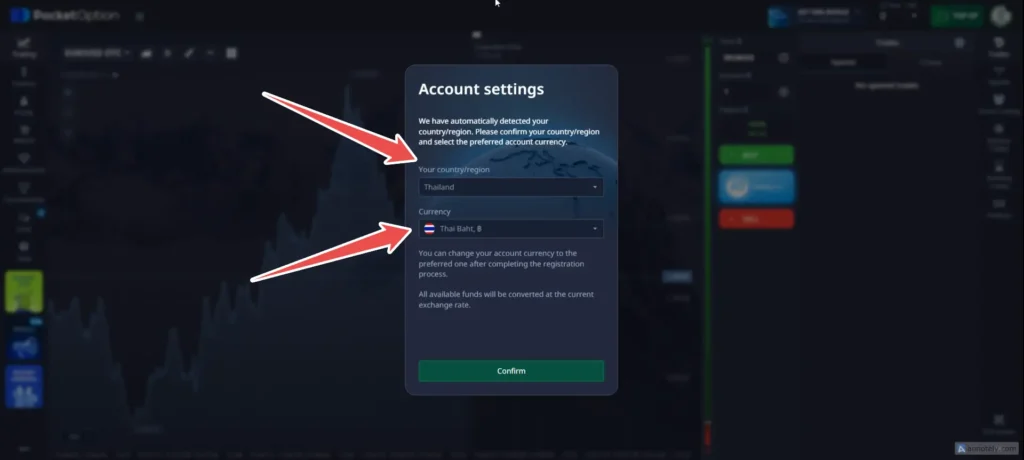
- More you can choose the local surname of your country.
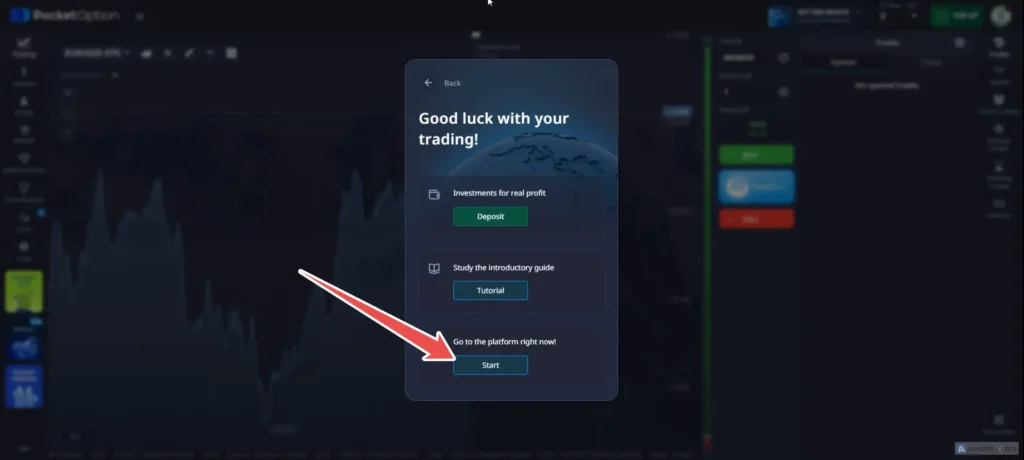
- Click on Start and close all pop-ups.
How to use and download MT4
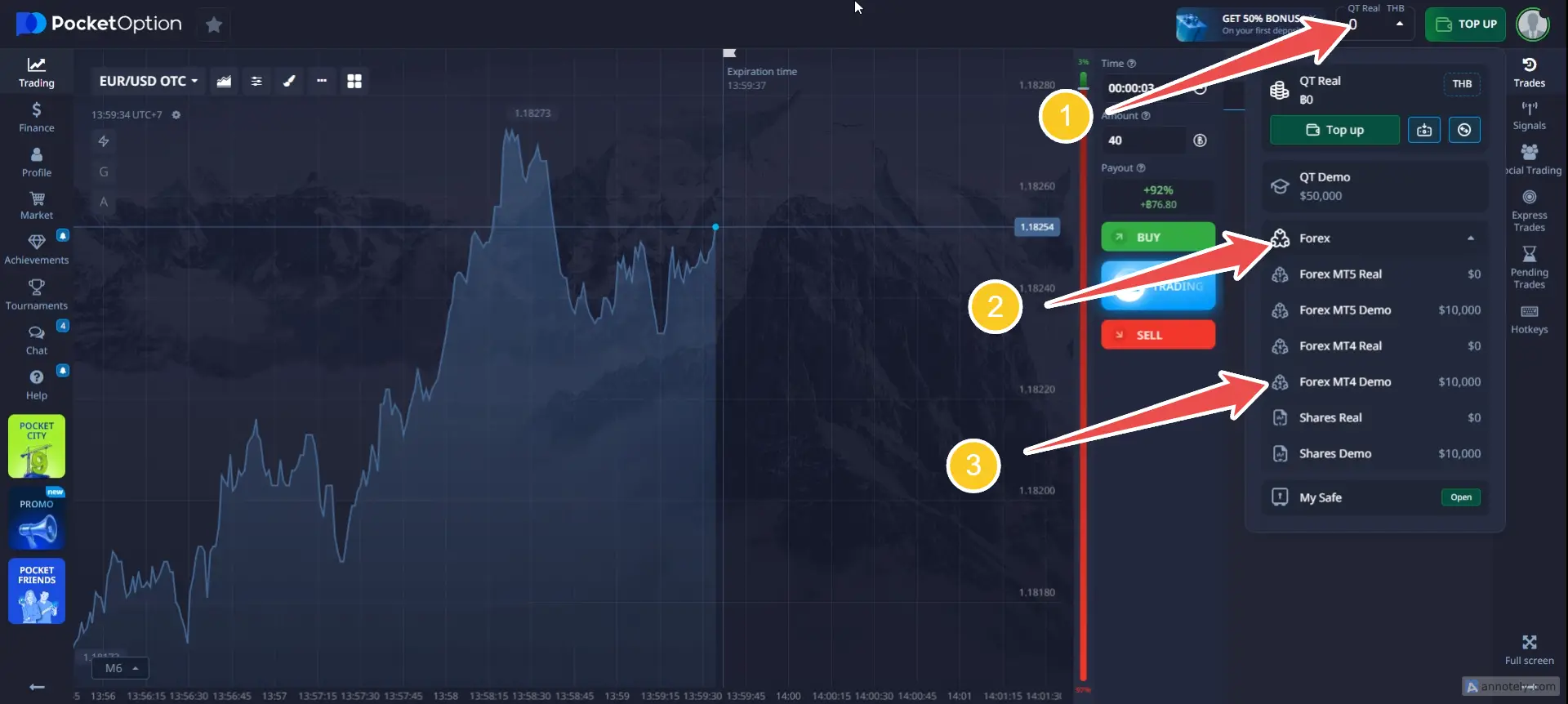
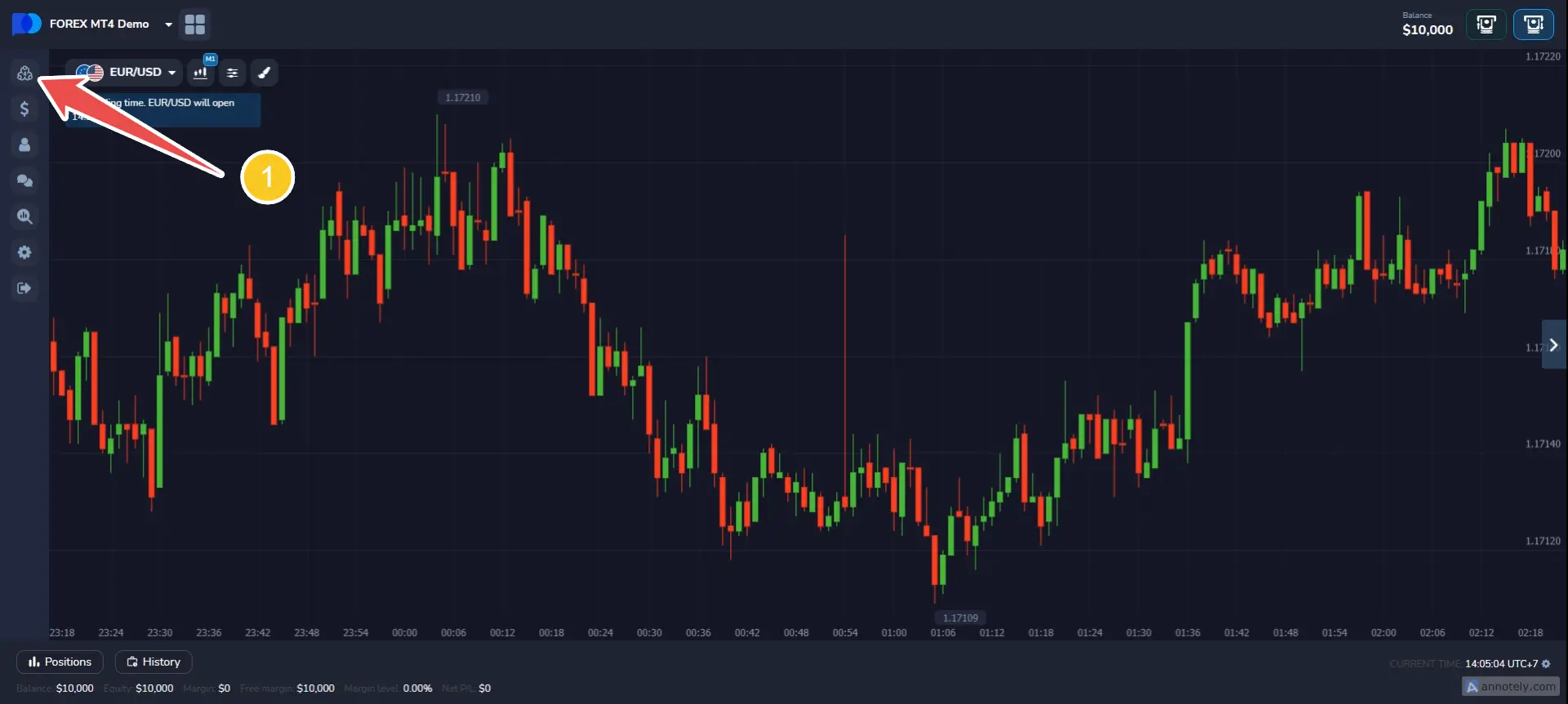
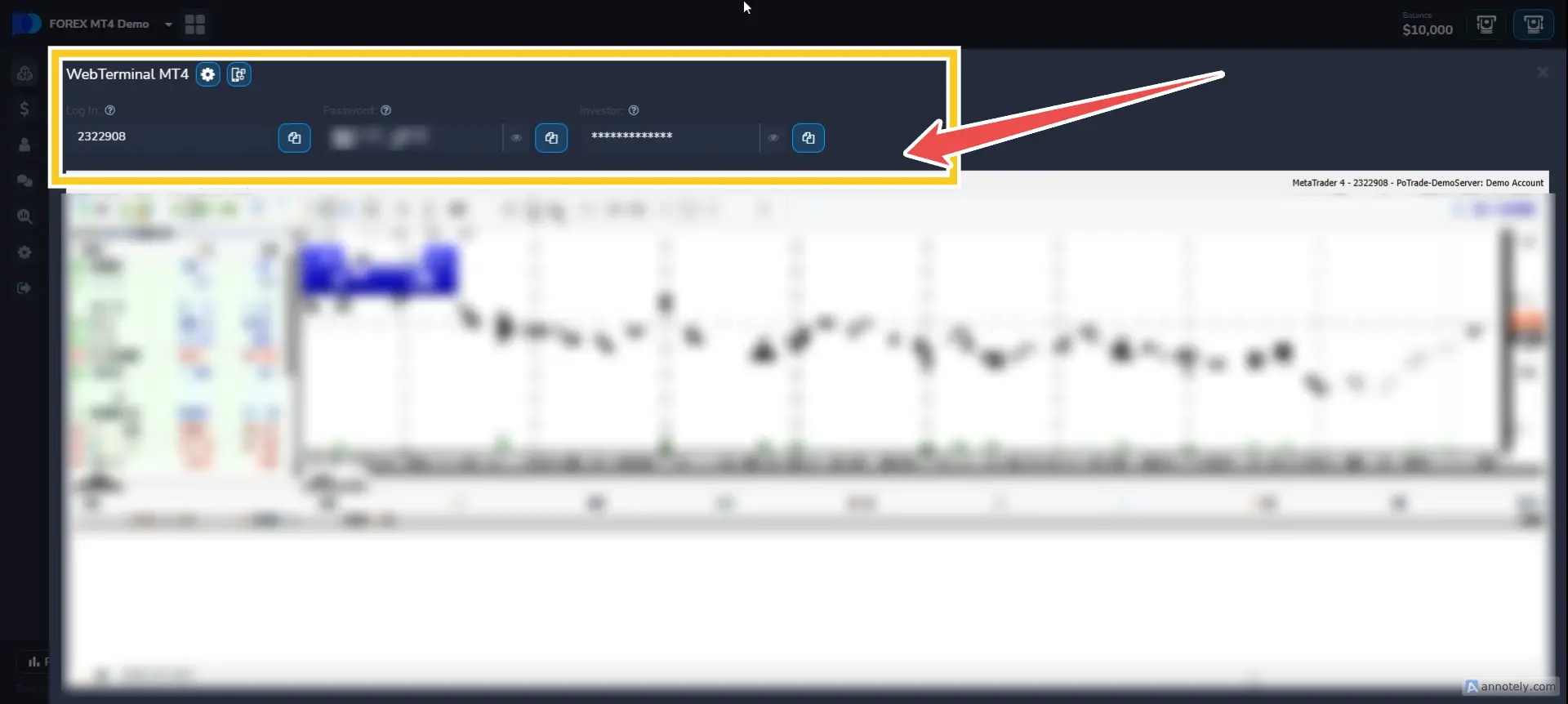
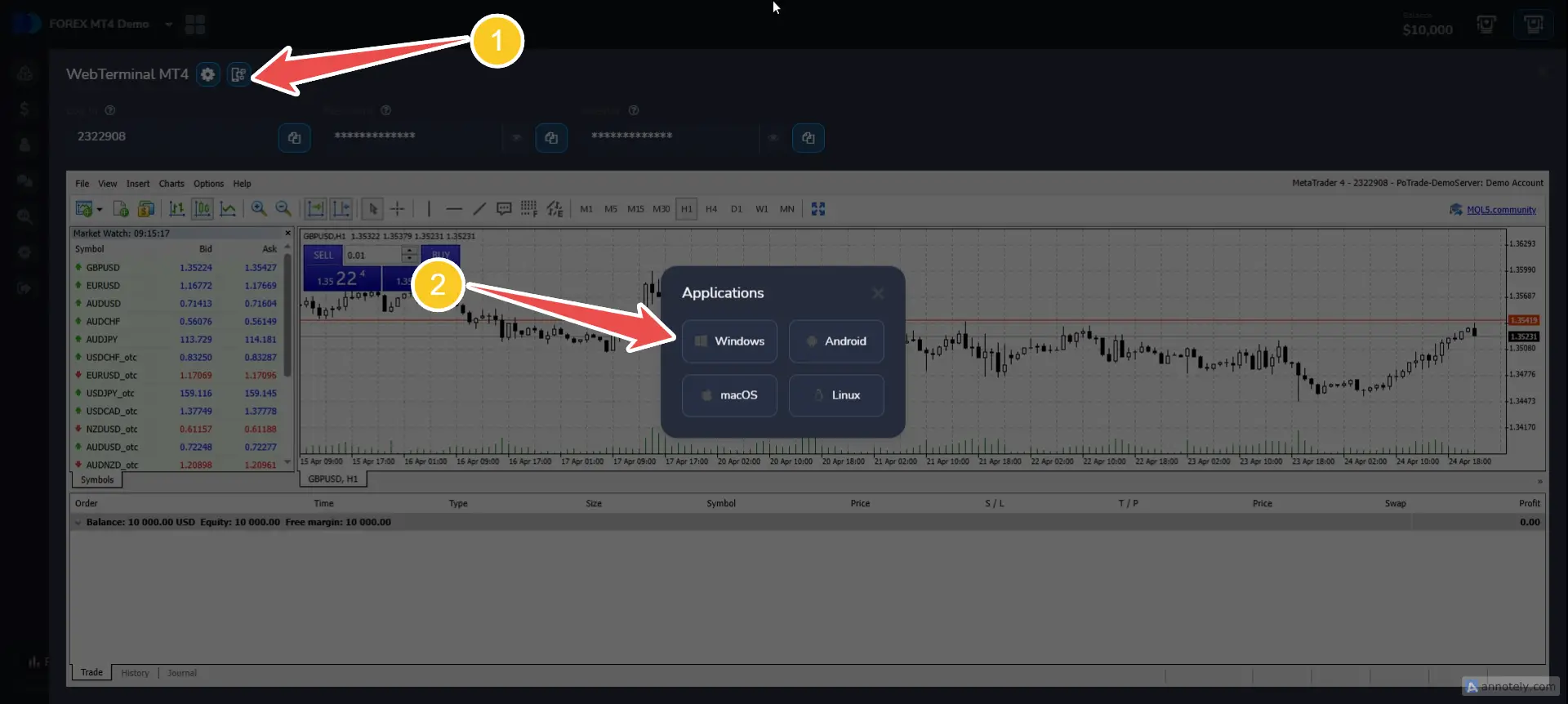
How to use and log in MT4
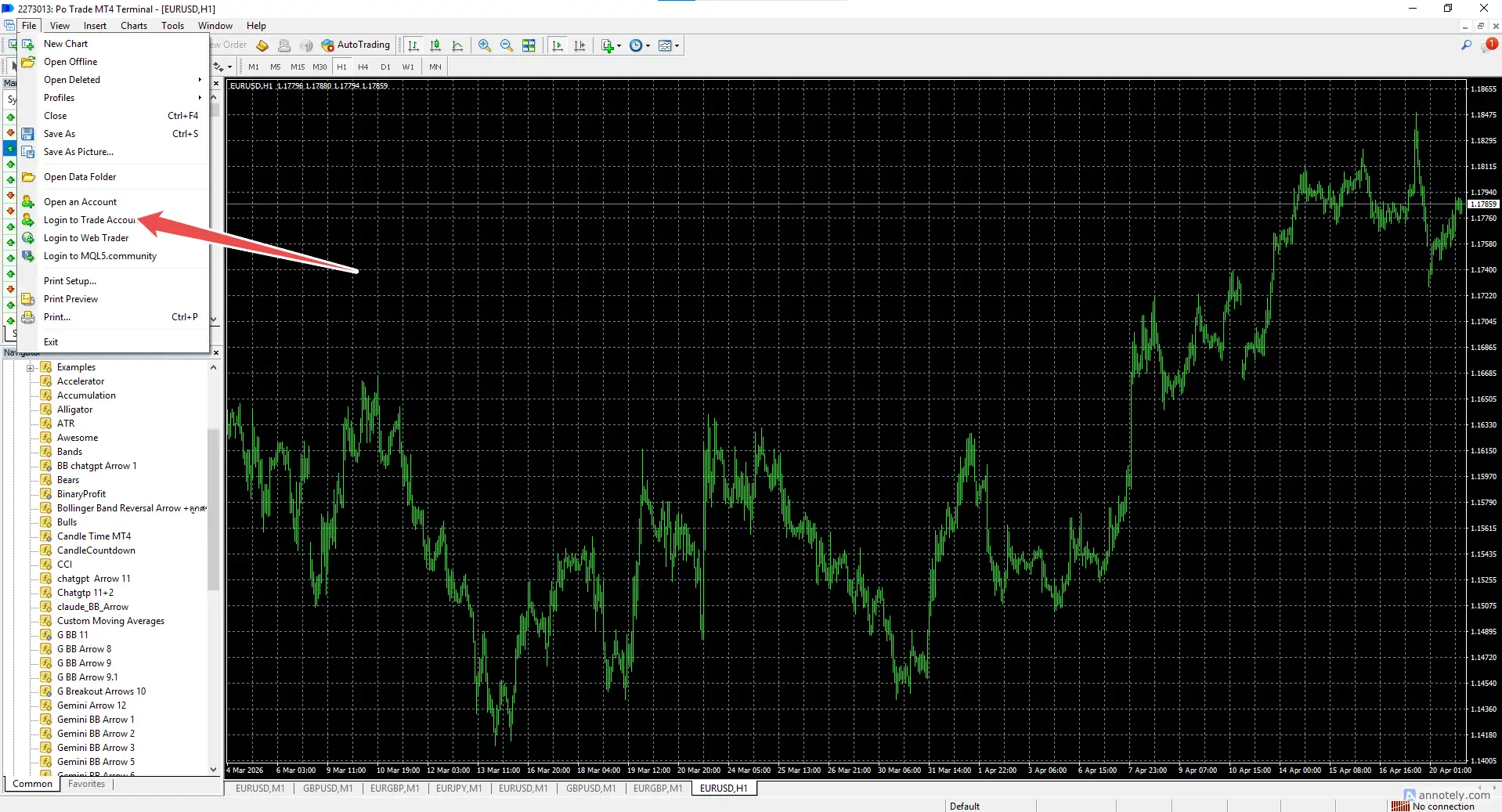
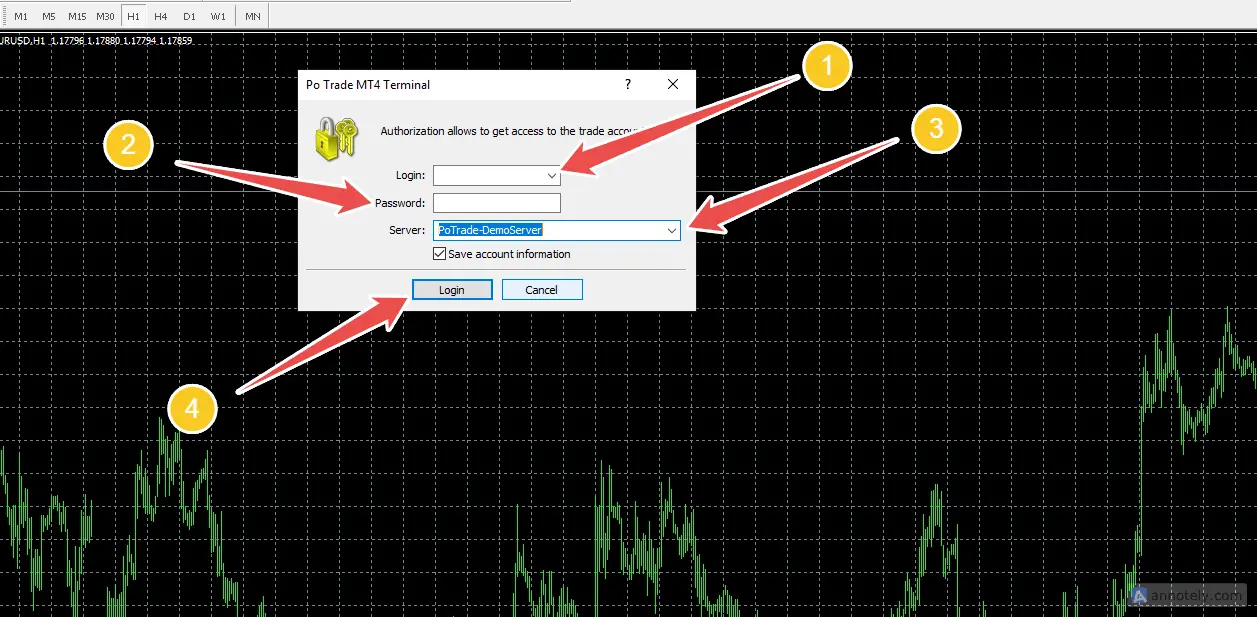
- Account connection process Password users must match. And most importantly, you need to choose the correct server (here is the demo).
- MT4 login details, use only Login and Password (only).
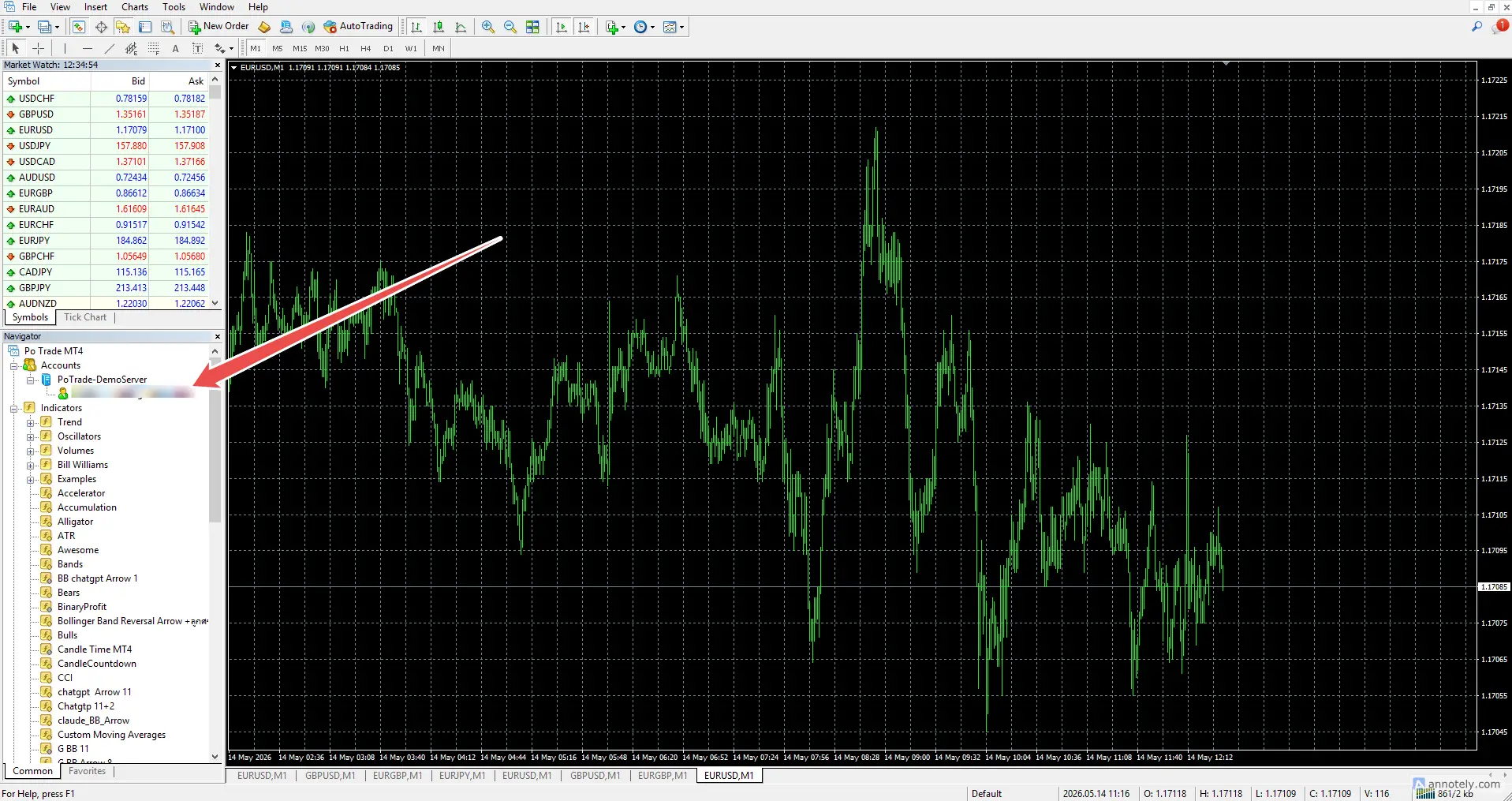
- Can't see the account at the embedded bar - go to the top menu View Open Navigator
- If the graph doesn't walk, 2 important things: the login and password are not correct. or a market holiday Saturday and sunday (No market trading is closed today)
Steps to connect MT4 to MT2
It will send a signal from your MetaTrader indicator to the trading robot. This will automatically open an order on your broker's account.
Go to the website to download it for free here 👉 mt2trading.com
To be able to successfully load the MT2 Trading file into MetaTrader, you must copy and paste it. Or drag both the metrics and libraries that include the MT2Trading folder.
Find important files for use of MT2.
After downloading the program and extracting the file, you must go to Folder Find the file as follows.
MT2Trading \ MetaTrader \ MT4 \ MQL4 \ Indicators
* MT2Binary_Auto.ex4
* MT2Binary_Manual.ex4
MT2Trading \ MetaTrader \ MT4 \ MQL4 \ Libraries
* mt2trading_library.ex4
The next step to make it easier. Open the MT4. Open it. Folder (as picture)
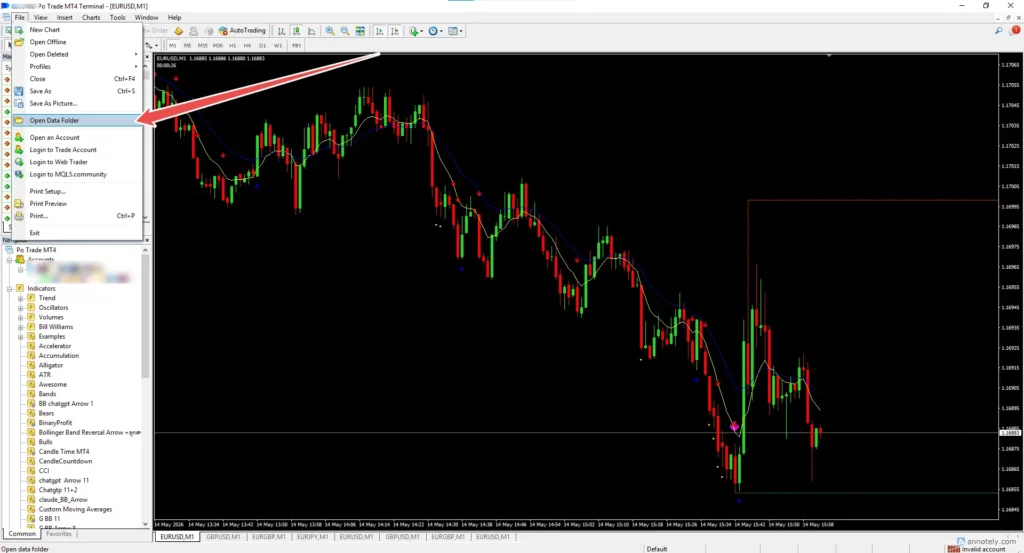
Go to the File menu, open Open Data Folder and follow \MQL4\Indicators.
File / Open Data Folder \ MQL4 \ Indicators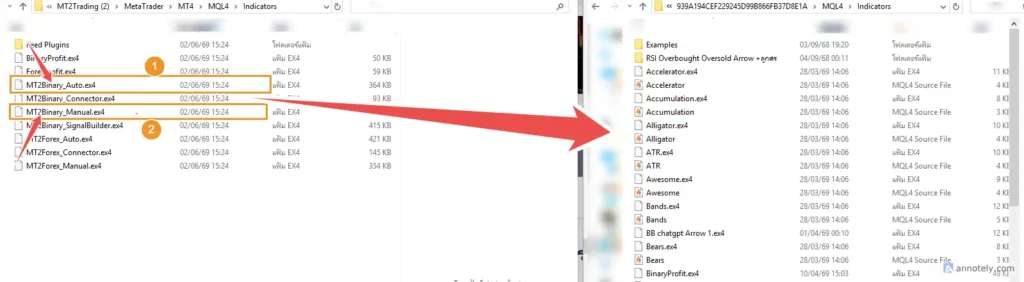
Drag or copy 2 files to the MT4 Folder Indicators.
File
* MT2Binary_Auto.ex4
* MT2Binary_Manual.ex4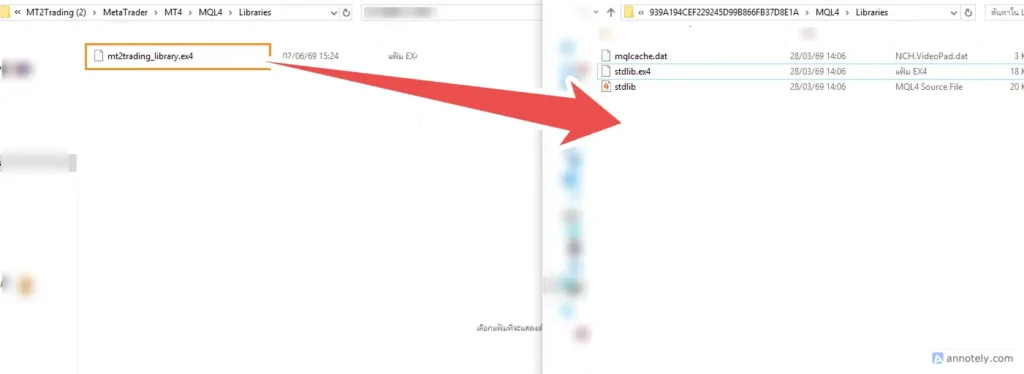
And do the same. Drag the file or copy from the MT2 libraries down to the libraries of the MT4 as well.
File
* mt2trading_library.ex4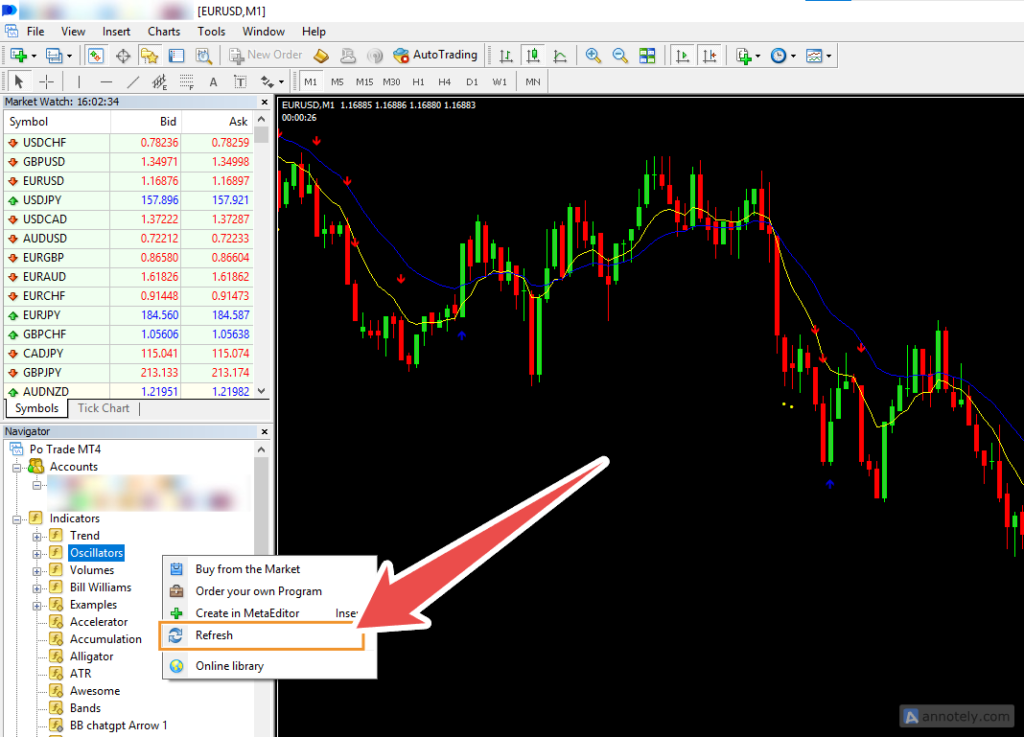
Right click / press Refresh (as in the picture). You will see a new indicators named MT2binary_Auto and MT2binary_manual.
* MT2Binary_Auto
* MT2Binary_ManualIntroduction to MT2 use for beginners
How to use MT2Trading_Auto on MT4 graph
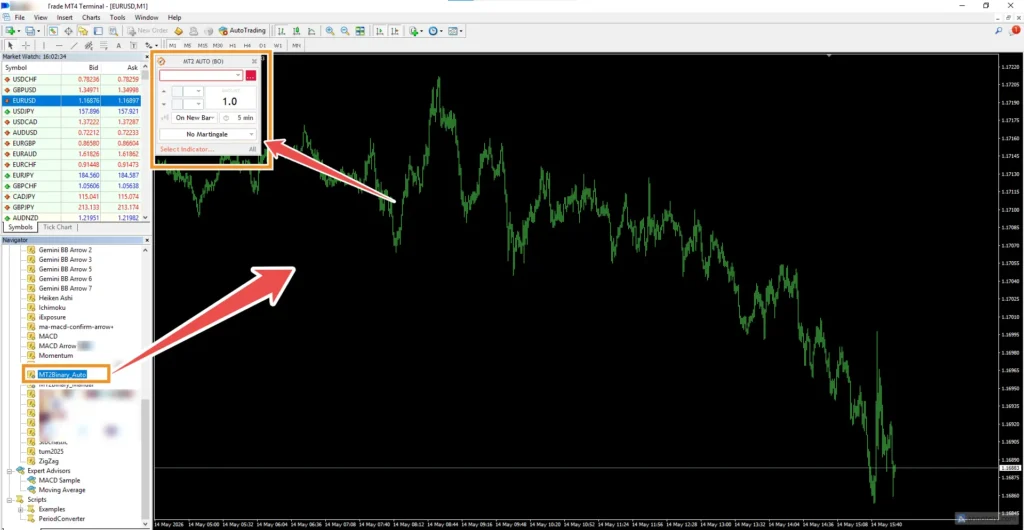
Drag the connector file. “MT2Trading_Auto” Go to the graph, you will see a small window on the left.
Test the initial arrow signal using Indicators – BinaryProfit to
MT2Trading\MetaTrader\MT4\MQL4\Indicators
* BinaryProfit.ex4
Drag it to Indicators on MT4 as always and Refresh/Pull down the graph.
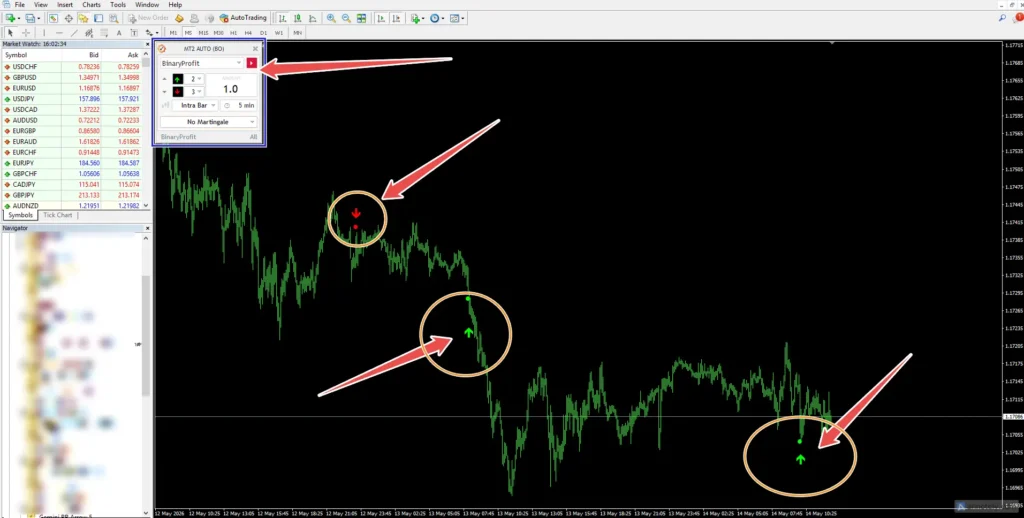
You will see an arrow signal up on the graph. If you can't see it, you may need to zoom in, zoom out and the window panel. MT2Trading_Auto will show an indicator that can be used
In fact, you can find or use any type of Indicators, just with a signal. Symbol is a point or an arrow (Any arrow indicator signals out a color buffer 🟌🔻) If an MT2 signal occurs, it will be traded automatically.
✅And you can find free from our store on this website as well.
How to change a graph format – change a graph to a candlestick in MT4
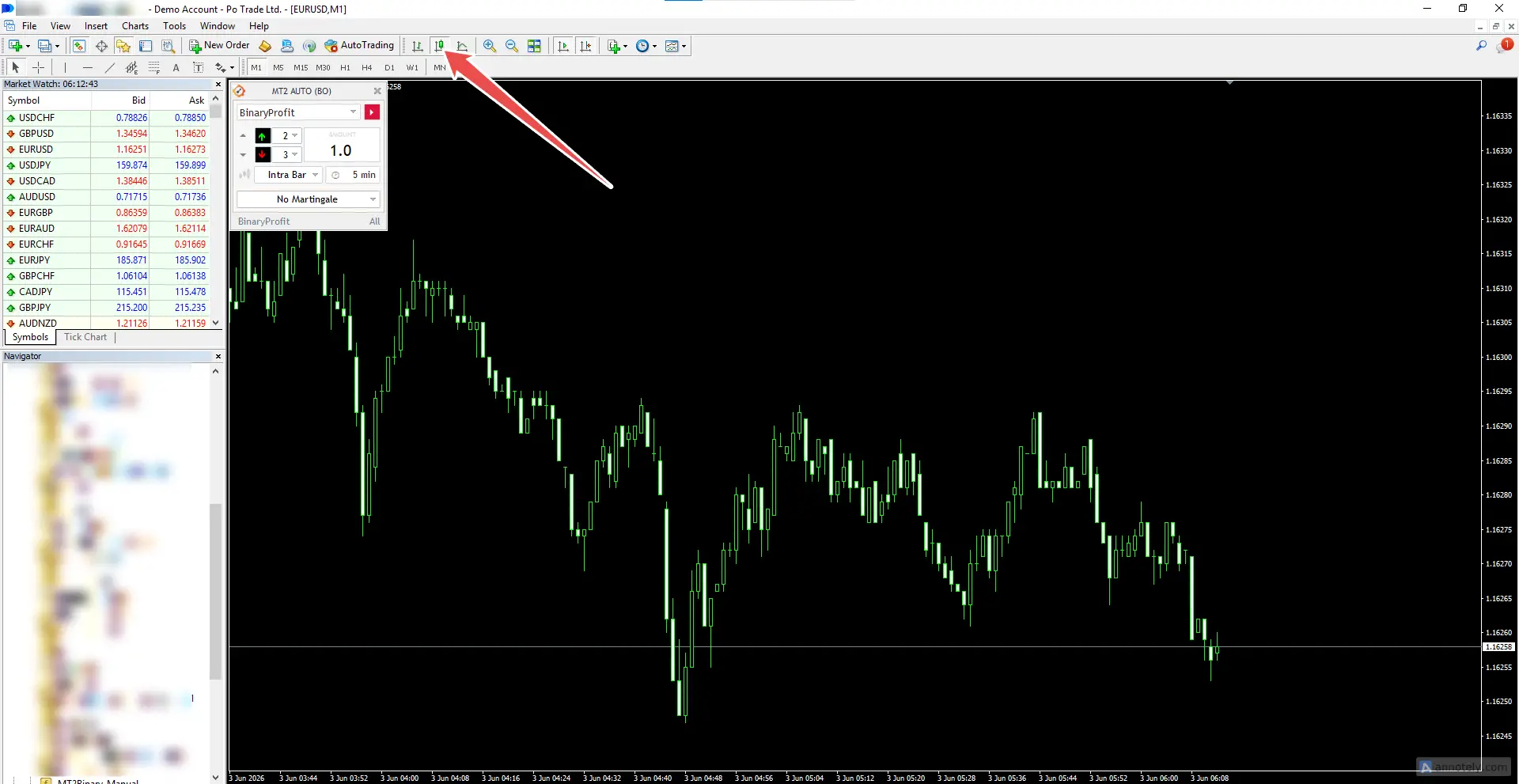
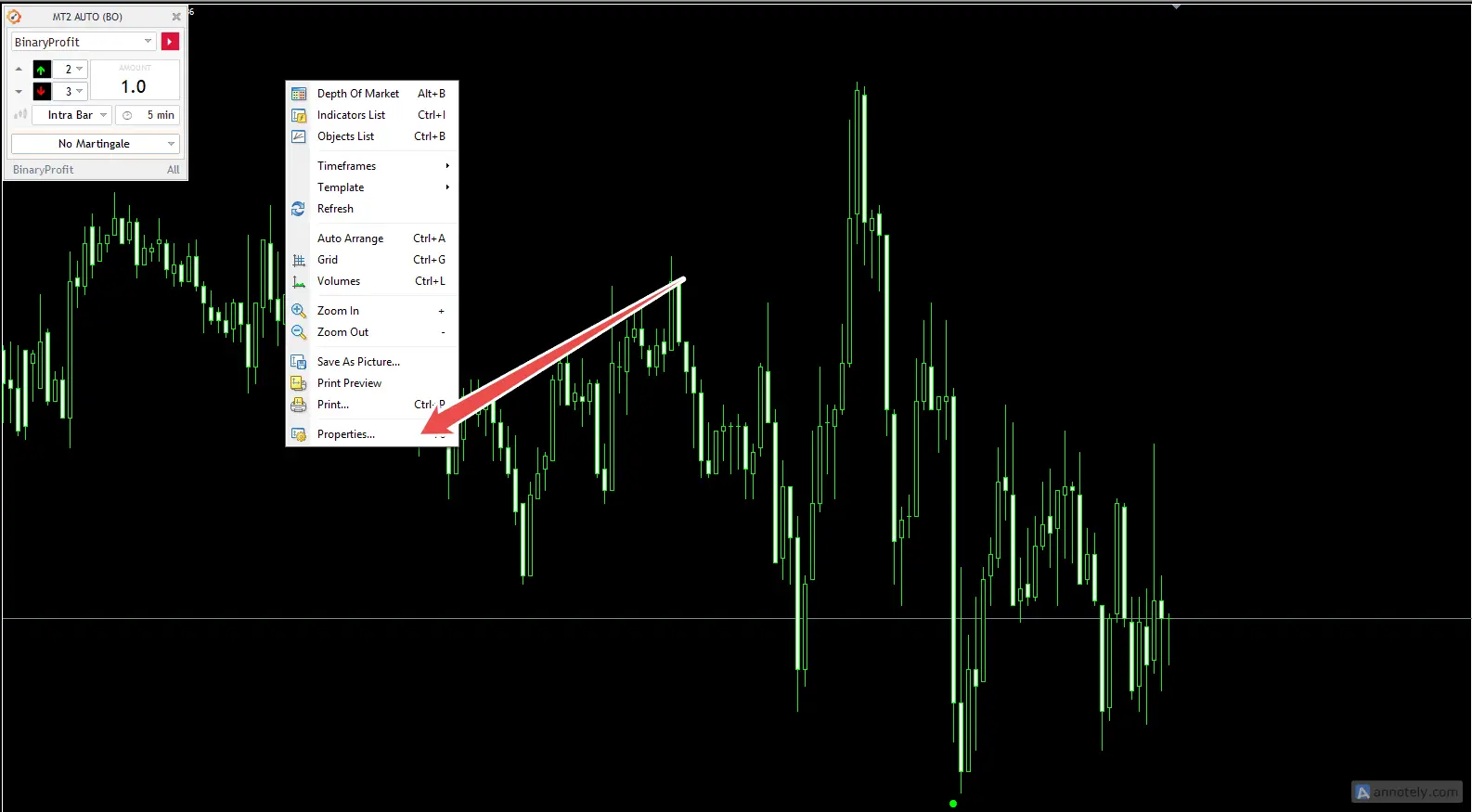
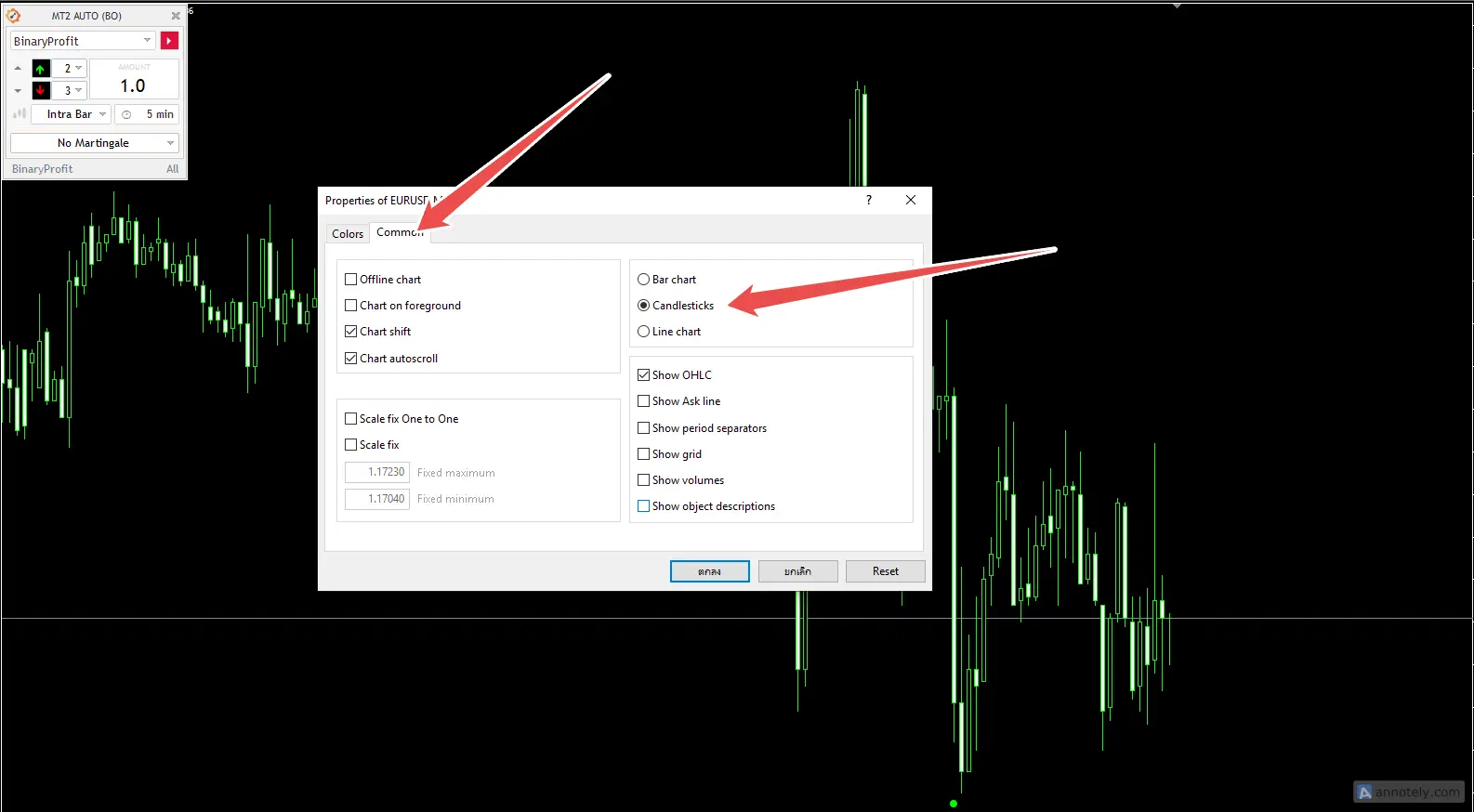
How to change a graph to a candlestick on MT4
You can choose to do 1 of these 3 methods:
Method 1: Use the top bar menu
Look for a candlestick icon on the toolbar at the top of the program. and click on the icon Candlestick
Method 2: Use a keyboard shortcut
Press the button Alt + 2 together on the keyboard
Method 3: Right click on the graph window
- Right-click an empty area on your graph window.
- choose Properties
- Go to the tab common
- Check the mark on the topic page. Candlesticks then press Ok
How to set MT2Trading on MT4 to configure parameters
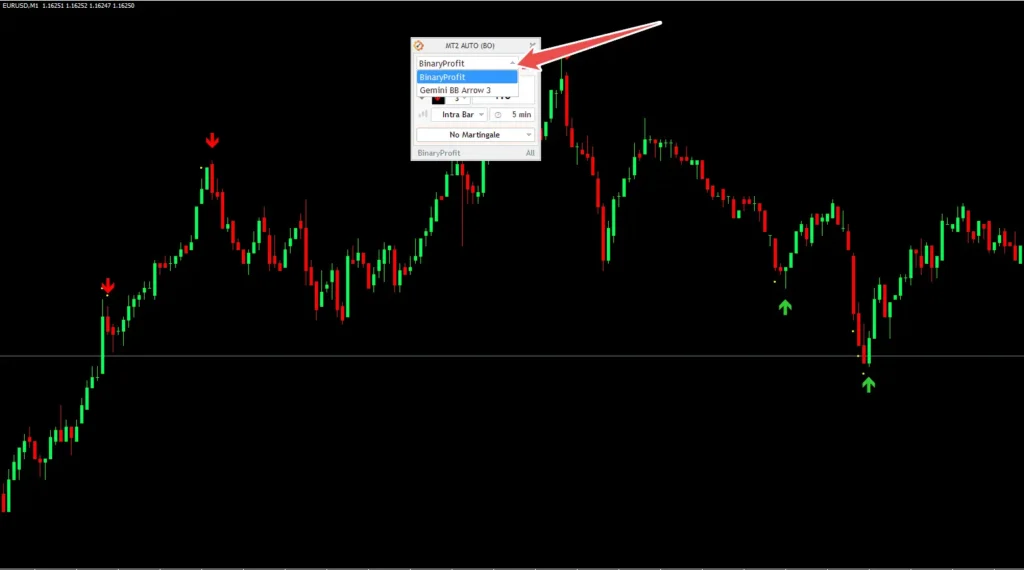
- Set the name of the indicator to be used by clicking the small arrow button on the side.
We have compiled 📈Indicators and arrow indicators 🔼🔻 Both free and premium 💲 You can find them from our store 🛒
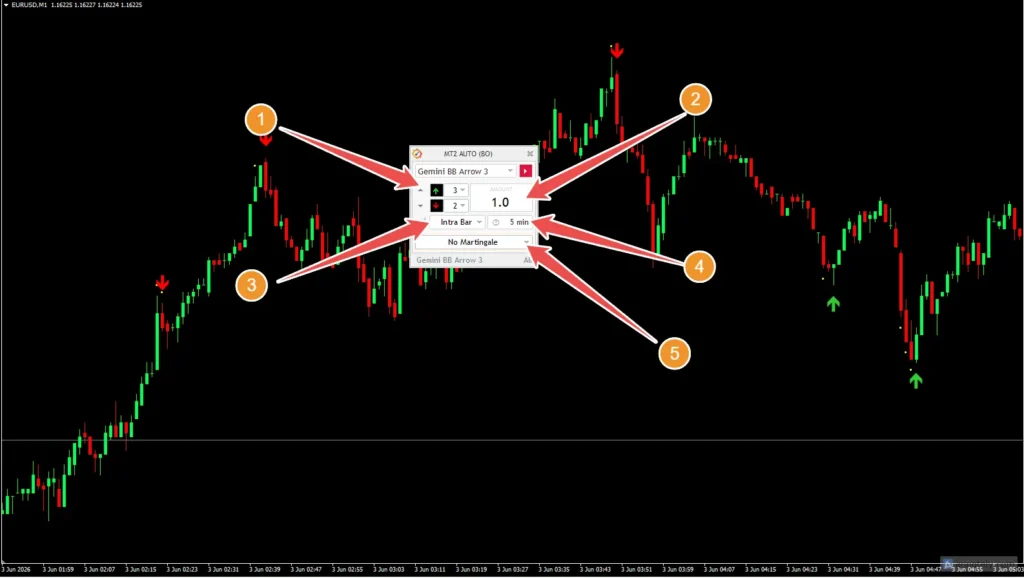
- Determine the signal metrics to be used in this section (buffer signal), arrows, dots, or other graphics signals, call or put.
- The amount to be used for this trading / parameter allows you to determine the amount invested in each trade. For example: For USD 5, you should write “5.0” for 10 USD. You should write “10.0” and so on…
- Choose between instant trading where the signal occurs. or buy in the next candle (You can choose two types of items: Onnewbar or Intrabar) *onnewbar It means that the trade will be carried out at the end of the candle at the receiver robot*.Intrabar Means trading will open immediately when the signal is displayed.
- Expiration time / Set the interval of your trading, for example, 1 minute 5 minutes. It will automatically shut down 5 minutes later.
- Martingale/Advanced (6 options available)
Setting up the Martingale system
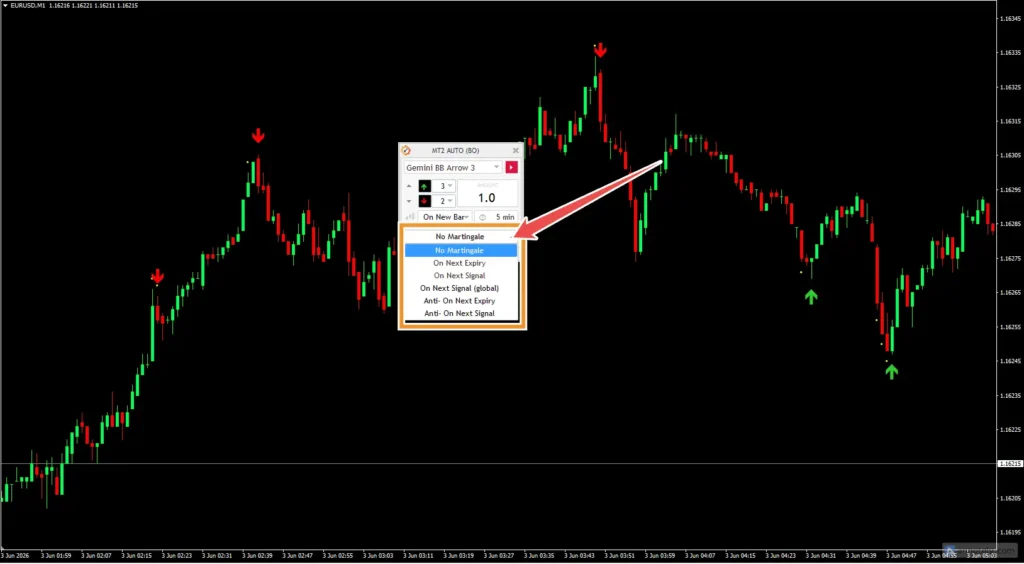
- No Martingale (No Compounding)
- On Next Expiry
- On Next Signal
- On Next Signal (Global) from all other open currency pairs)
- Anti-On Next Expiry
- Anti-On Next Signal
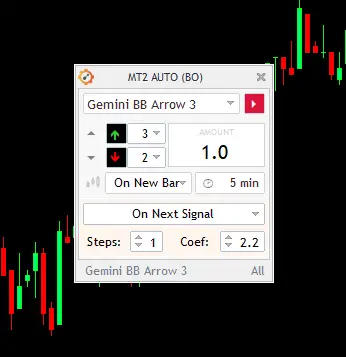
- Steps / number of martingale (example * put 1=2 times = 2=3 times)
- coef / number multiplier (example * put 2.2 times 2 = 2.2$ 3rd time = 4.84$)
To configure and see indicators (Indicators) or indicators, you need to drag. Indicator into the MT4 graph first.
indicator Turn back Most of them generate signals to enter. onnewbar while the indicator Trends Usually create a signal for an item. Intrabar
Martingale is the standard Martingale strategy. Apply to a loss trading position. When you lose from one trade The system will open a new trade with a larger amount. (equal to the amount of loss multiplied by the martingale coefficient)
Anti-Martingale Different from the standard Martingale strategy This strategy is applied toWinning Orders Only If you win the trade The system will open a new trading order with a larger amount.
and most importantly to let the program work, you should Press the small red button on MT2 too.
Important settings on the MT2Trading program
Once you have determined the source of the signal to be used in your account trading. It is especially important that you have to customize the MT2 settings to suit your trading strategy.
Setting up trading filters on MT2
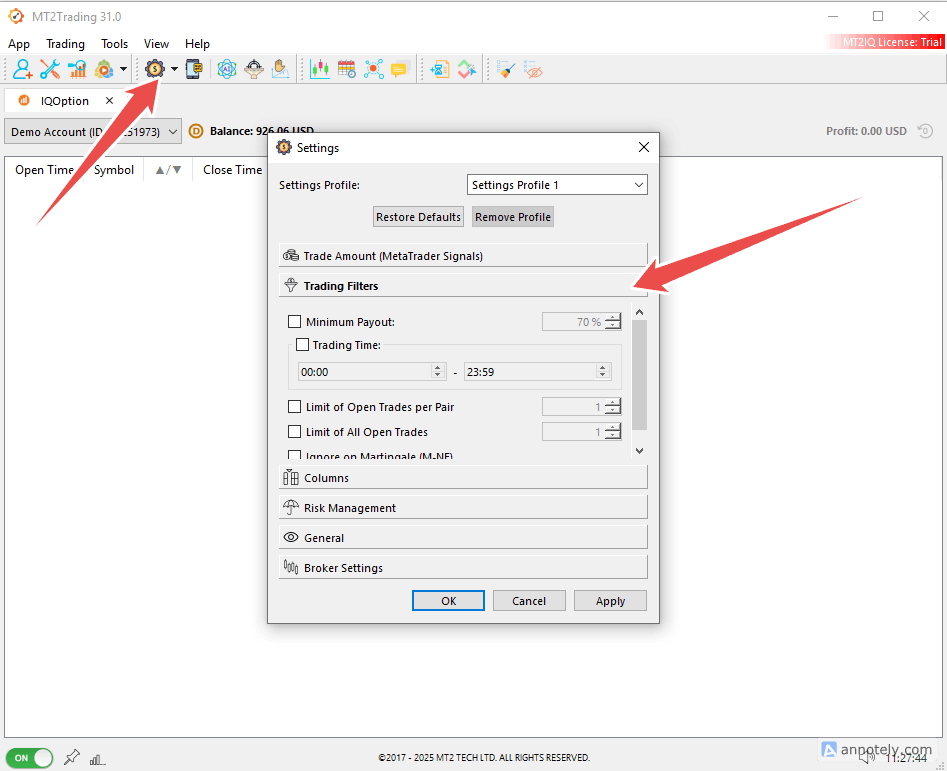
- Click the icon, set as shown in the picture, followed by Trading Filters.
- Minimum Payout Determine the percentage of the minimum profit accepted.
- Trading Hours Schedule for trading (Many people will avoid strong news periods by time limit)
- Limit of Open Trades Per Pair Maximum number of open orders per currency pair
- Limit of All Open Trades Limit the total number of orders
- Ignore on Martingale (M-NE) If the tick is correct, this condition will not apply to the Martingale system.
Setting up daily profits, stop losses (daily)
You can set a daily loss limit and you can set a daily profit limit as well.
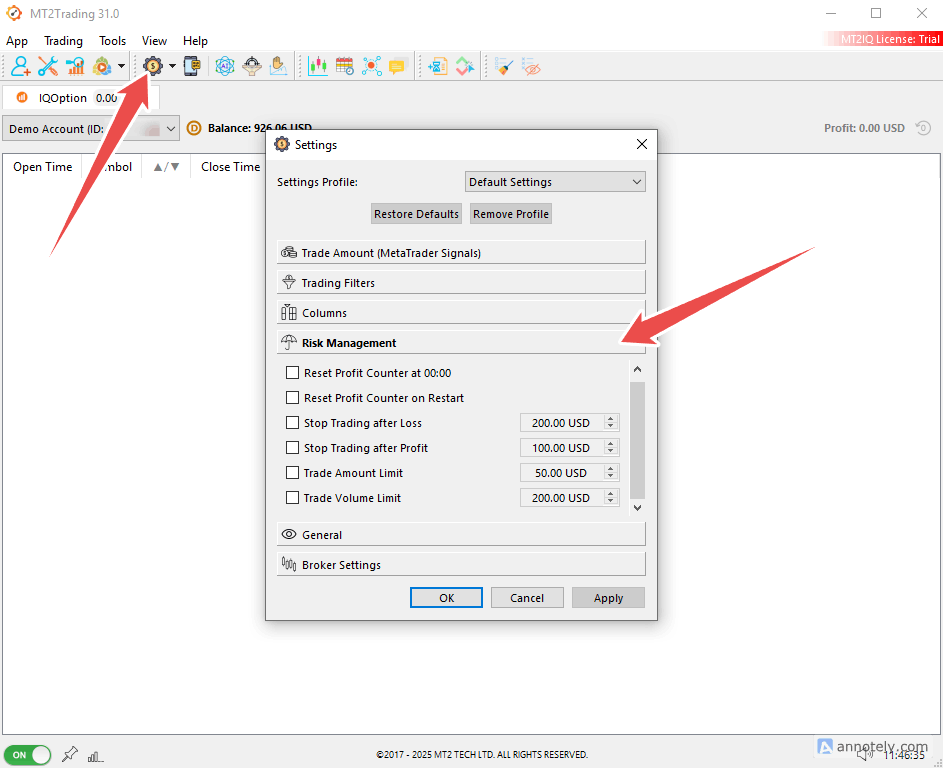
- Click the icon set as shown in the picture, followed by Risk Management
- Reset Profit Counter at 00:00 Reset profit counters every day at midnight. The system will start counting new profit/loss every day. (Suitable for people who set daily profit targets)
- Reset Profit Counter on Restart Close the program and open it again. Retained earnings will start counting again. (Most don't need to open)
- Stop Trading After Loss Stop trading when the loss reaches the specified amount.
- Stop Trading After Profit Stop trading when the profit is reached.
- Trade Amount Limit Limit the total amount used for trading (e.g. not to open the total wood system more than $50).
- Trade Volume Limit Limited total trading volume
and important tools economic news filter
MT2Trading's News Filter feature is meant to prevent EA or BOT from trading during important economic news. This often makes the price swing strong and unpredictable.
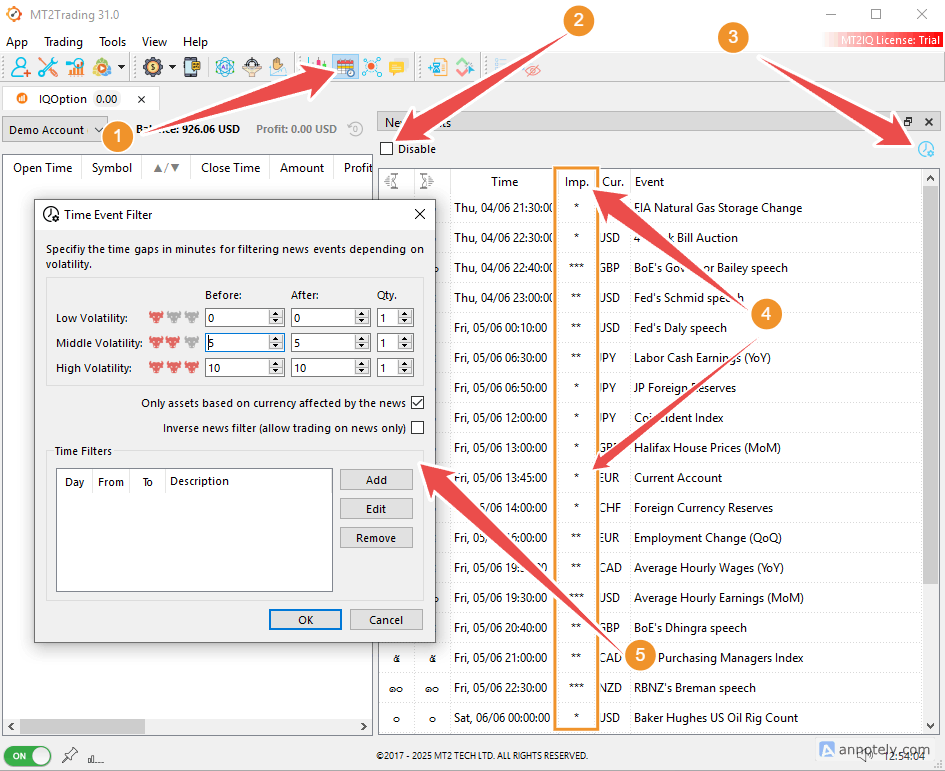
- Click this icon to open it. News Events The upcoming economic news tab
- enable disable News Filter ✅ Tick = No news filter ❌ No tick = Use news filter
- This option is for opening a window. Time Event Filter
- IMP. (Impact) news strength level
- Window Time Event Filter
setting Time Event Filter In the Before Box is set to stop trading before the news (minutes) After set a minute after the news (not trading) ⭐ News 1 star news 2 stars 3 stars (such as in the preview image stop trading And after the news 2 stars 5 minutes *Stop trading first and after the news 3 stars 10 minutes )
qty The amount of news to be used as a condition
Only Assets Based on Currency affected by the news (only related currency pairs)
Inverse News Filter (Allow Trading on News Only) When it opens, the system will trade only when there is news. Especially suitable for people who play News Trading.
Time filters below Use to set the time period for prohibiting trading by yourself. Press Add to increase the time period.
**🚫 Turn off the News Filter feature by ticking Disable.
Differences in the price of the subscription plan
(One broker's license) 10% discount 👉 mt2trading.com
free | $30 / 1 month | $60 / 3 month | $150 / 12 month |
|---|---|---|---|
Demo account | Real money | Change brokers | Change brokers |
system requirements
- Windows Vista, 7 SPI, 8.1, 10 or 11
- Windows Server 2008 SP2, 2008 R2 SP1, 2012 R2 0 2016
- 1 GHz processor
- 512 MB RAM
- Free space on hard disk 500+ MB
5 Binary Option Brokers that support 🏆
1. IQoption Starting at $10, open since 2013.
IQ Option is a platform for trading Binary Option and other financial assets that are popular with beginners. Because it looks easy to use. Minimum deposit of only $10 And there is a demo account to practice trading before actual use. DEMO 10,000, a system to display graphs and basic analytical tools that are not difficult to understand. More than 100 technical indicators support mobile trading. suitable for beginners and most importantly we can Insert script codes, indicators, custom indicators. Enter the script code to create custom metrics.
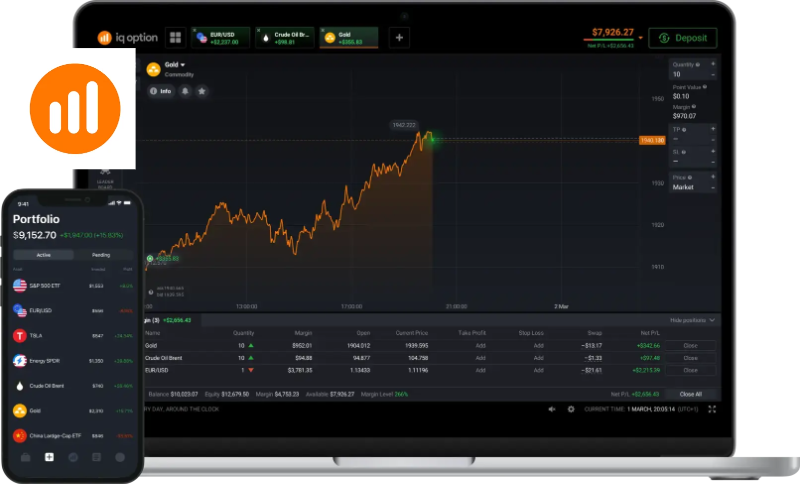
- Demo account 10,000
- Minimum deposit of $10
- Support forex trading
- local currency
- More than 100 technical indicators
- Support withdrawal via Crypto
- prize money competition
- Binary options, CFDs and more.
- You can withdraw money for free 1 time per month.
- Some countries are not supported such as the United States, Canada, Japan, Australia, United Kingdom, European Union countries.
2. Pocketoption Minimum $5. Player copying
PocketToption is an easy-to-use trading platform. It supports more than 100 assets worldwide. There is a demo account for free trading of $50,000, a minimum investment of $5 and no commission on deposits and withdrawals. and there are many payment methods It also supports mobile trading. Suitable for both beginners and traders who want a reliable platform and also supports Forex MT4/5. The key feature is the daily bonus system, the Pocket Friends experts copy system, invite friends and receive rewards. Both of you will receive a bonus.
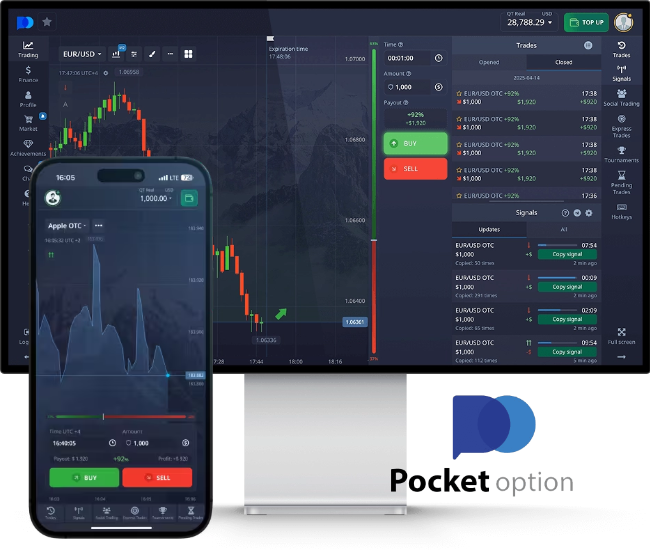
- Get a $50,000 virtual account
- Minimum deposit $5
- Minimum trade $1
- Support Forex MT4 MT5
- Indicators and signals
- Copy Trading System
- Multiple payment systems
- Trade with AI
- Pocket Friends (Invite friends and get rewards)
- Not available to residents of European Economic Areas (EEA), USA, Israel, United Kingdom, Philippines, Japan and Brazil.
3. Exnova Minimum $10 in 5 seconds.
Exnova is a new generation of trading platforms with more than 250 assets to trade. Focusing on binary options. digital options and Blitz Options with a profit of up to 95% in just 5 seconds, support for use on a variety of devices. Open an account quickly without obligation. with more than 250 assets to choose from Minimum deposit $10 A demo account for a $10,000 virtual investment strategy test account, a minimum deal of $1.
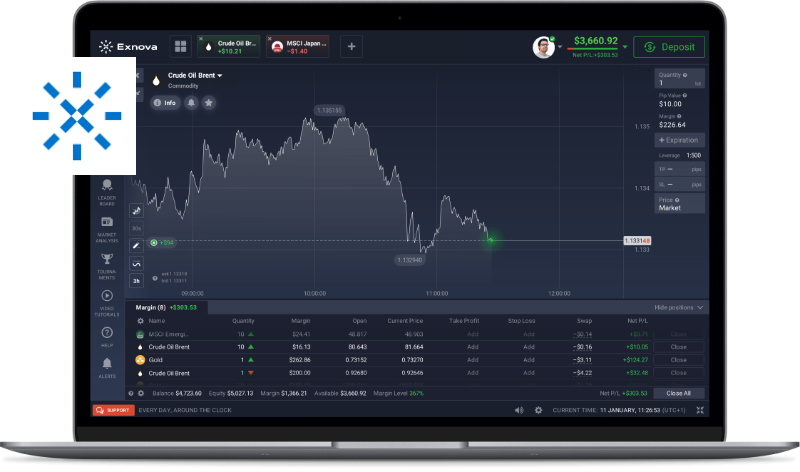
- Demo account 10,000 USD
- Minimum deposit $10
- economic calendar
- Negative Balance Protection
- Islamic Account (without exchange fee)
- participate in trading competitions
- Same format as iqoption
- Support Crypto Deposit and Withdrawal
- Not supporting the United States, Australia, all countries in EEA, United Kingdom, Russia, Israel, Ukraine, Afghanistan, Albania, American Samoa, Canada and others.
4. 8xtrade Minimum deposit $10, minimum deal $1.
8xTrade Minimum deposit $10 Trial $10,000 All tools that professional technical analysts need, such as volume indicators. oscillator and trend indicators You can become an investor and start trading EUR/USD, GBP/AUD, CAD/CHF stocks (Tesla, Spotify, Alibaba).
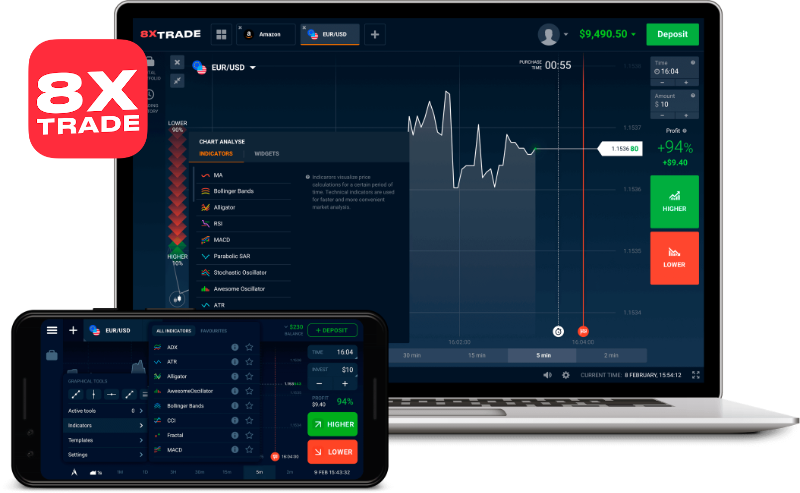
- Demo account 10,000 USD
- Same format as iqoption
- Enter the script code, metrics, customized metrics.
- Minimum deposit $10
- technical tools
- Support Crypto deposit and withdrawal
- FB contact information cannot be contacted.
- There are no other social media channels.
- No apps for iOS
- Not accepting residents of the United States and/or countries in the European Economic Area (EEA) and others related.
5. Gcoption Start $10 and 10-20% deposit bonus.
Gcoption, Grand Capital's Binary Options, a famous broker. Users can start investing from $10 and make a profit of up to 86%. Trading can be done easily with just $1 and there is also a demonstration account to try with virtual money of $10,000. There are also various levels of investment status such as Silver, Gold and VIP that offer different benefits. such as free education, free analysis, trading signals and a refund for some losses Service since 2014
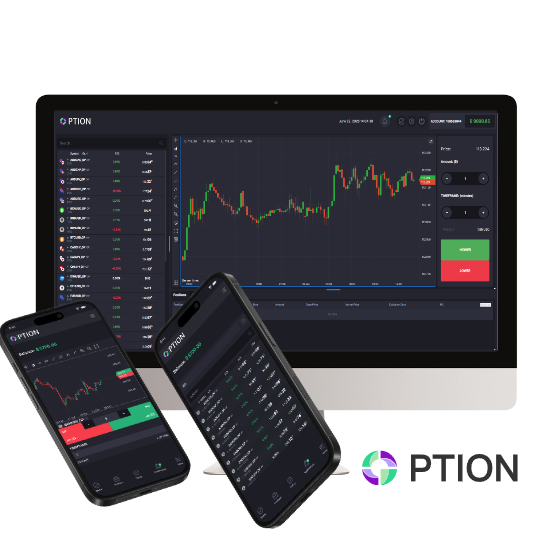
- Demo account 10,000 USD
- Trading in WebTrader
- Early Closing of Trading
- Minimum investment of only $1
- Wide range of deposits and withdrawals including crypto
- White Label Affiliate Program
- deposit bonus
- Opening a trading account is quite complicated.
- no mobile app








Important to make your strategy successful. It's not just about finding a good time to enter trading. but is to have the discipline to strictly follow the plan
Define a daily stop point:
- When the loss reaches the specified amount Stop trading immediately.
- When the profit has reached the goal Stop and maintain the results.
Remember, keeping capital is more important than chasing profits. And knowing enough is more important than winning every time in the market. Discipline today is the foundation of long-term success.
The market will always have new opportunities for you. But capital and discipline are things that must be maintained.
Survivor traders are not the ones who win every day. But it's someone who can control themselves every day.
siammakemoney.com
MT2Trading is the only trading tool, it cannot measure profitability from the BinaryOption market depending on each user.
However, trading binary options is very risky. Because investors may lose all their investments within a short period of time if the price direction is wrong. Therefore, those who are interested should study the principles of trading. risk management and use the money that is ready to take the risk only before starting the actual investment
Frequently Asked Questions about MT2Trading
Will the account be blocked or banned from the broker?
What payment methods does MT2Trading support?
Do I need to leave my computer on all day?
Martingale strategy formulation
✅ Martingale system “When receiving the next signal” that uses the connector signal
✅ Martingale system “When receiving the next signal” based on the destination signal
✅Martingale defense mechanism “When the next due date”
✅ Anti-theft system Anti-Martingale “When the next signal is received” based on the connector signal.
✅ Anti-Martingale System “When receiving the next signal” based on the destination signal
IQ Option Free, Binary Options Trading Bots, IQOption Trading Bot, MT2Trading Download, MT2 Download, MT2 Trading Pocket Option


 Thai
Thai  English
  Japanese
  Korean
  German
  French
  Russian
  Spanish
  Chinese
  Hindi
Hindi