

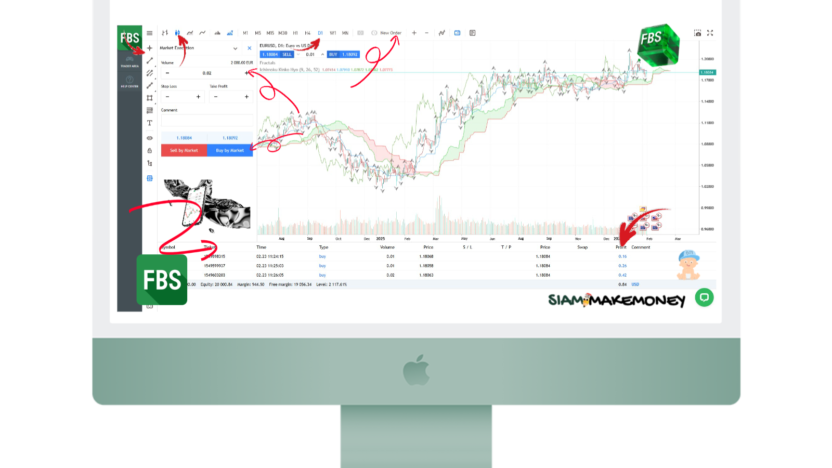
Forex Broker FBS Reviews / How to Sign Up for Newbies / Deposits - Withdrawal 💯
trading guide Forex With FBS Suitable for beginners to start depositing only 5$, minimum withdrawal of only 10$, no commission. No trading fees, demo account (Demo) service VPS Free Low Spreads Up to 1:3000 Platform Support MT4 and MT5 Have an account for crypto Prevention system for loss of balance and negative balance

How to sign up Step by step for newbies since applying for membership Trial trading account without real money Trading method Deposit and Withdrawal Use MT4 MT5
FBS key specs (2026 data)
| demo account | ✅ |
| Initial deposit | 5$ |
| Minimum withdrawal | 10$ |
| Free VPS | ✅ Minimum deposit $450 or trade at least 3 Standard Lots |
| crypto account | ✅ |
| islamic account | ✅ (no swap fee) |
| Spreads | Starting at 0.7 pips |
| leverage | Flexibility up to 1:3000 |
| Margin Call | (Notification to top up or close the order) at 40% |
| stop out | (Automatic order closes) at 20% |
| web platform | ✅ |
| mobile trading | FBS app |
| MetaTrader 4 (MT4) | ✅ |
| MetaTrader 5 (MT5) | ✅ |
| Asset | More than 550 CFDs, including more than 70 currency pairs |
| deposit and withdraw money | 200+ Country Local Payment Systems, Bank Transfer, Credit/Debit Card (Visa, MasterCard, Maestro), USDT (TRC20), USDT (ERC20), Ethereum, Litecoin, Bitcoin, Binance Coin |
| Supported language | English, Spanish, Indonesian, Thai, Arabic, Malay, Turkish |
| overseeing | Supervised by FSC (Belize) |
| Other | Order volume from 0.01 to 500 lots, up to 500 open states, including 200 advance orders. |
FBS Forex Guide
How to apply for an FBS account for beginners
Go to the website. fbs.com
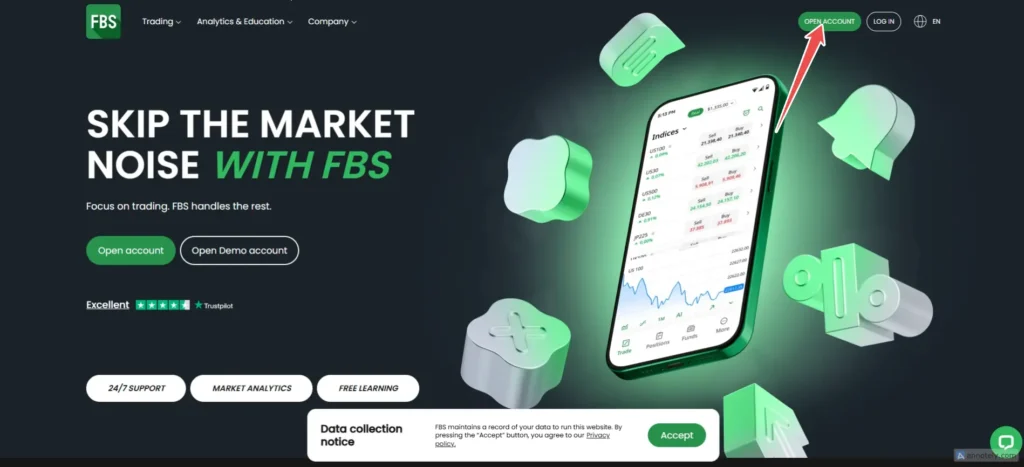
How to apply for step by step for beginners
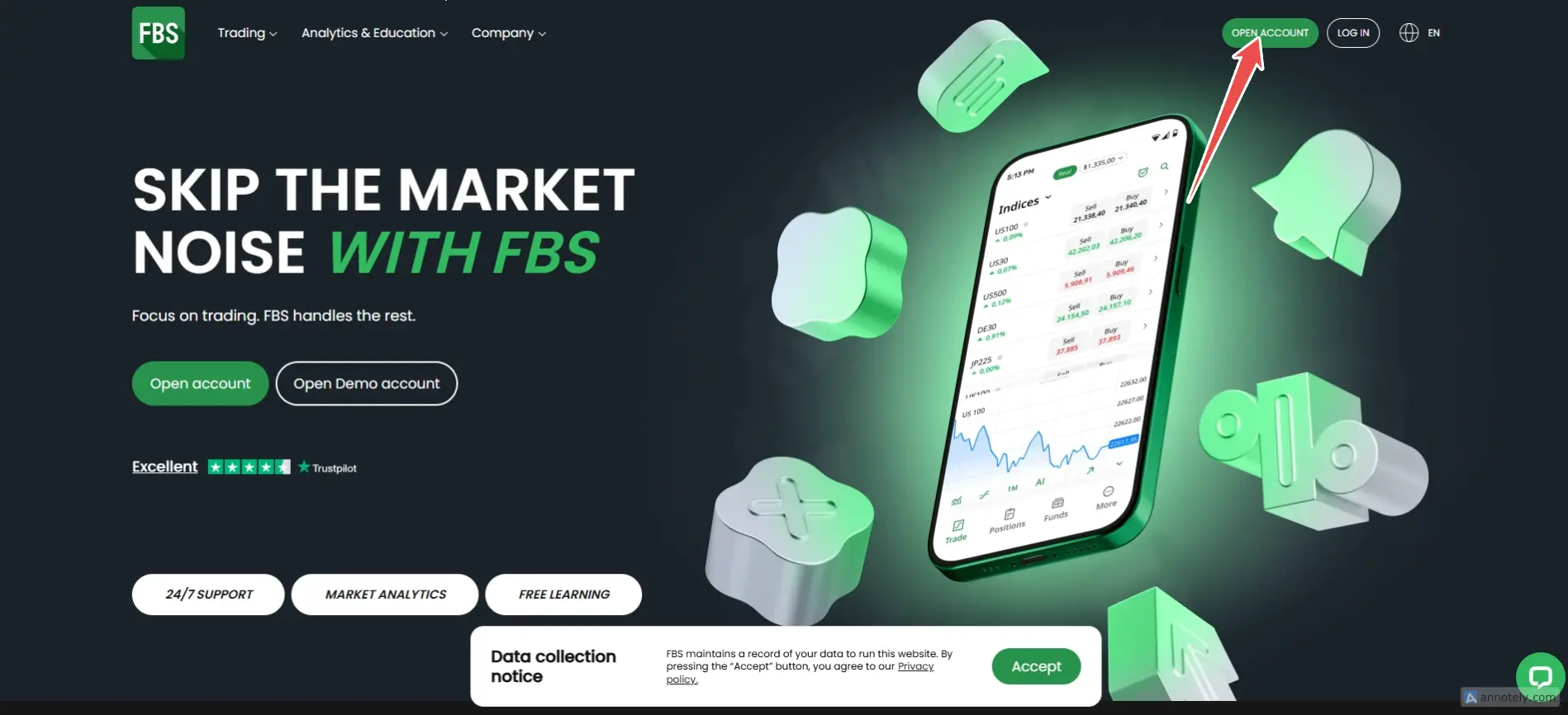
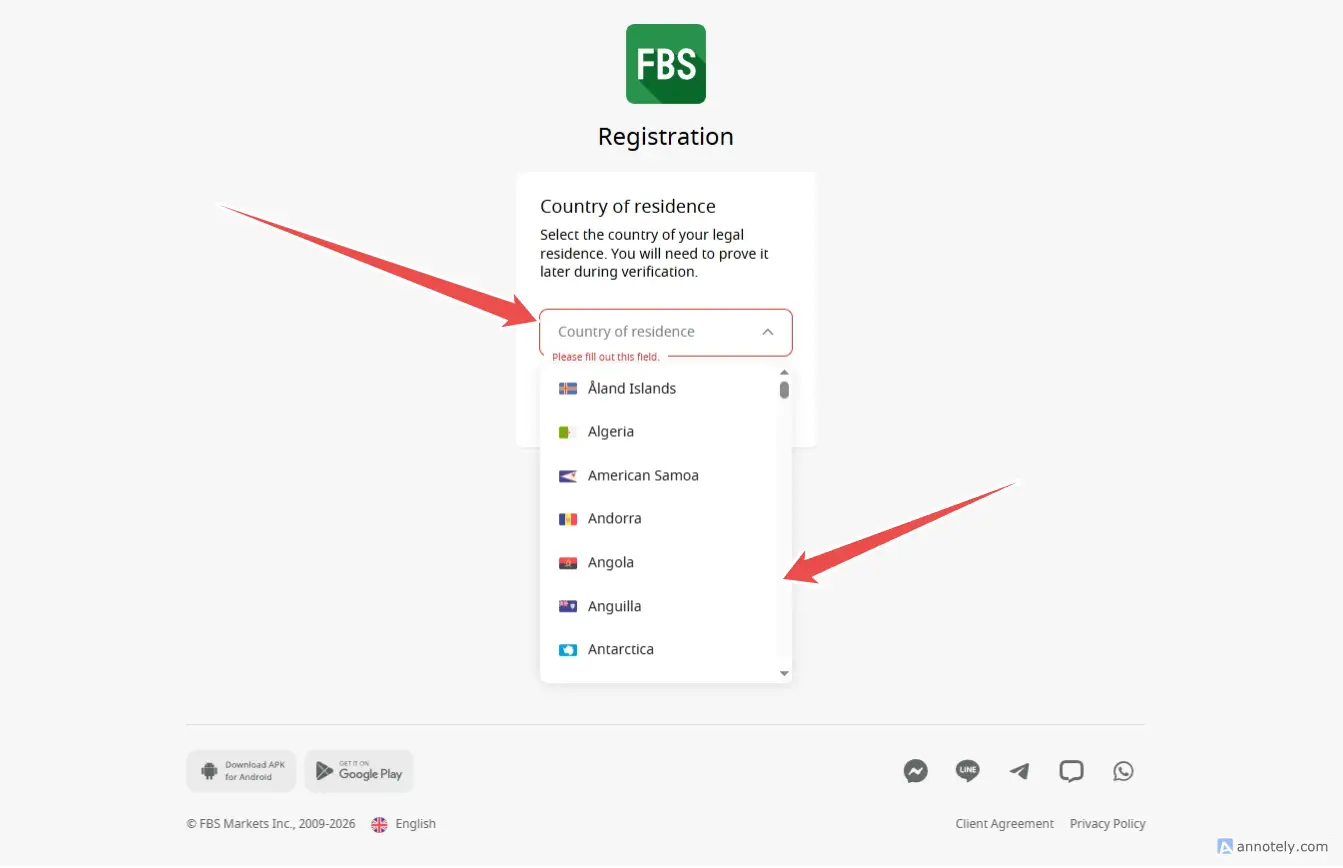
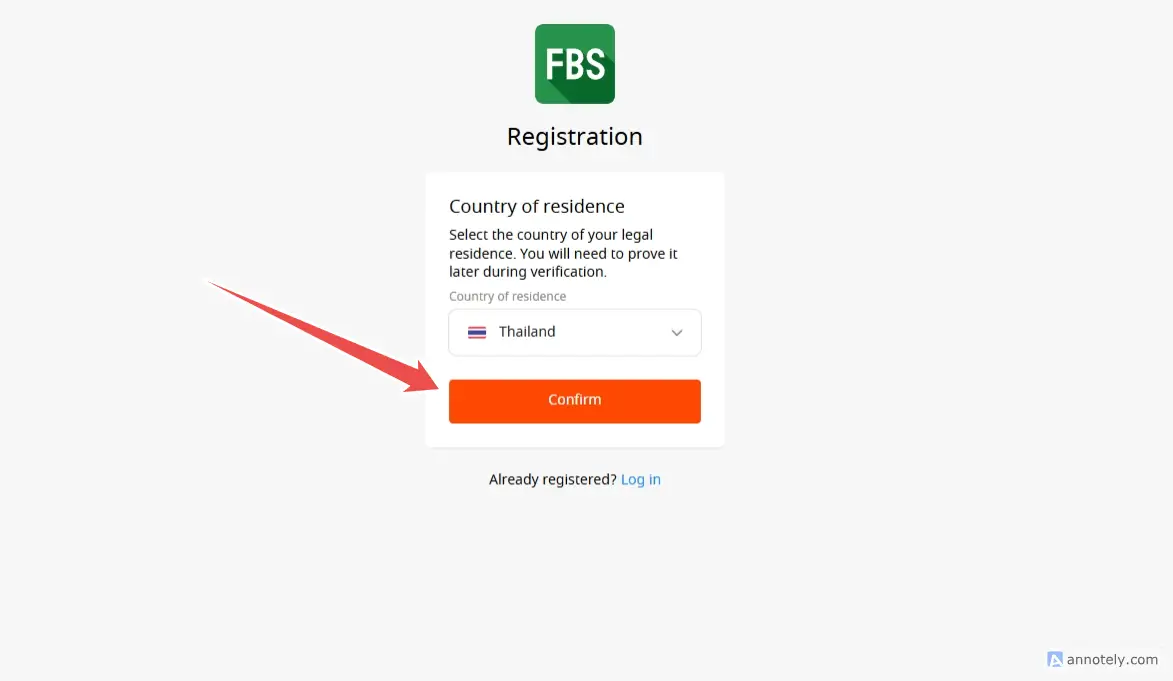
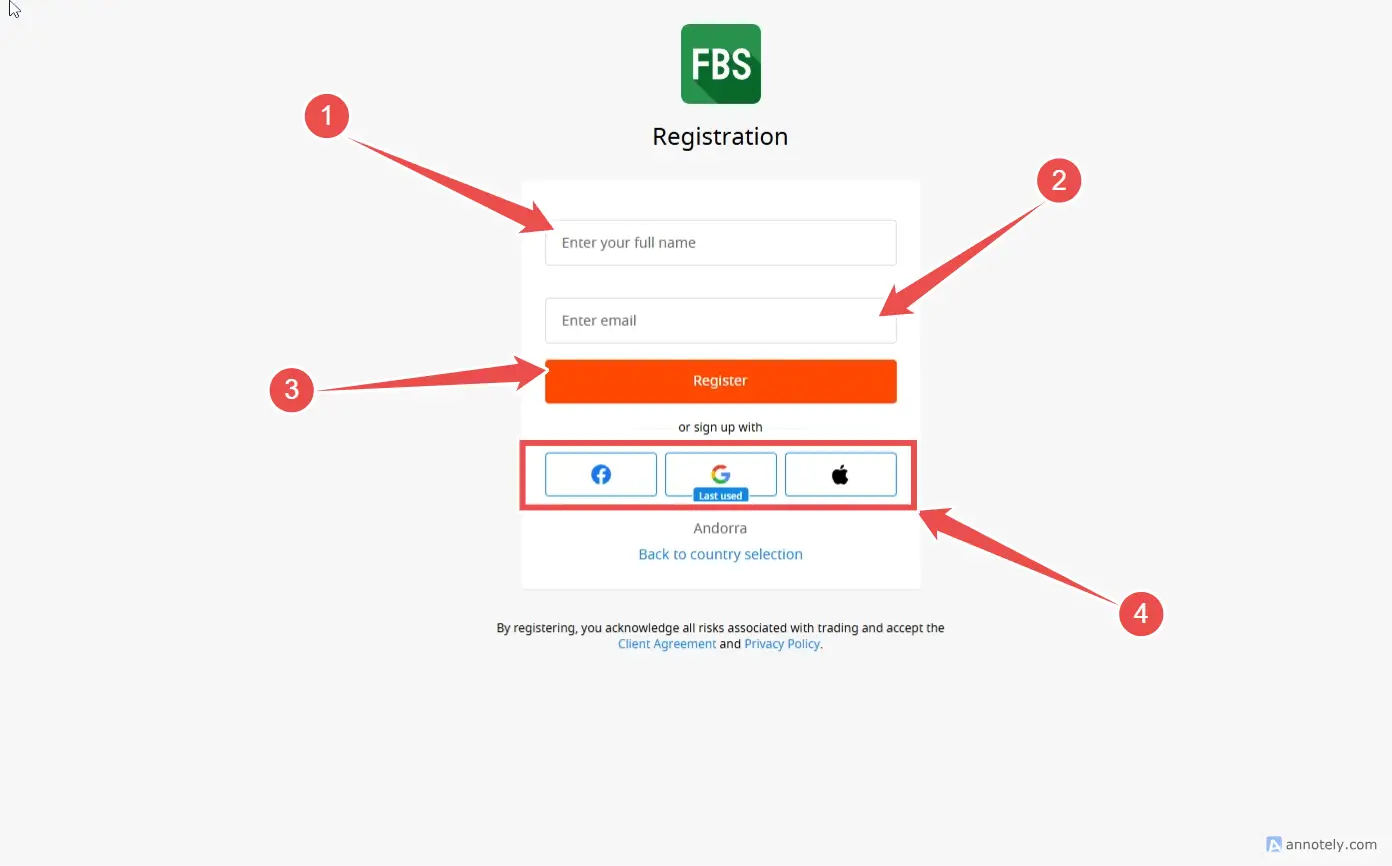
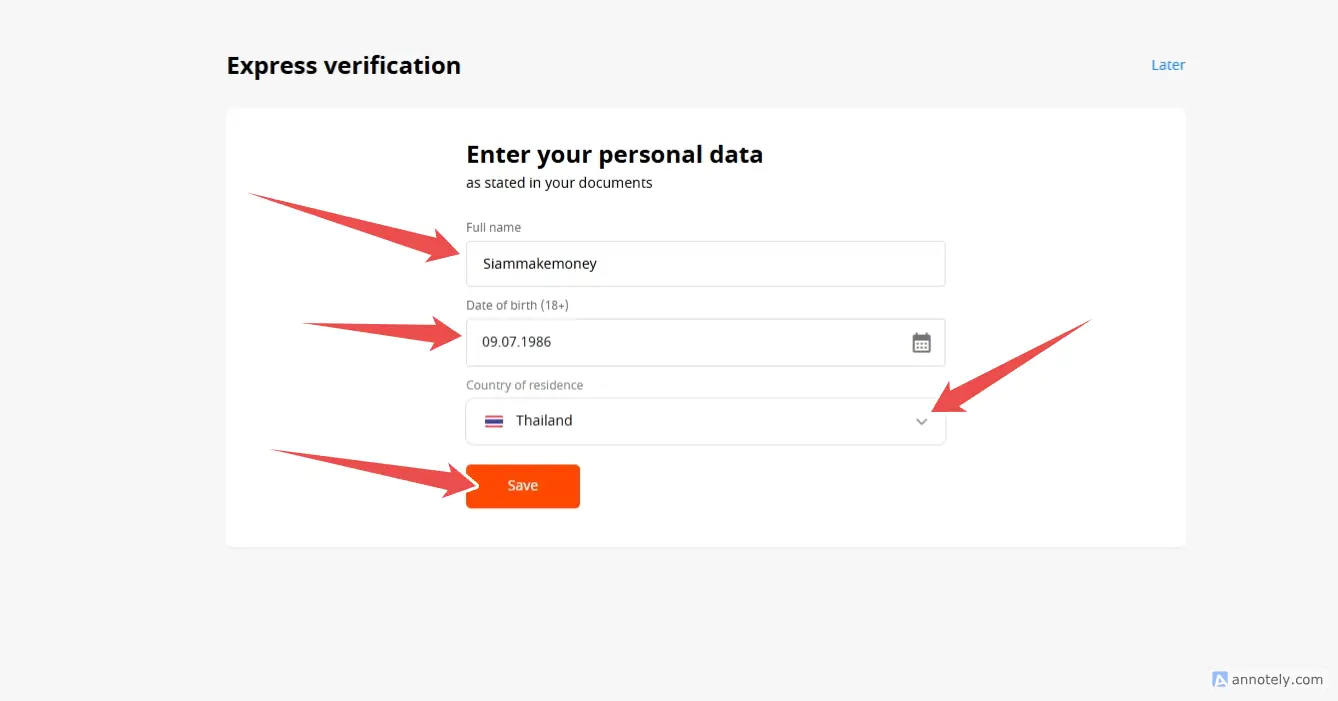
Recommended ✔ To make it easier to register and log in. Register via social media such as Google or Facebook (click the Google logo or Facbook button when signing up). You should log in to Google or Facebook before that.
How to apply for a demo account FBS (DEMO)
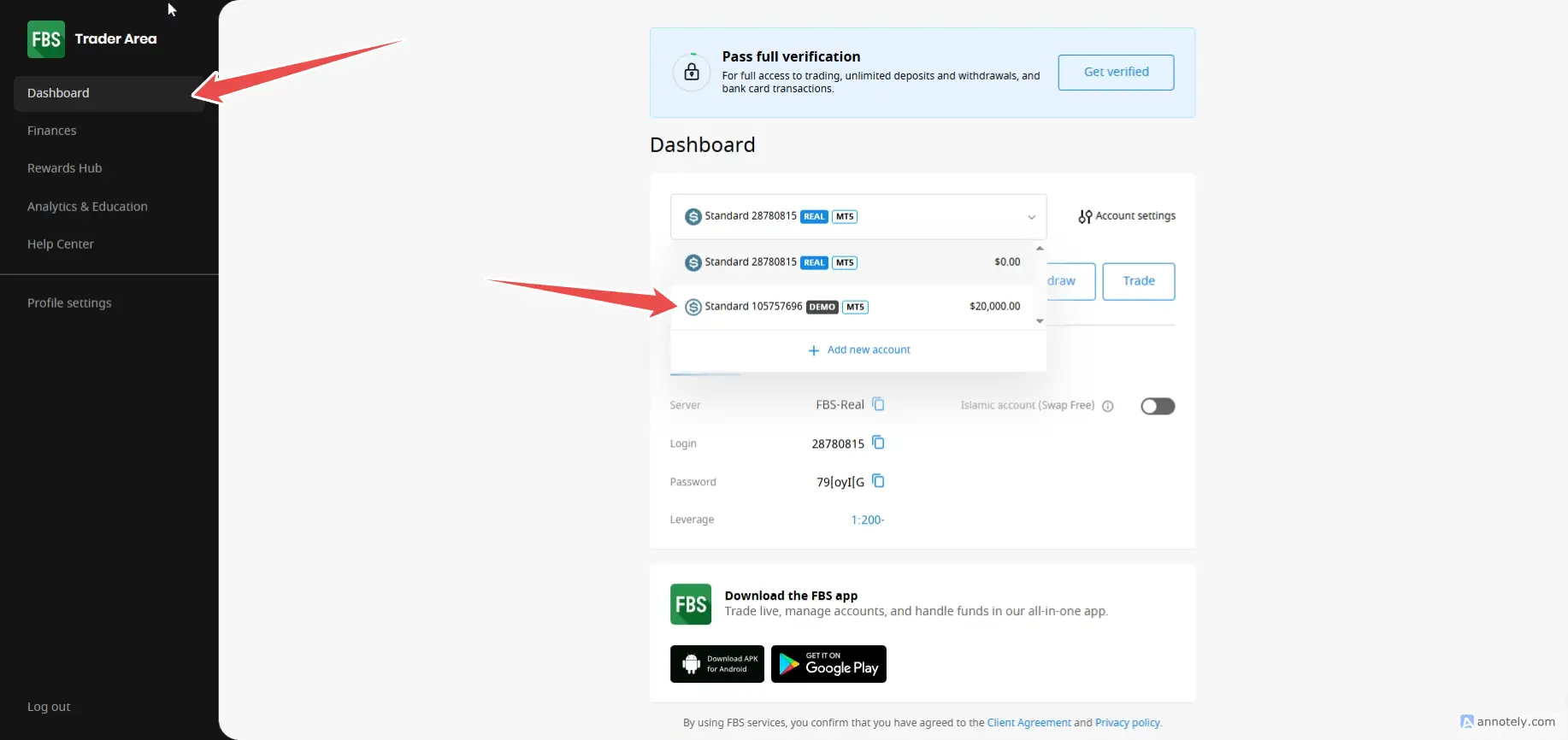
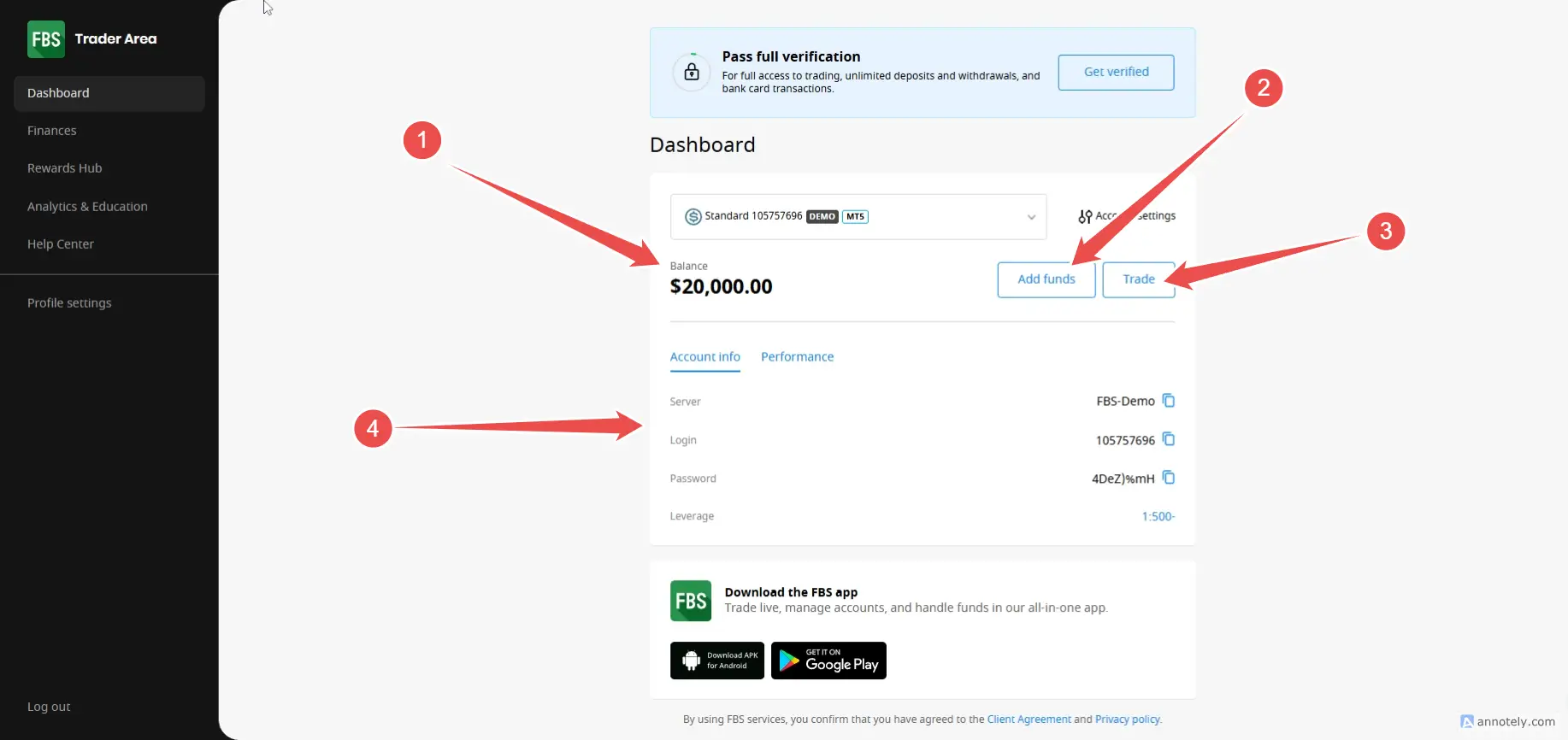
- test account Demo by going to the menu dashboard/click scroll down Account Demo
- Top up your demo account by clicking on the button. Add Funds
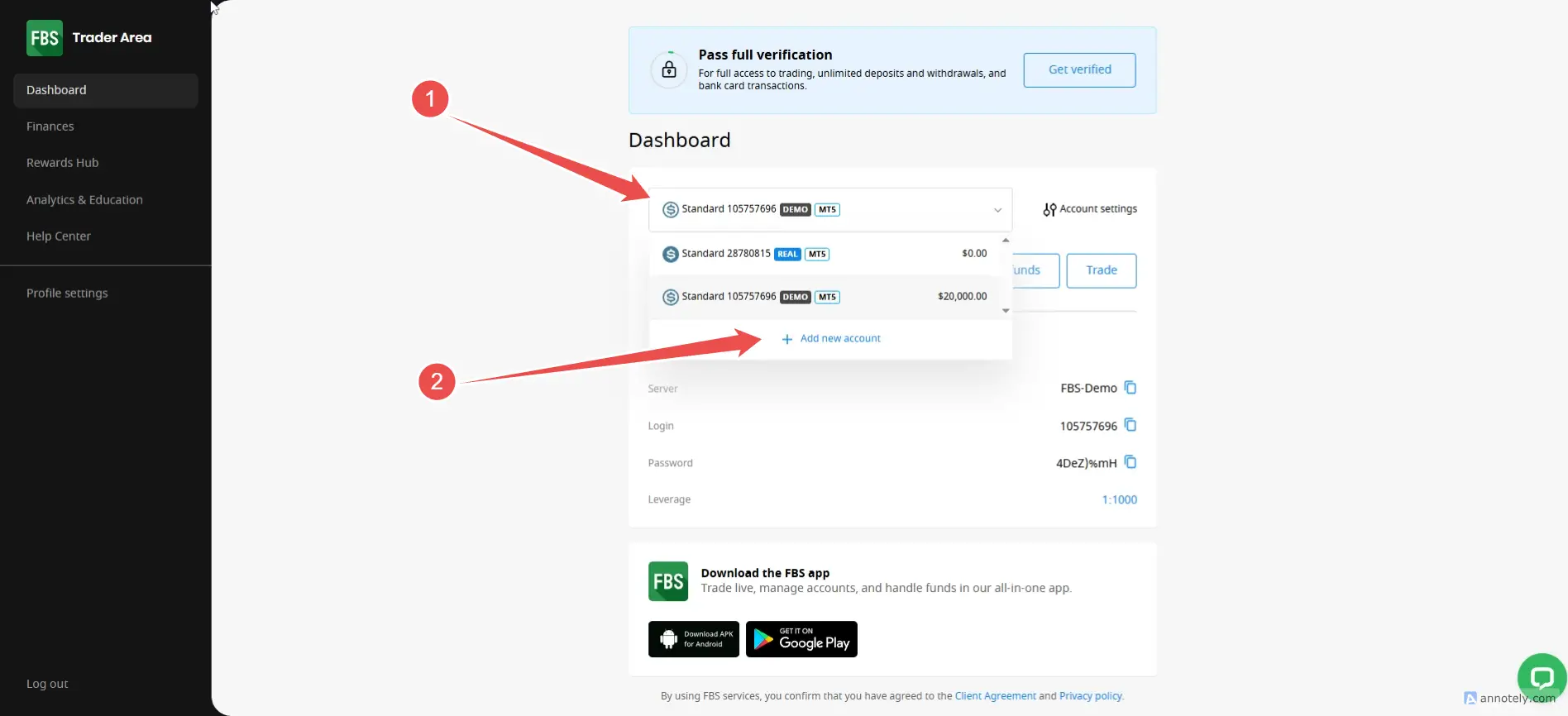
- Create a new account by going to account / Scroll down, click on Add New Account
- Information for MetaTrader 5, click on the TRAD button (details will appear).
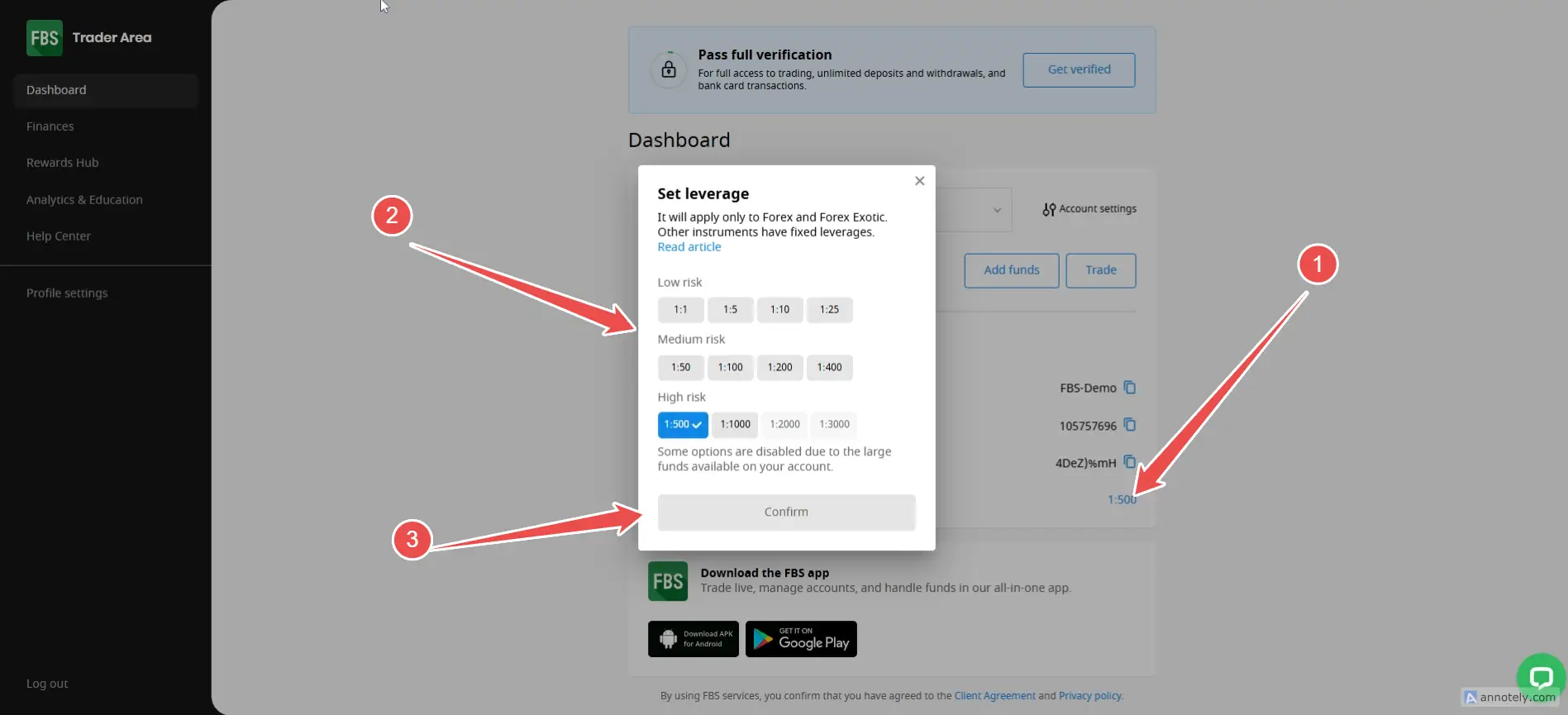
- Add Leverage to Leverage (Account Info)
- View details of trading information to Performance.
Demo Account is an account for practicing trading using “Money Simulator”, suitable for beginners who want to learn the system. and test various tools before actually investing
How to trade basic Forex FBS
How to trade on the FBS website (without loading the program)
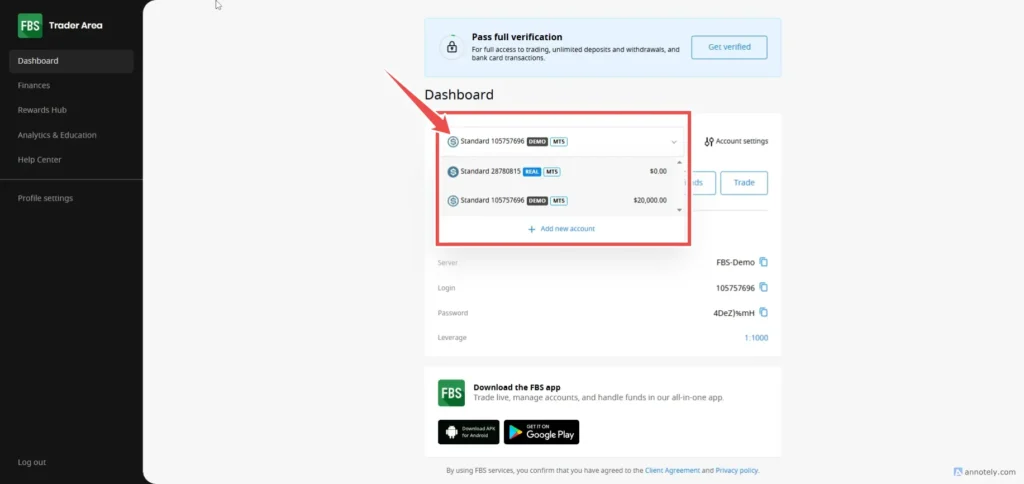
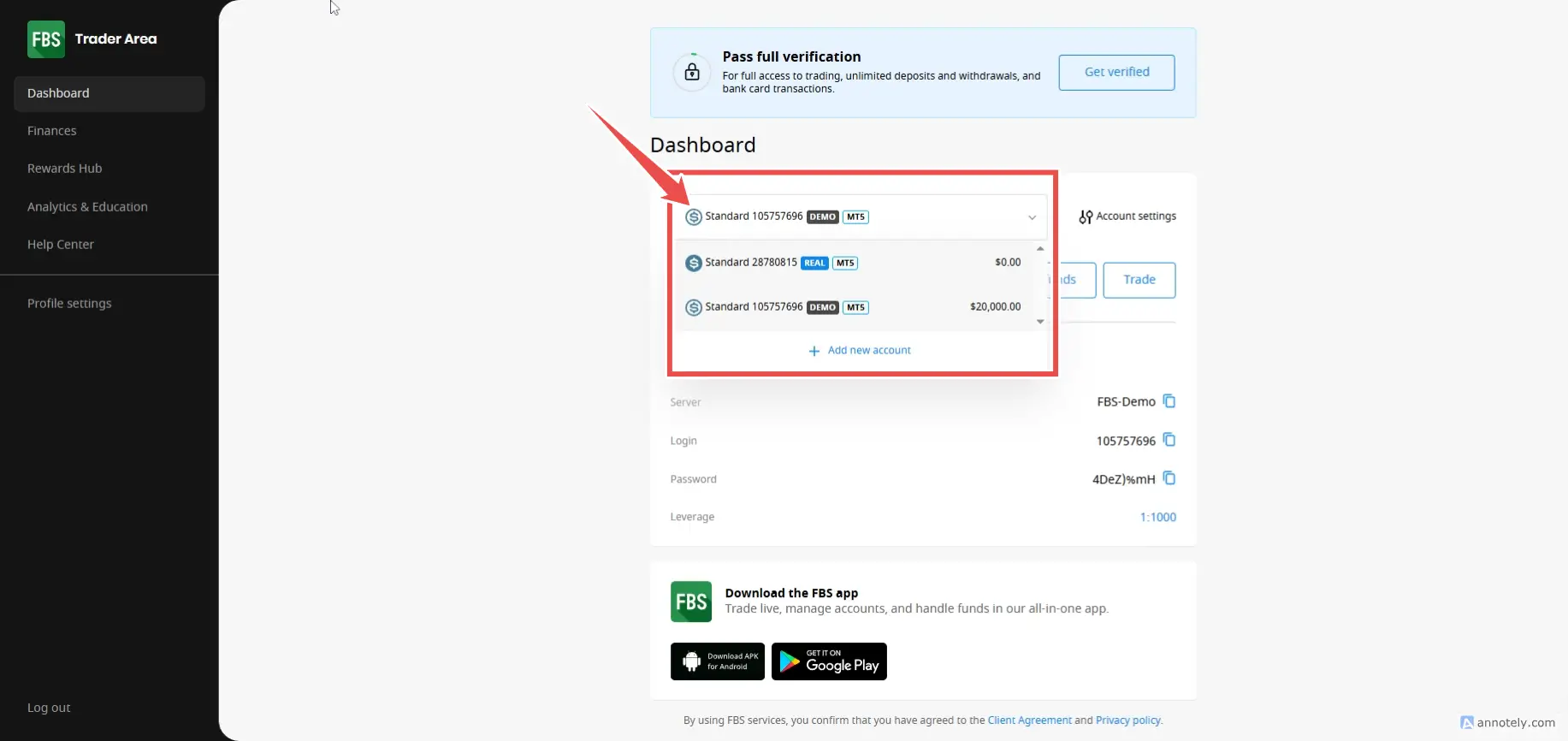
- Choose an account between Demo(Virtual Money Demo Account) / Real (Real Money)
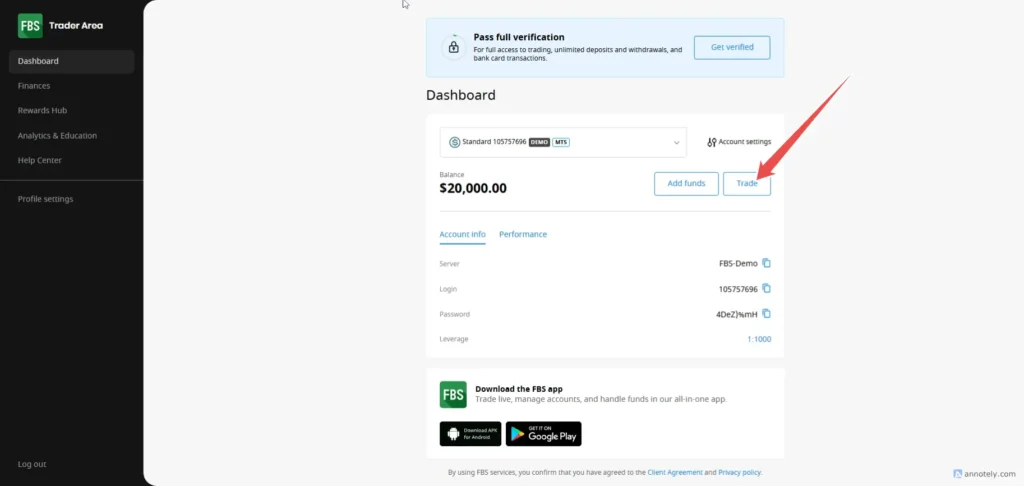
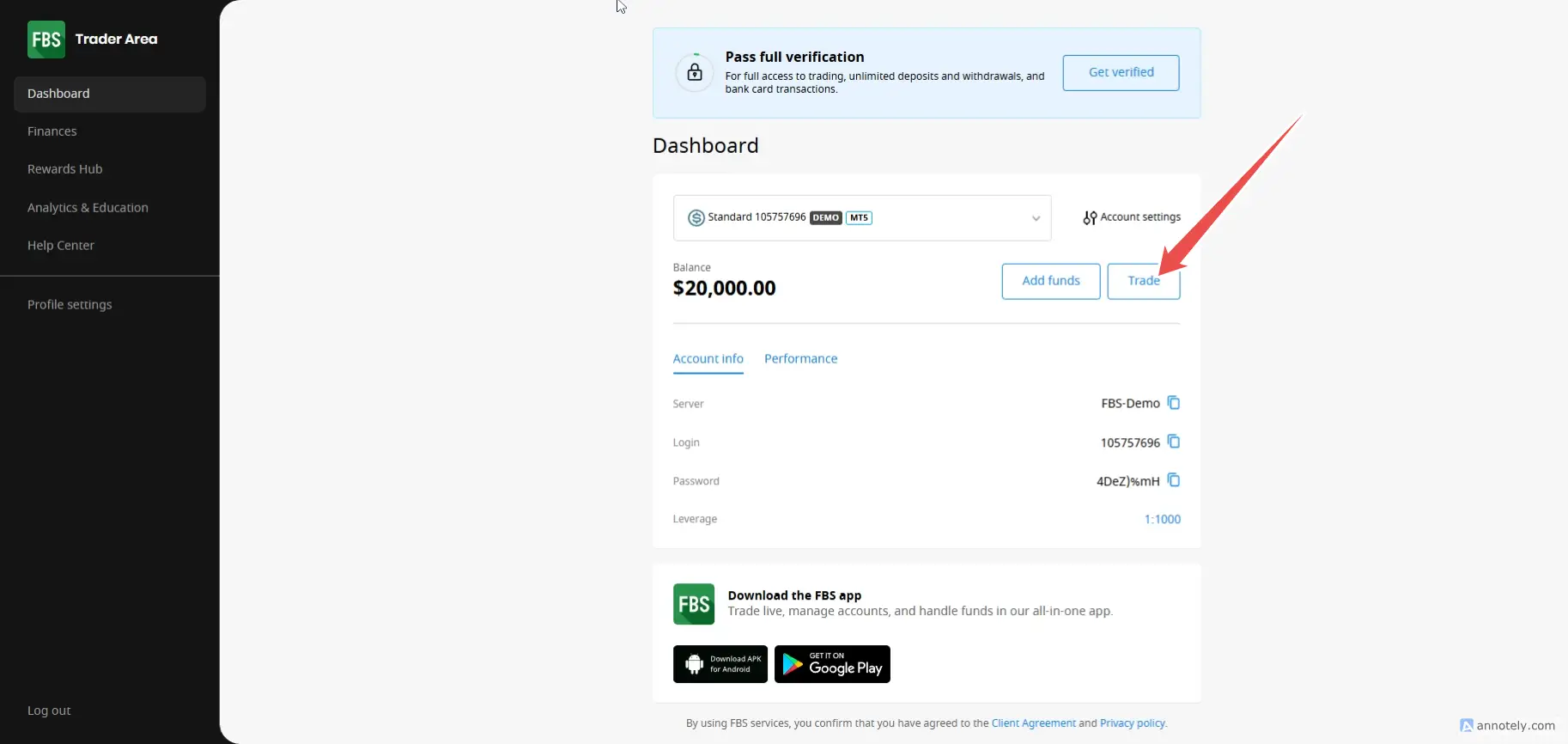
- Once selected, click on the TREDE button.
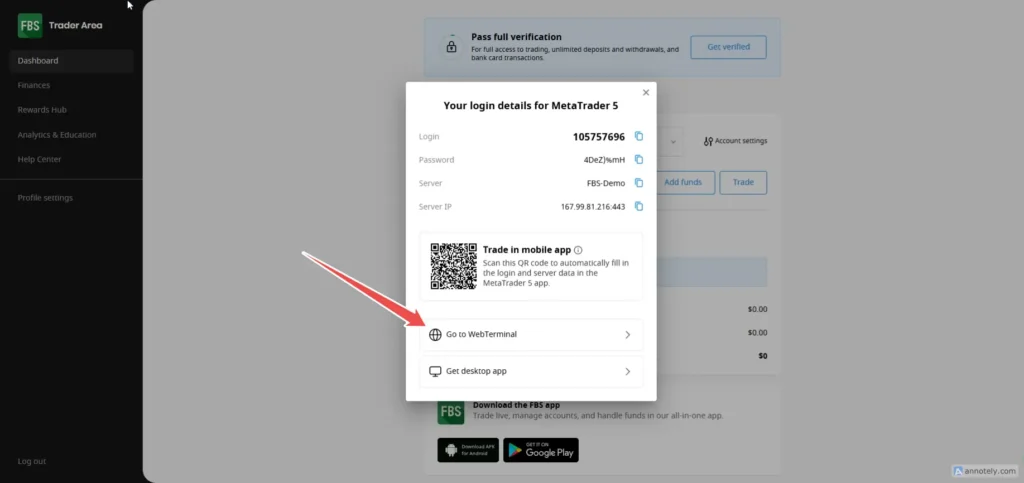
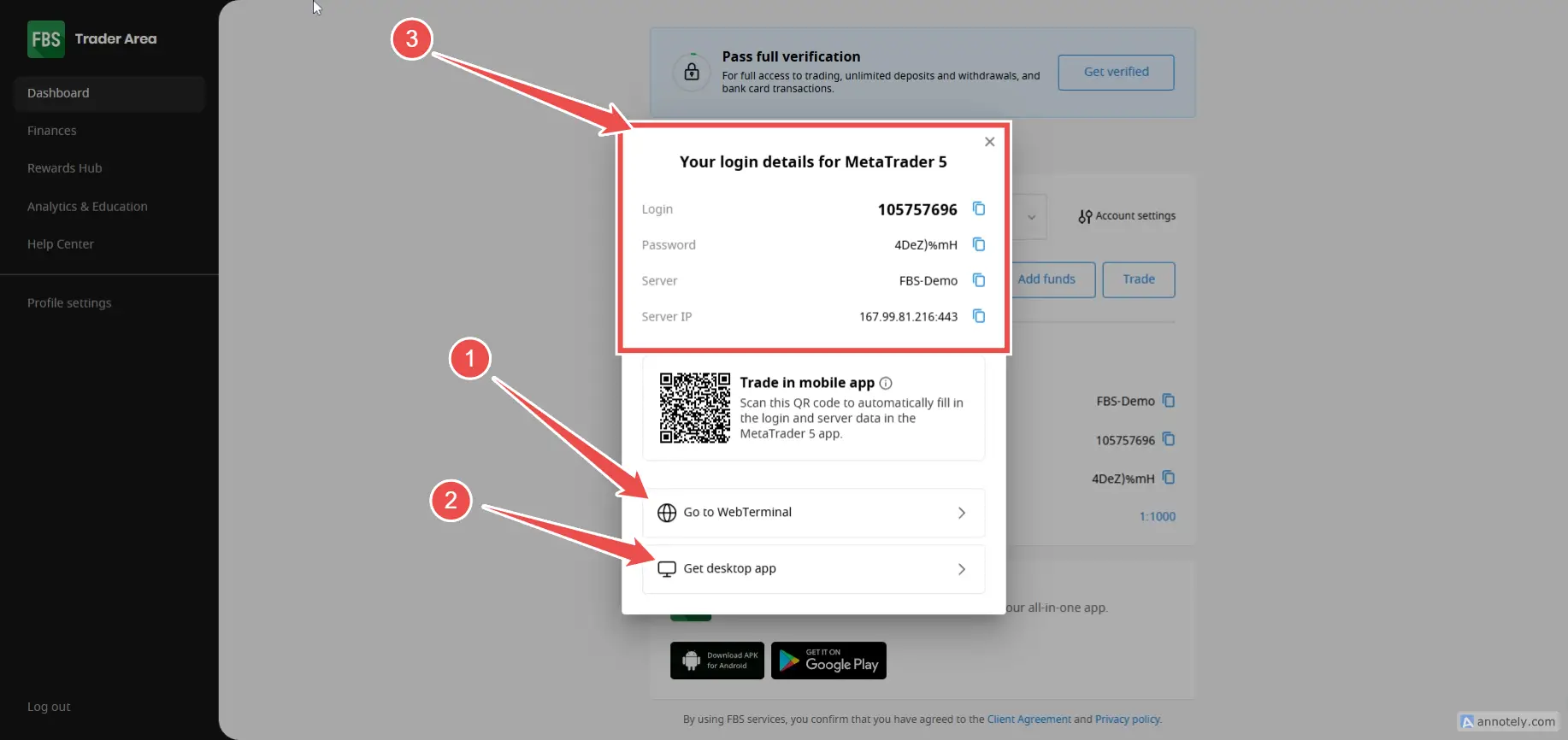
- Click on the Go to WebTerminal section.
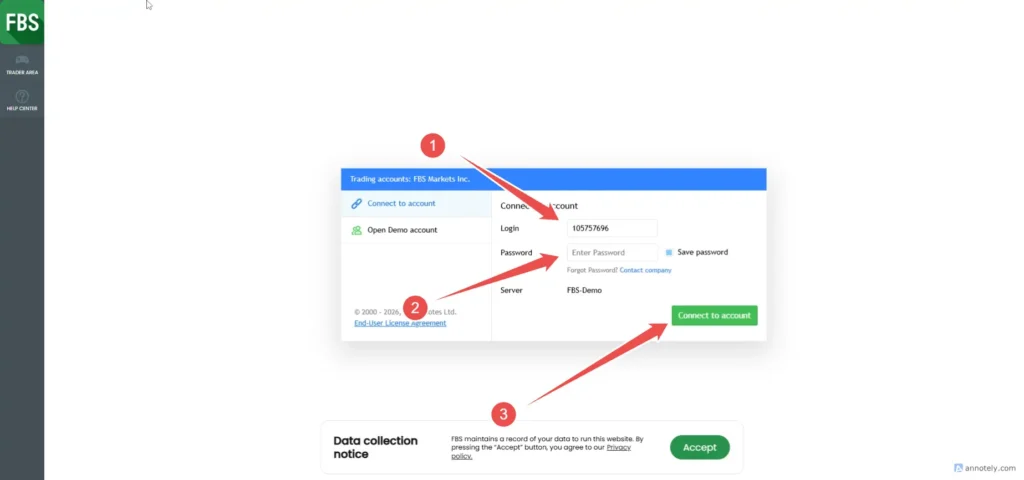
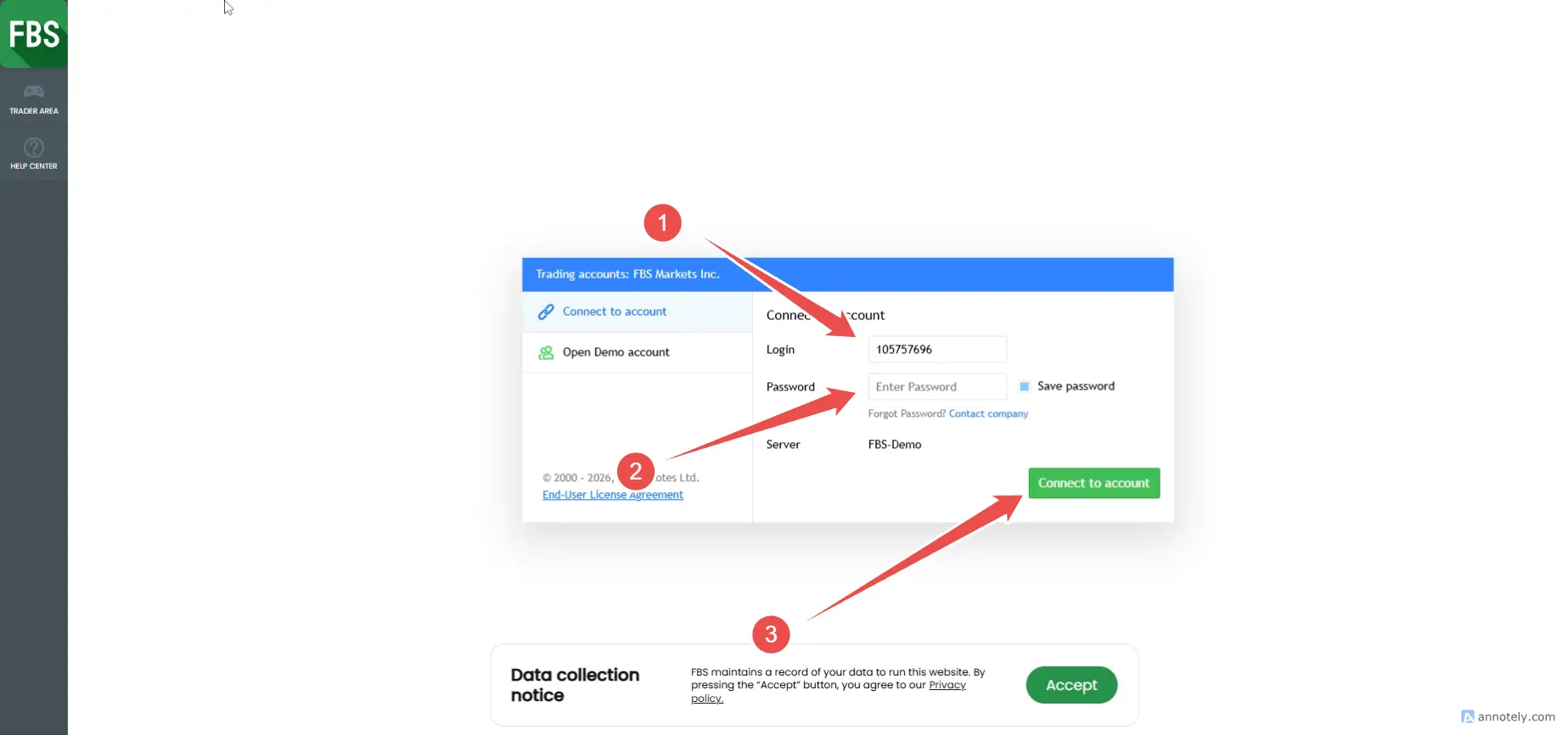
- Login (number)
- Password (password) before details
- Click the Connect to Account button.
Basic trading tools on WebTerminal
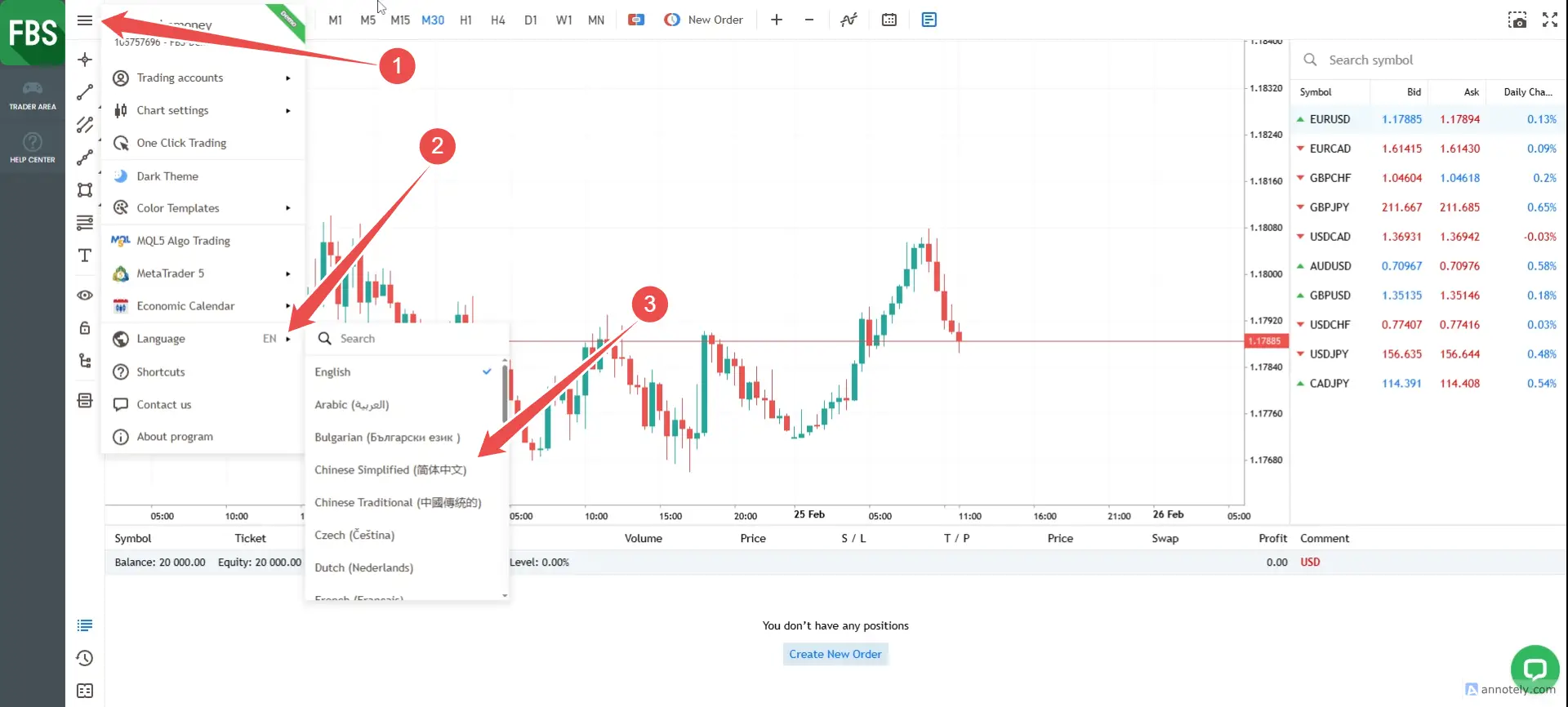
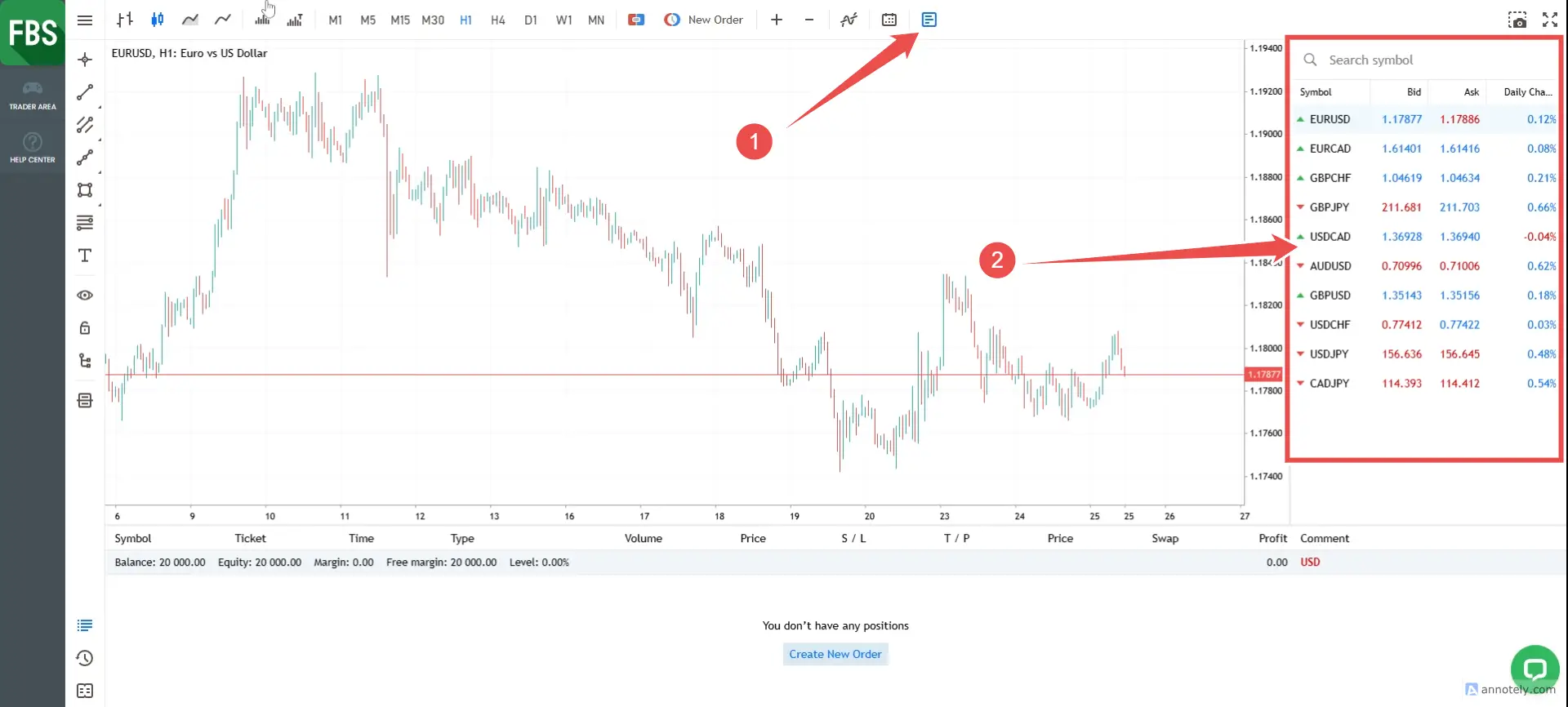
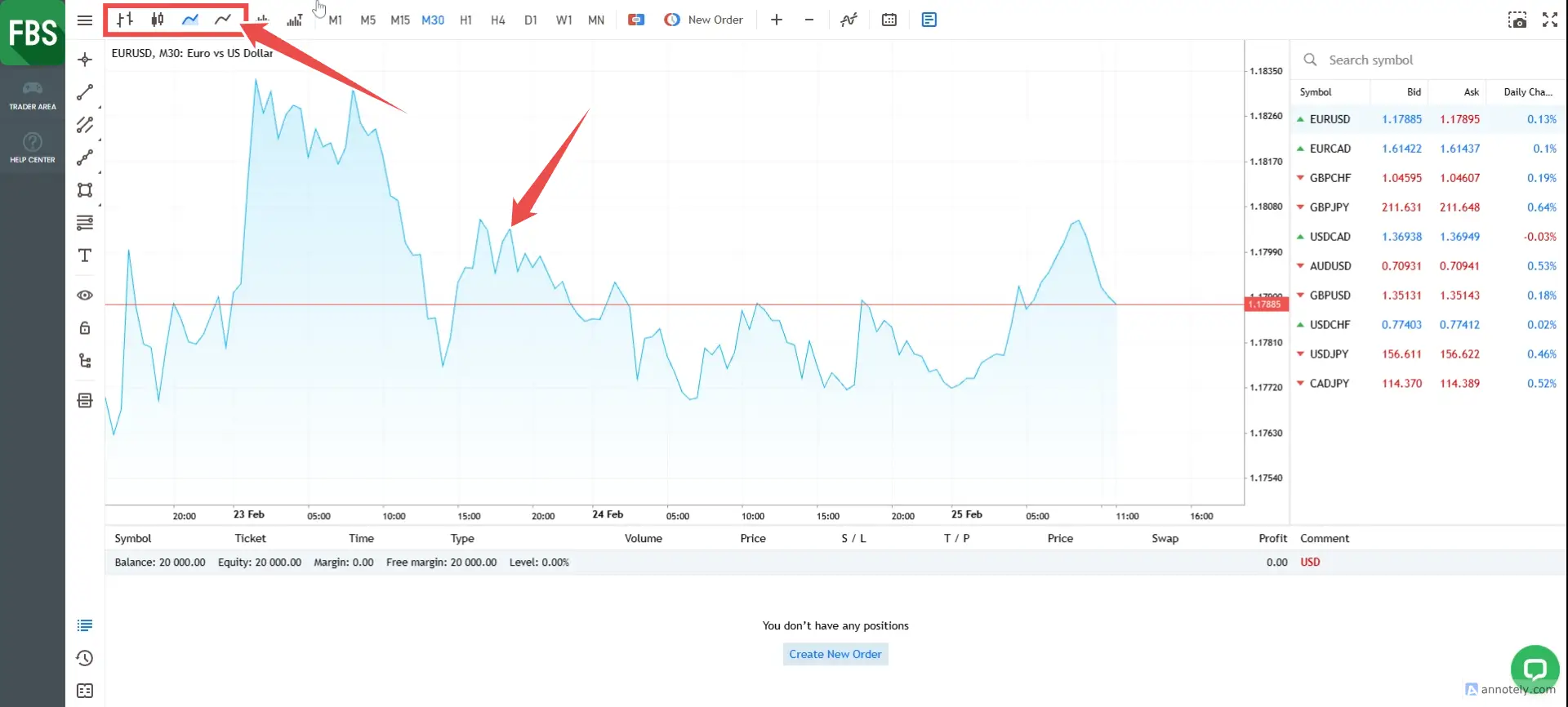
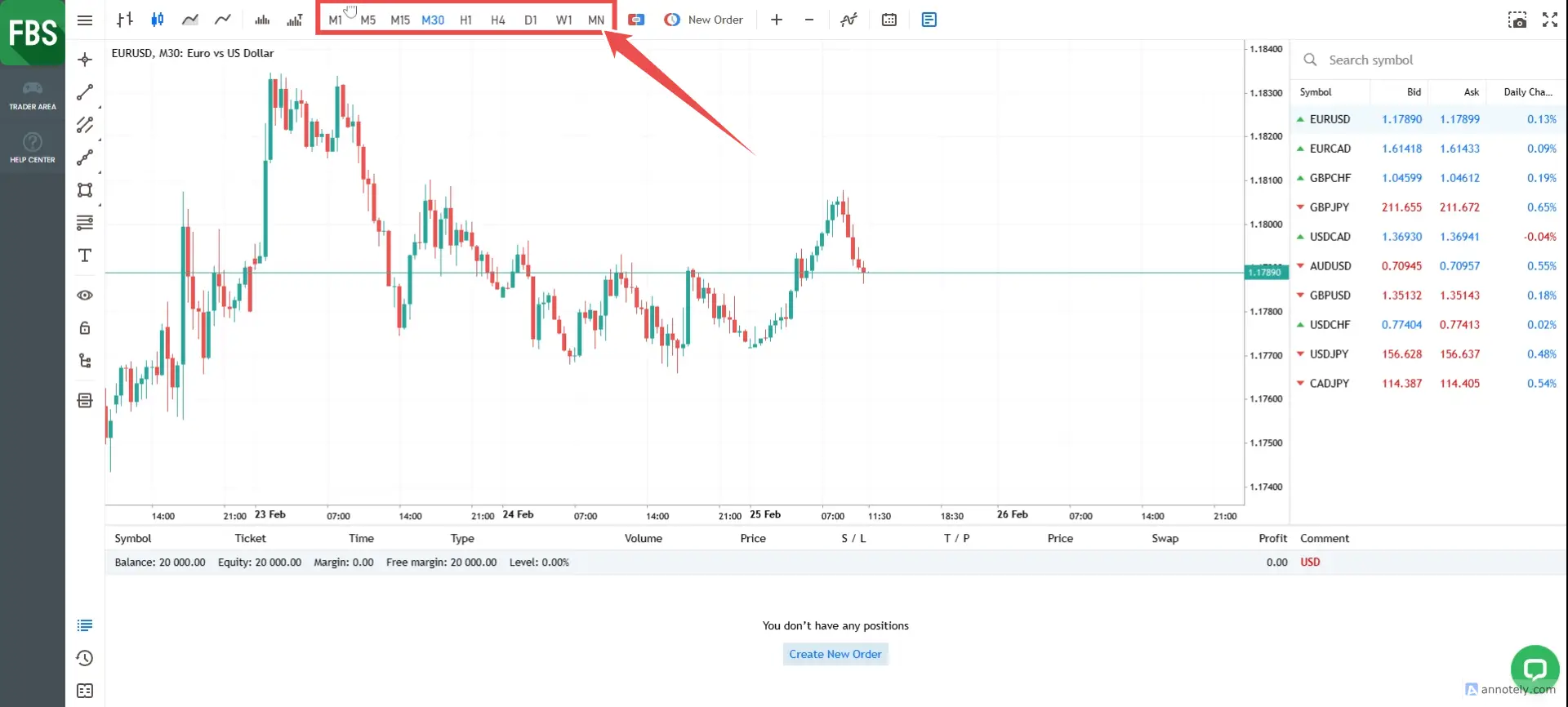
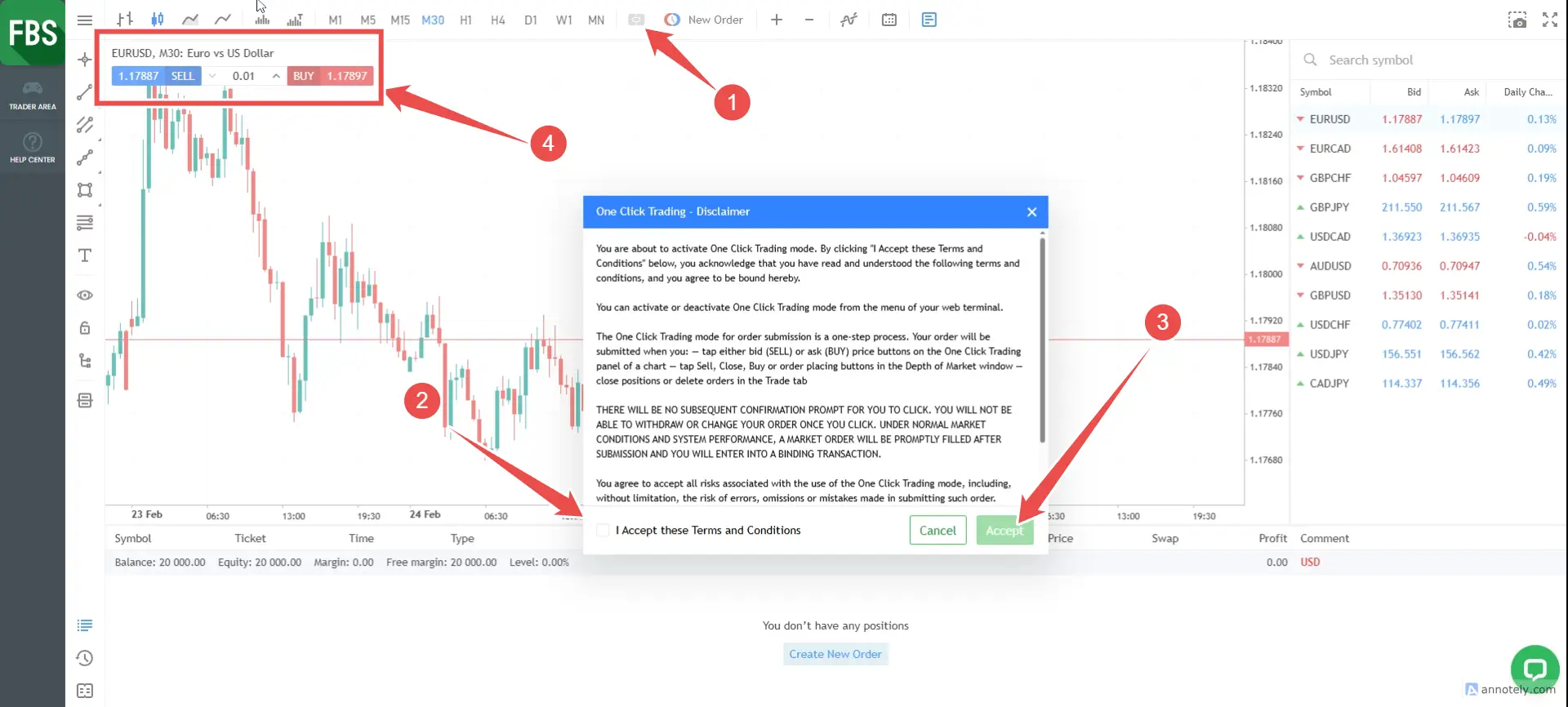
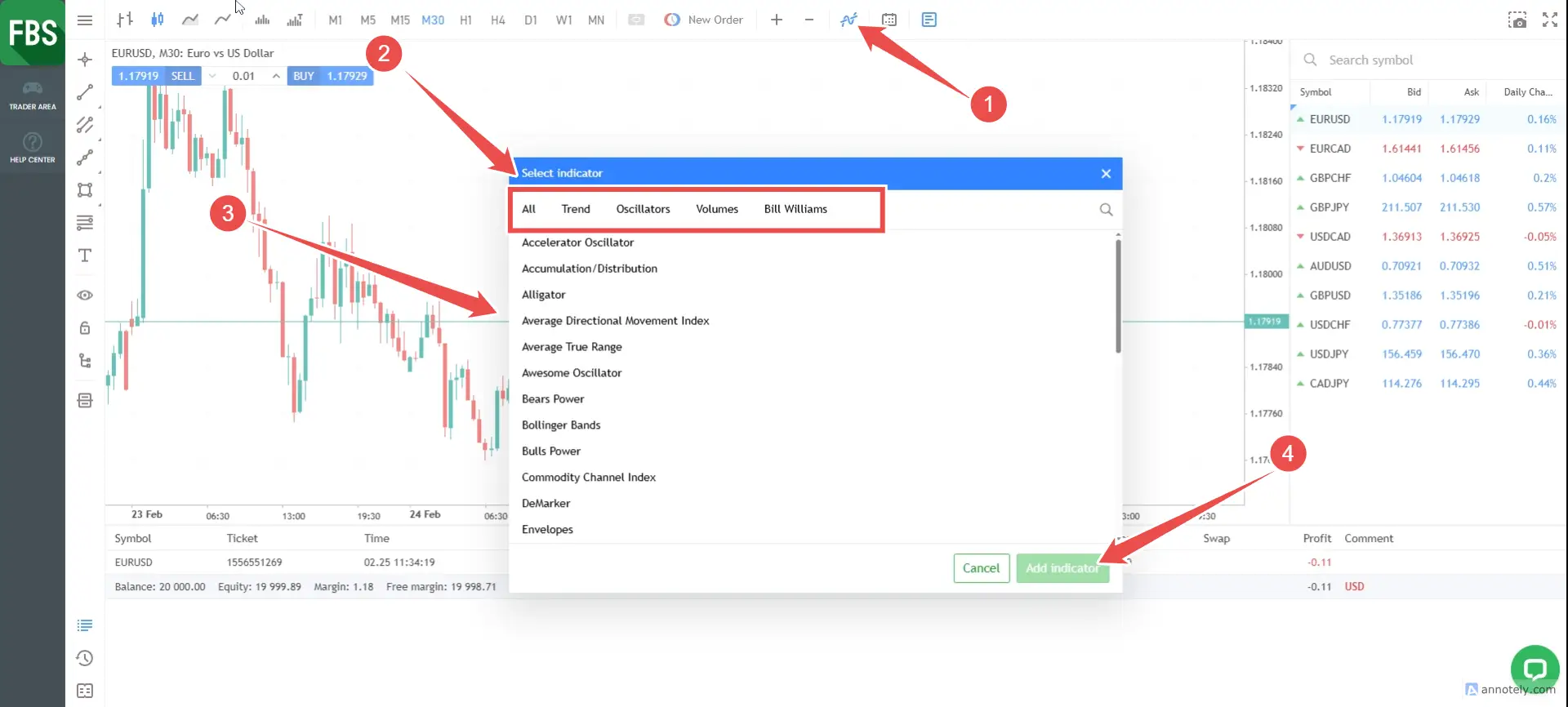
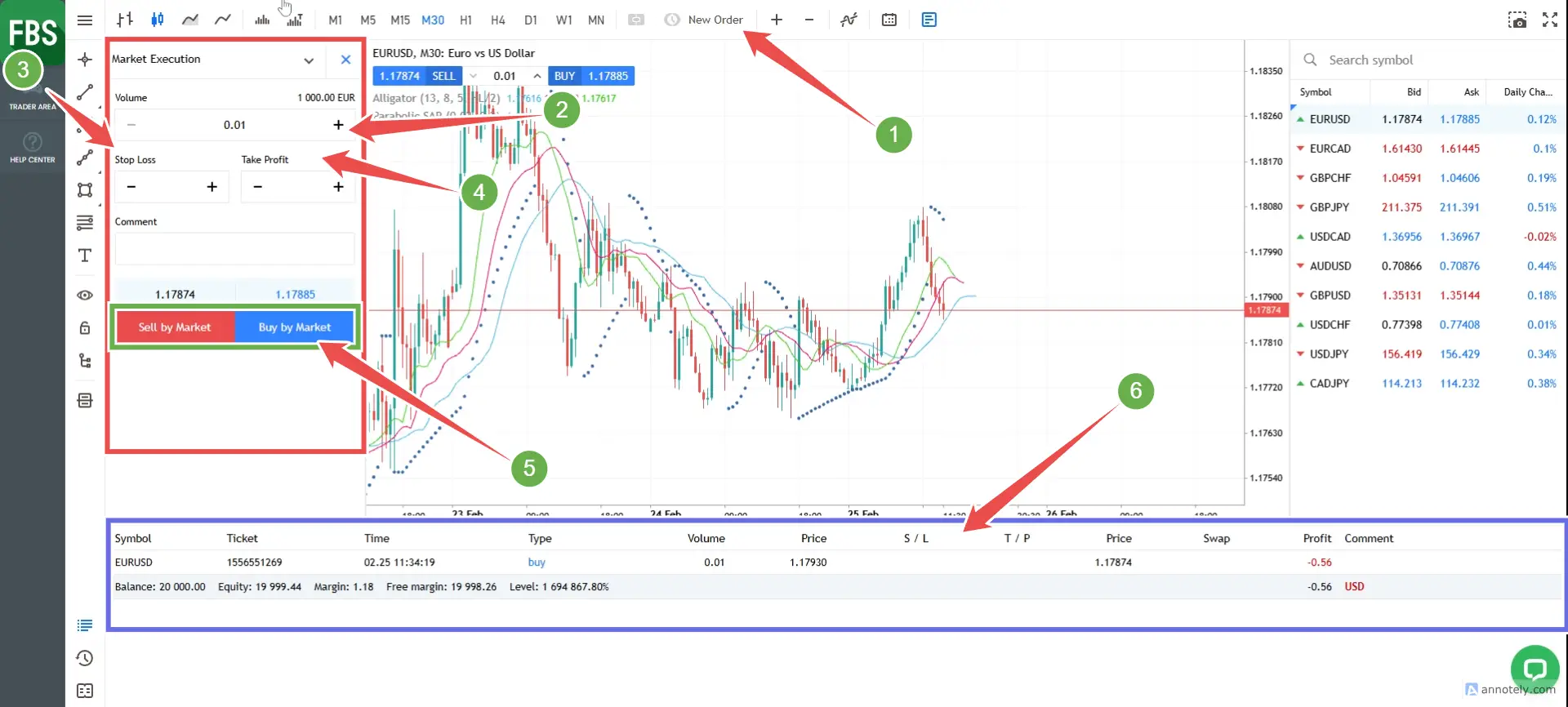
Many details to open the first trading order.
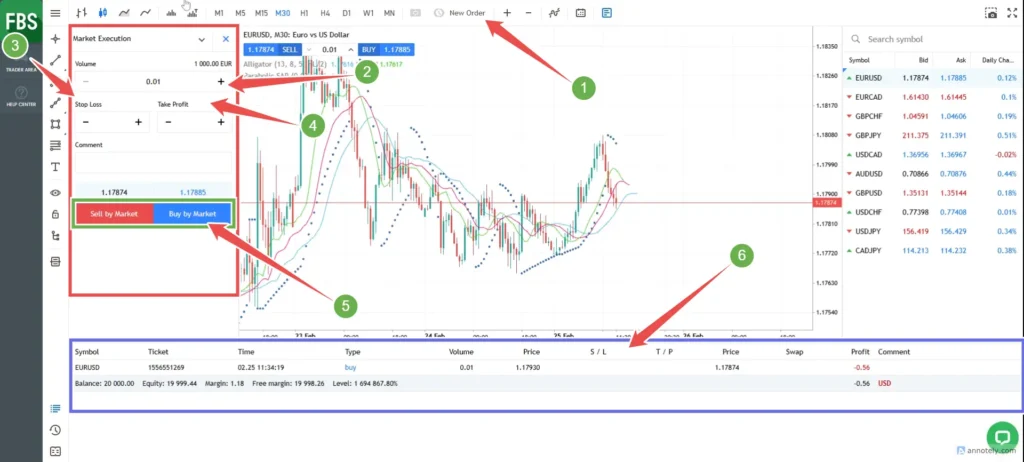
- 1. Select a pair and press the New Order button as shown in the picture.
- 2. Choose the amount to trade
- 3. Set Stop Loss (automatically “stop loss” command)
- 4. Set Take Profit
- 5. Choose between Sell by Market (Sell) and Buy by Market (Purchase)
- 6. Issuing details trading order
How to verify identity (KYC) illustration
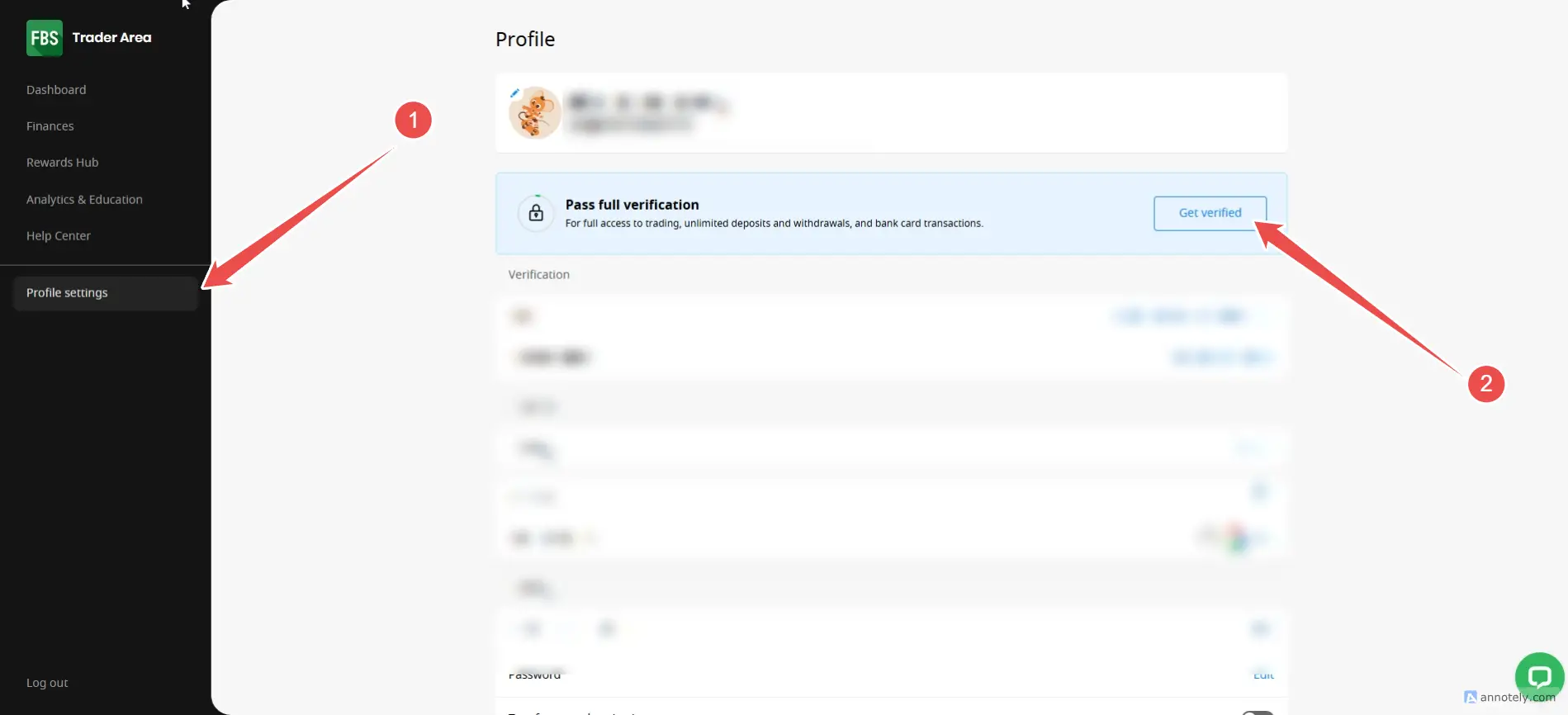
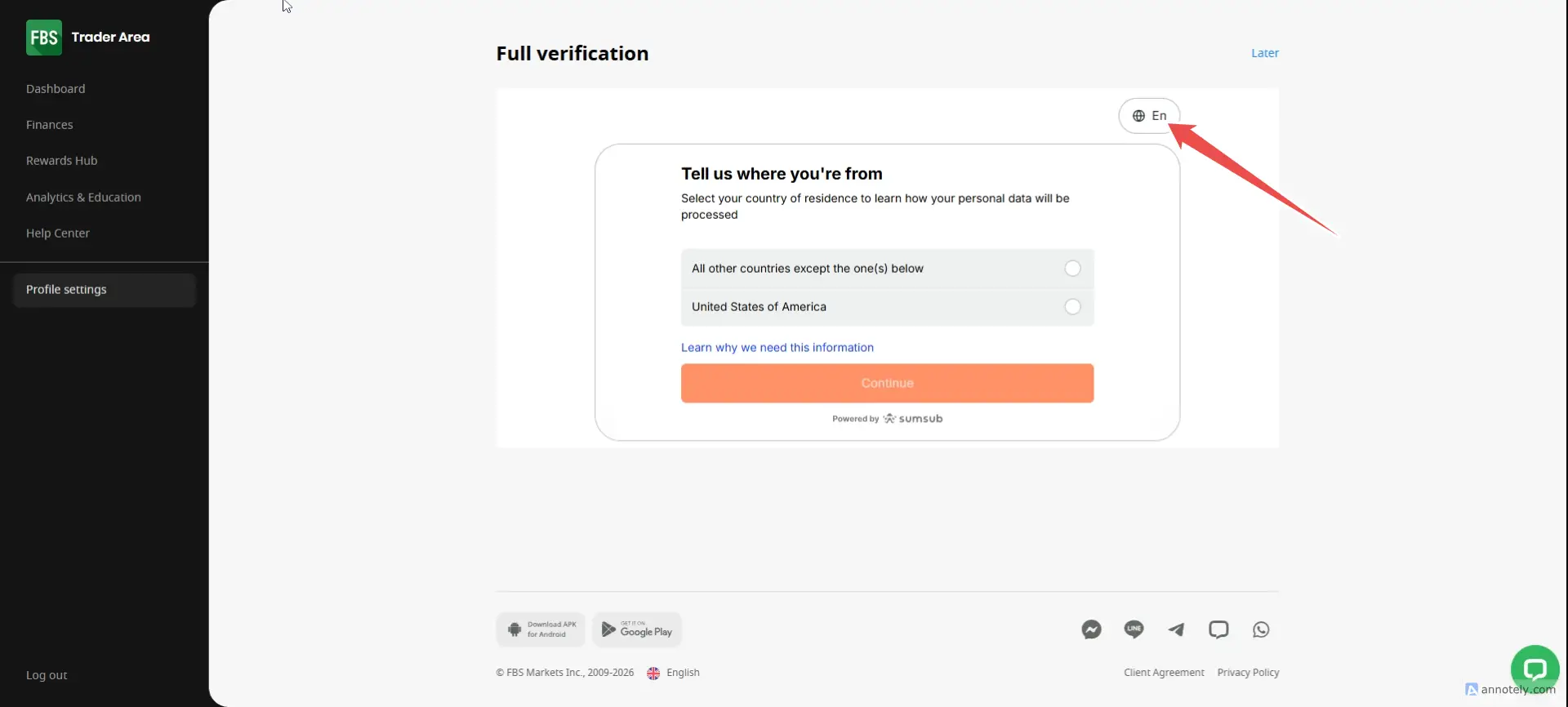
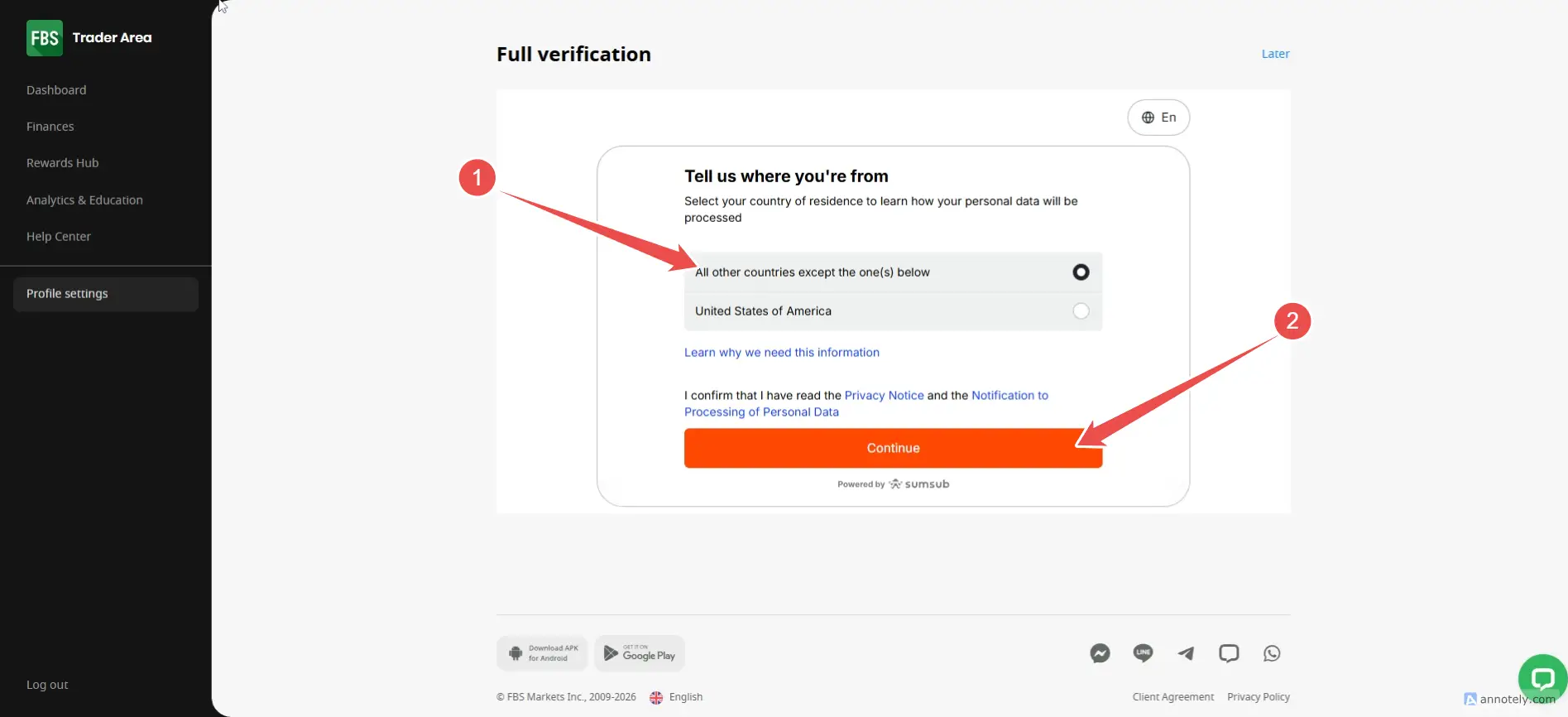
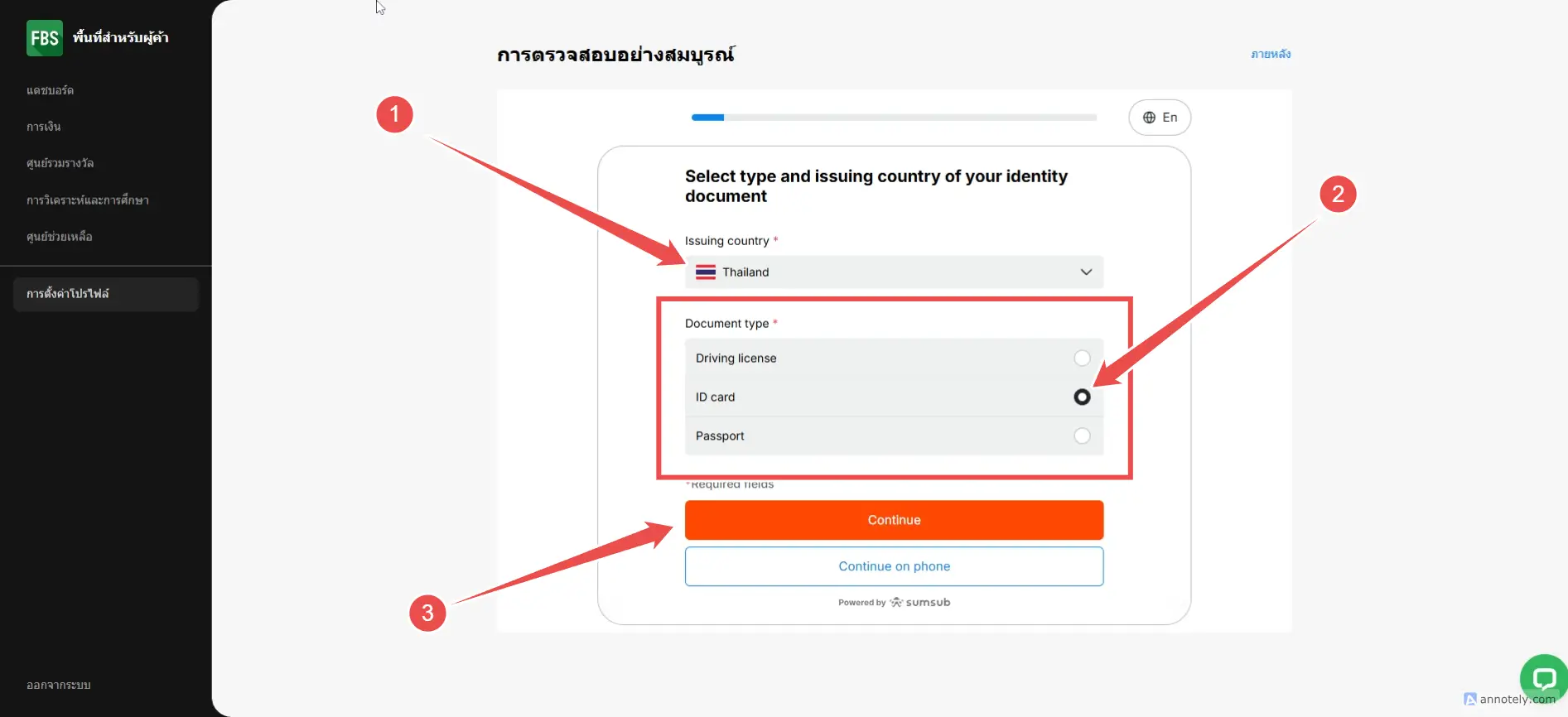
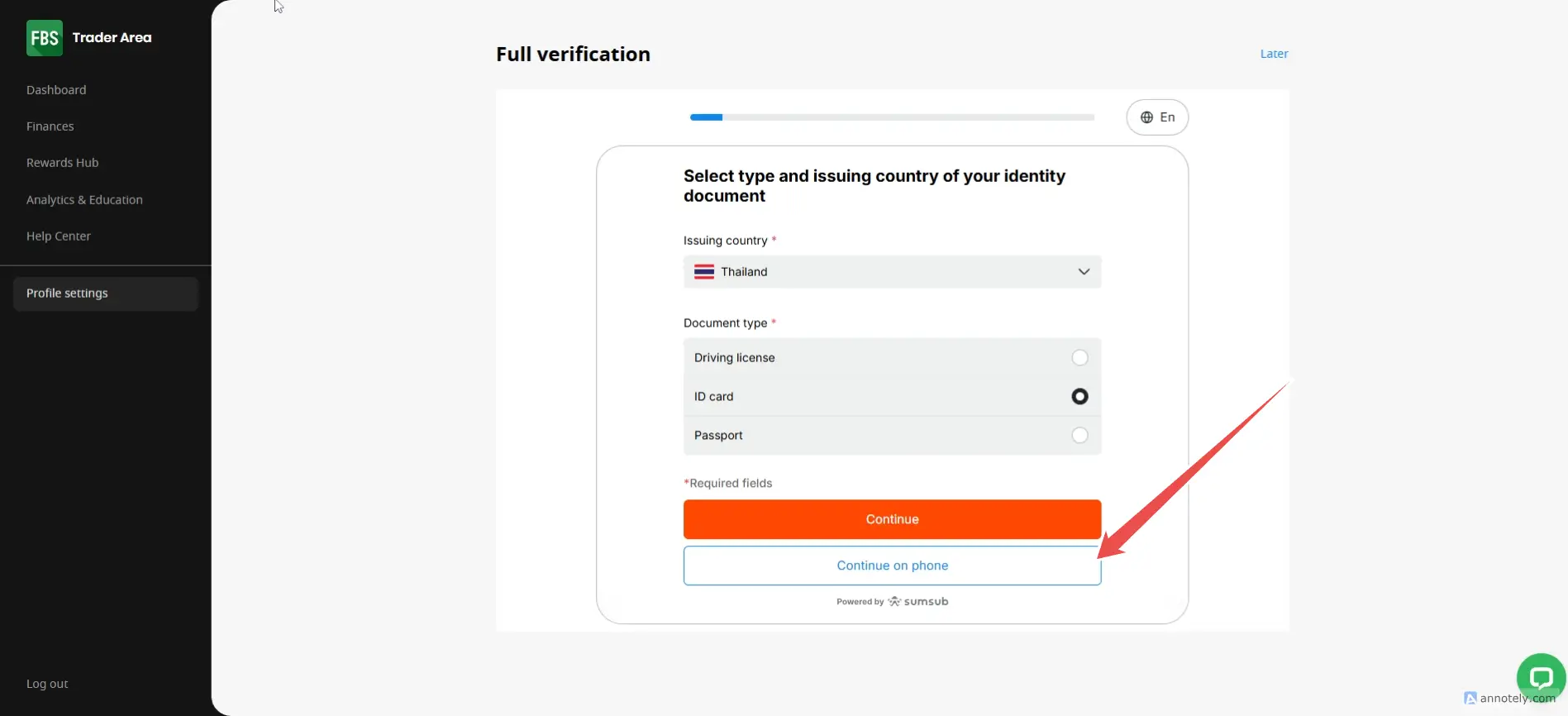
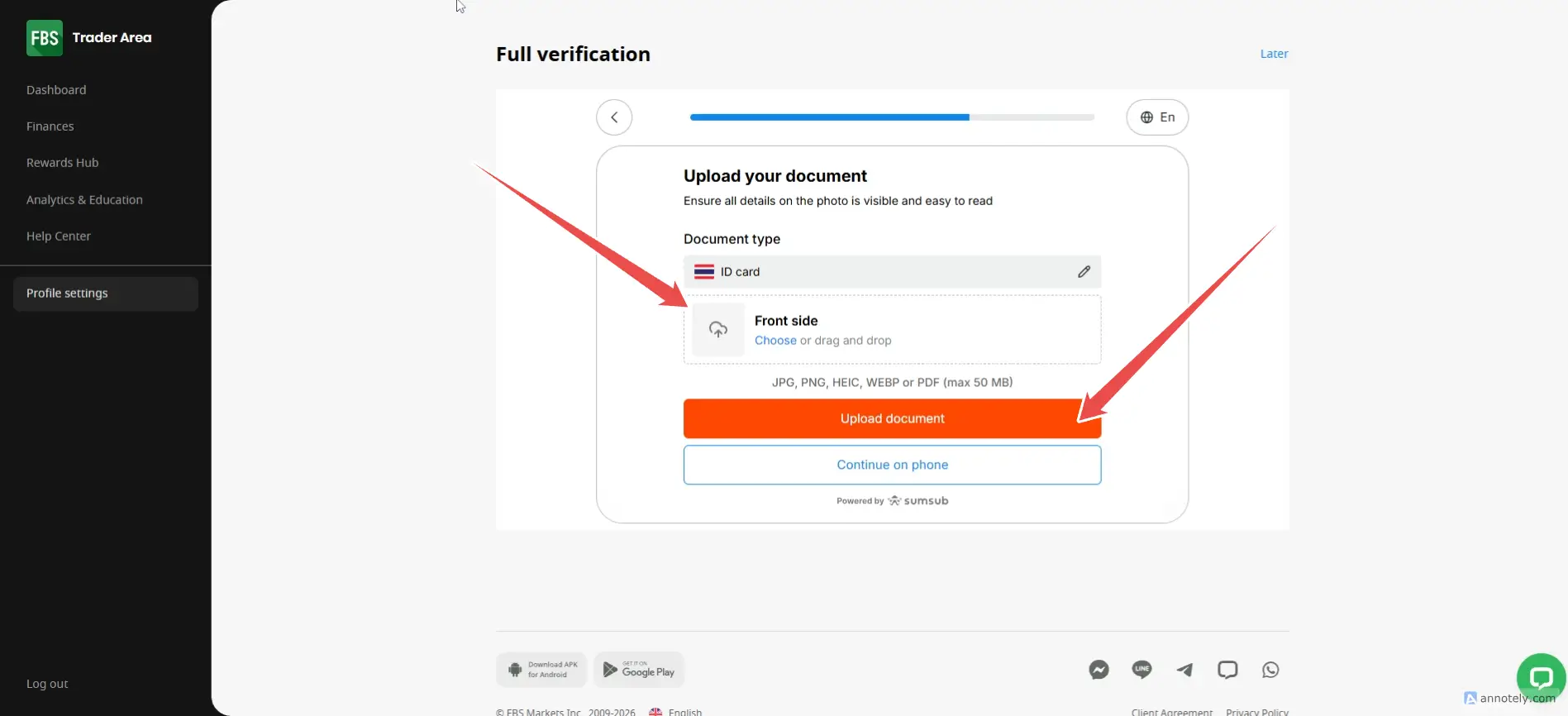
Verify your identity, which is necessary for deposit-withdrawal. for full access to trading Unlimited deposits and withdrawals and transactions via bank cards
Types of documents that can be used to verify identity
- License (front and back)
- Identity card (both front and back)
- Passport (passport) Take a photo of the first page with personal information.
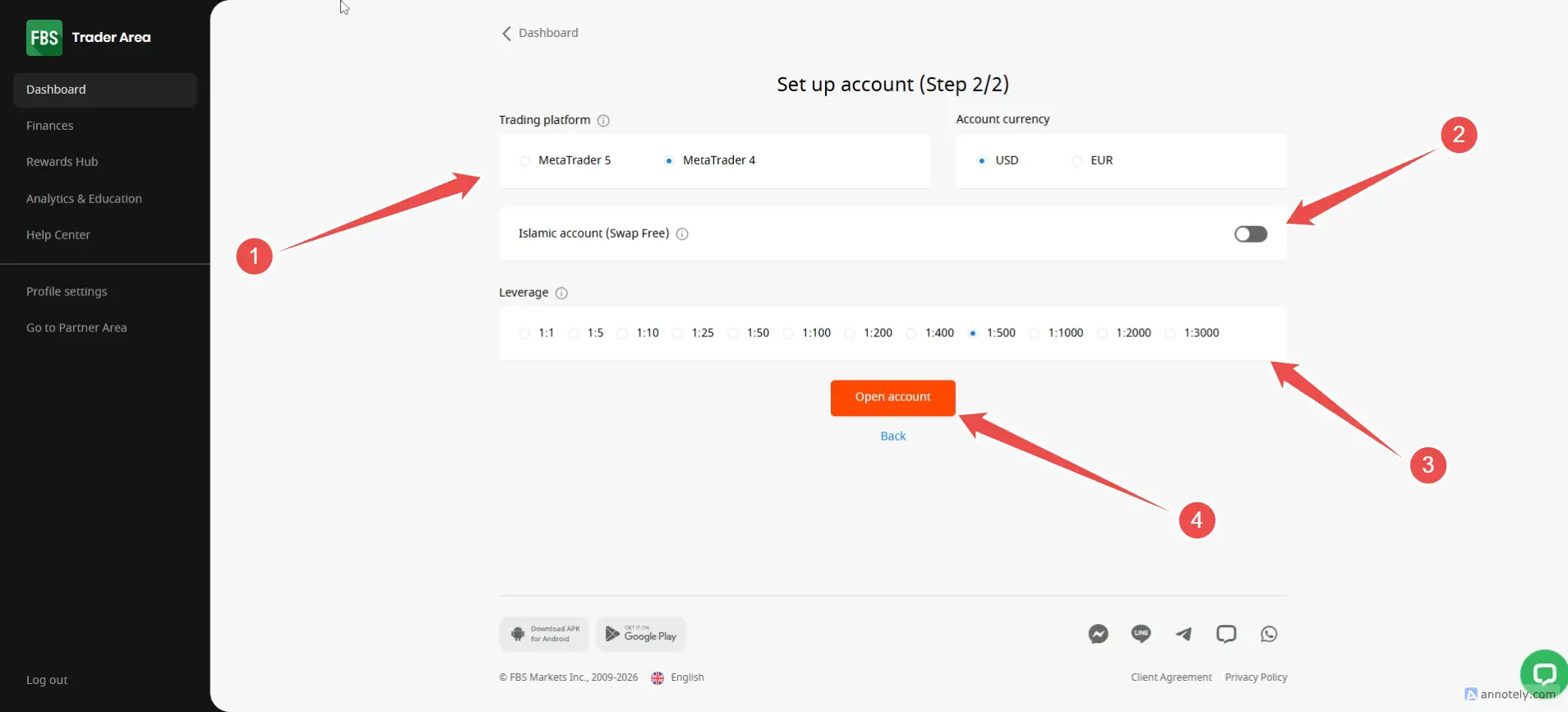
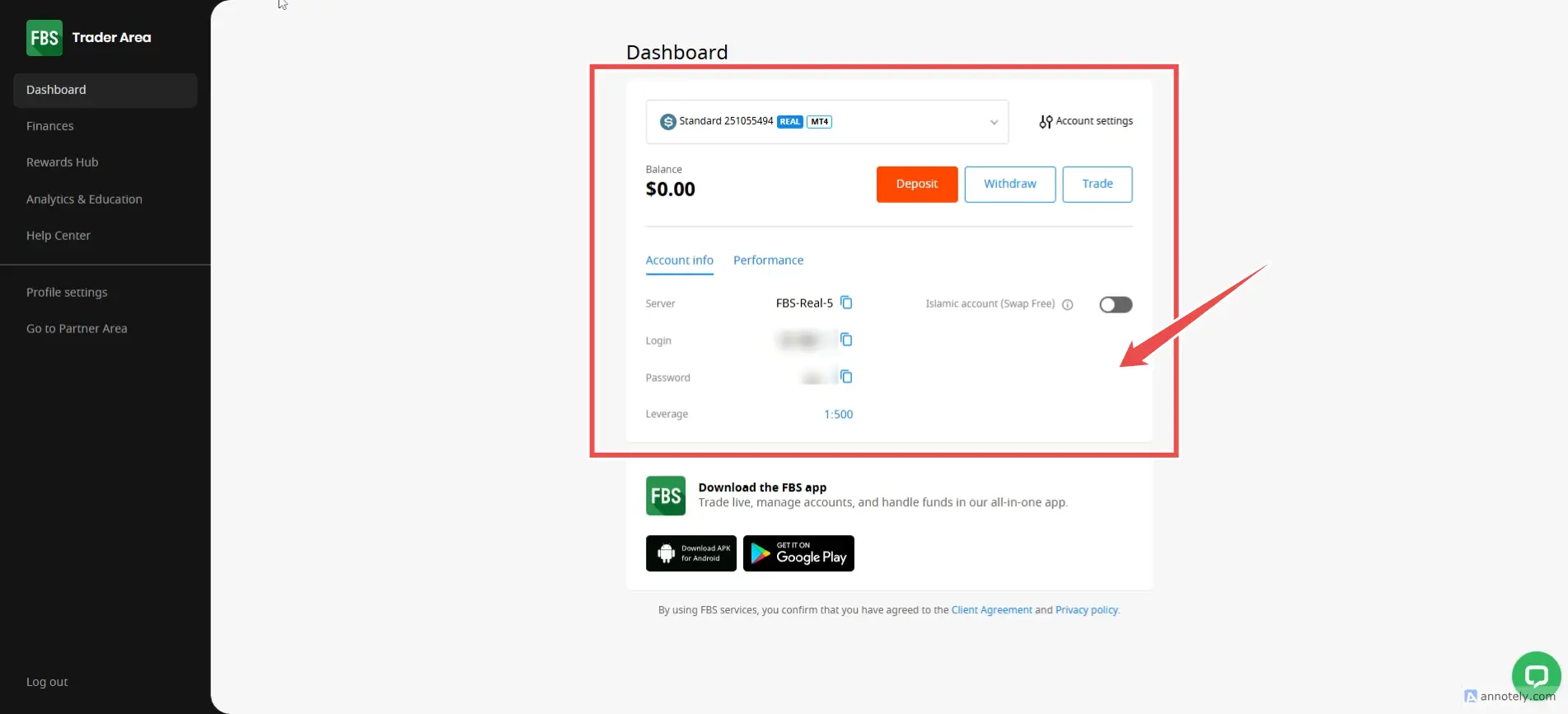
How to create a new trading account FBS
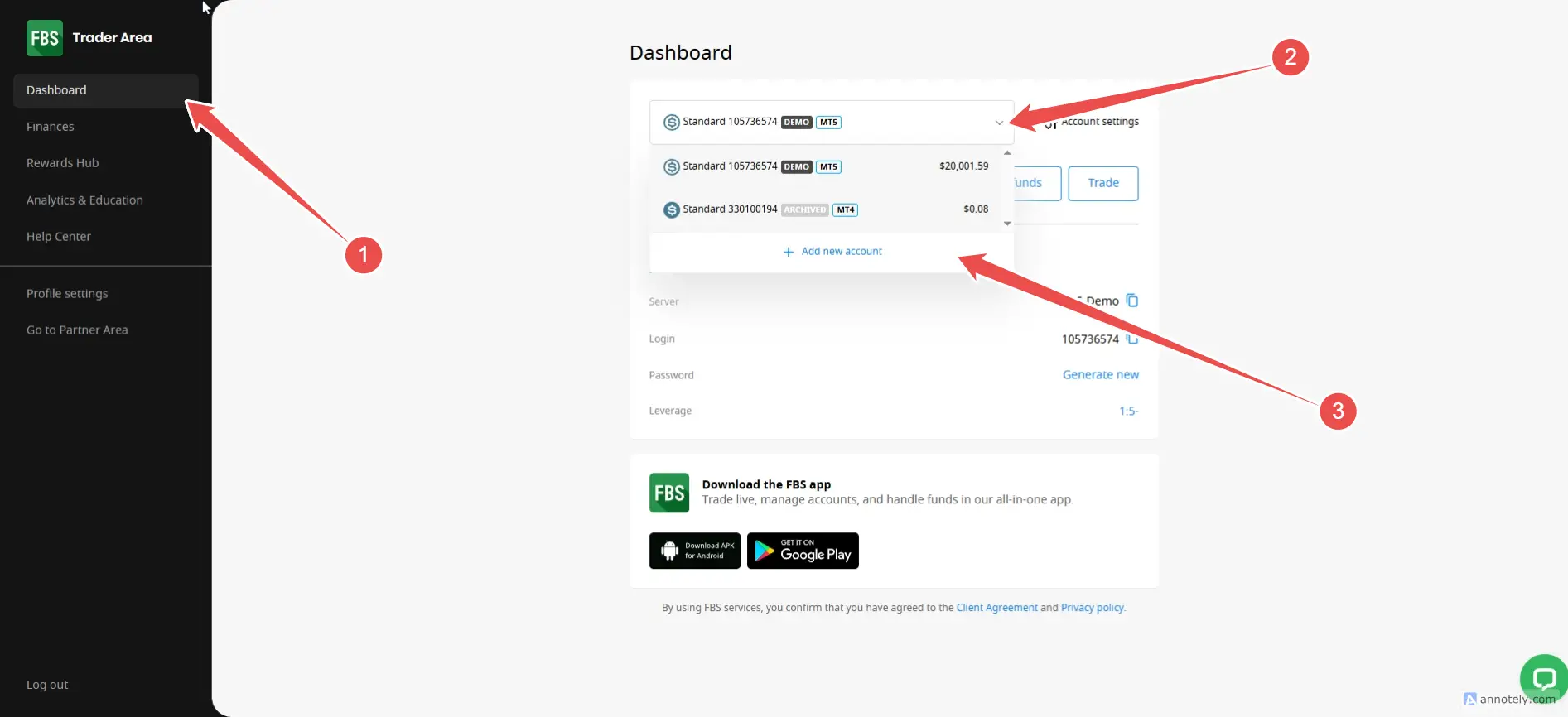
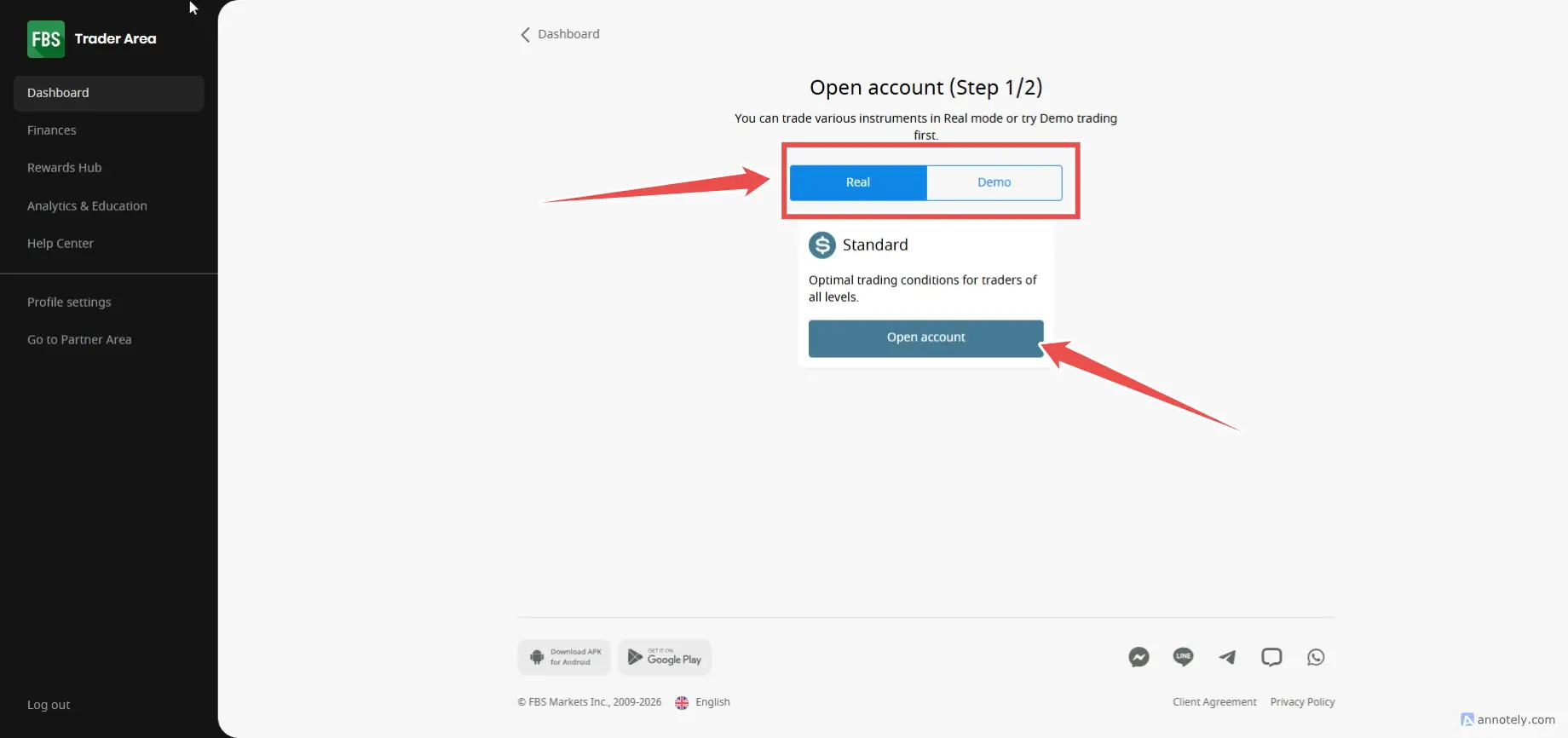
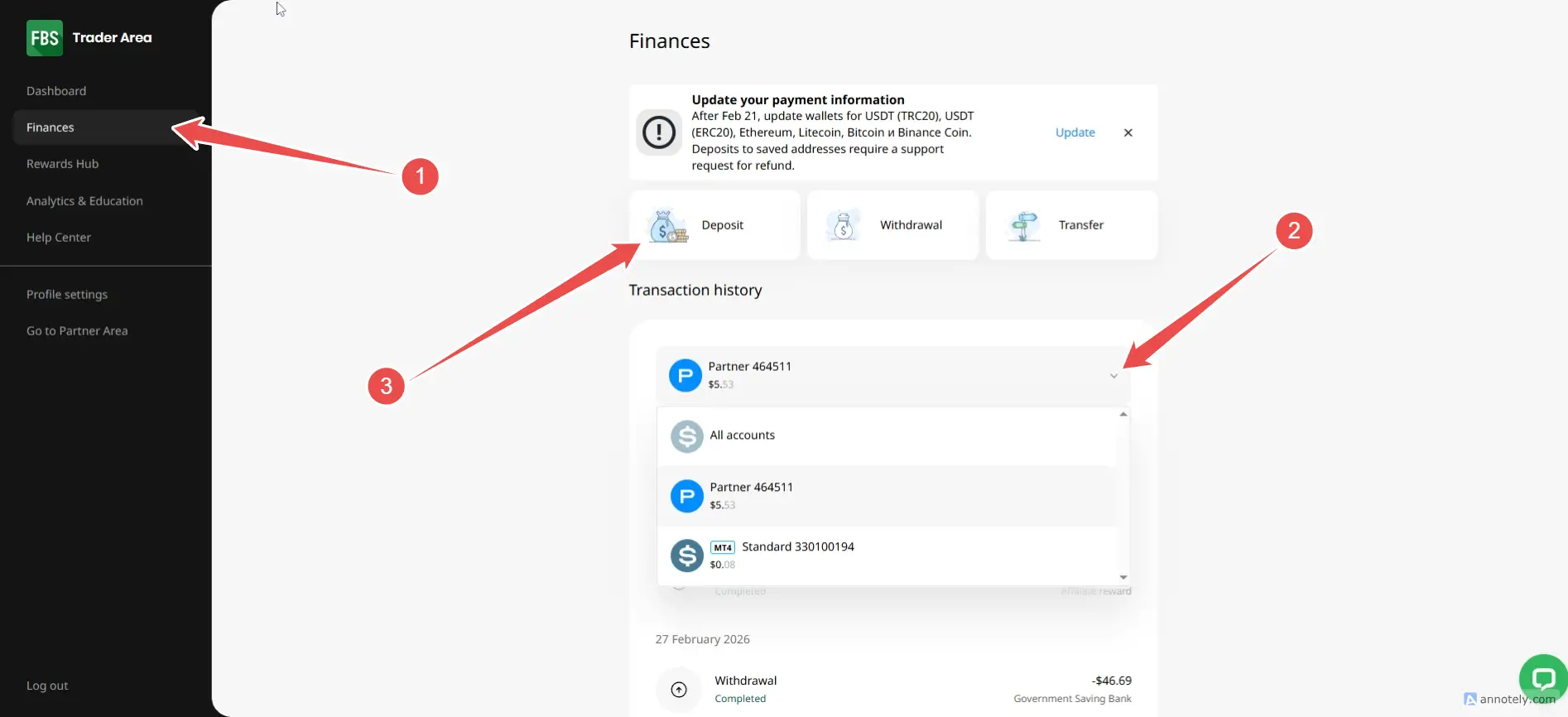
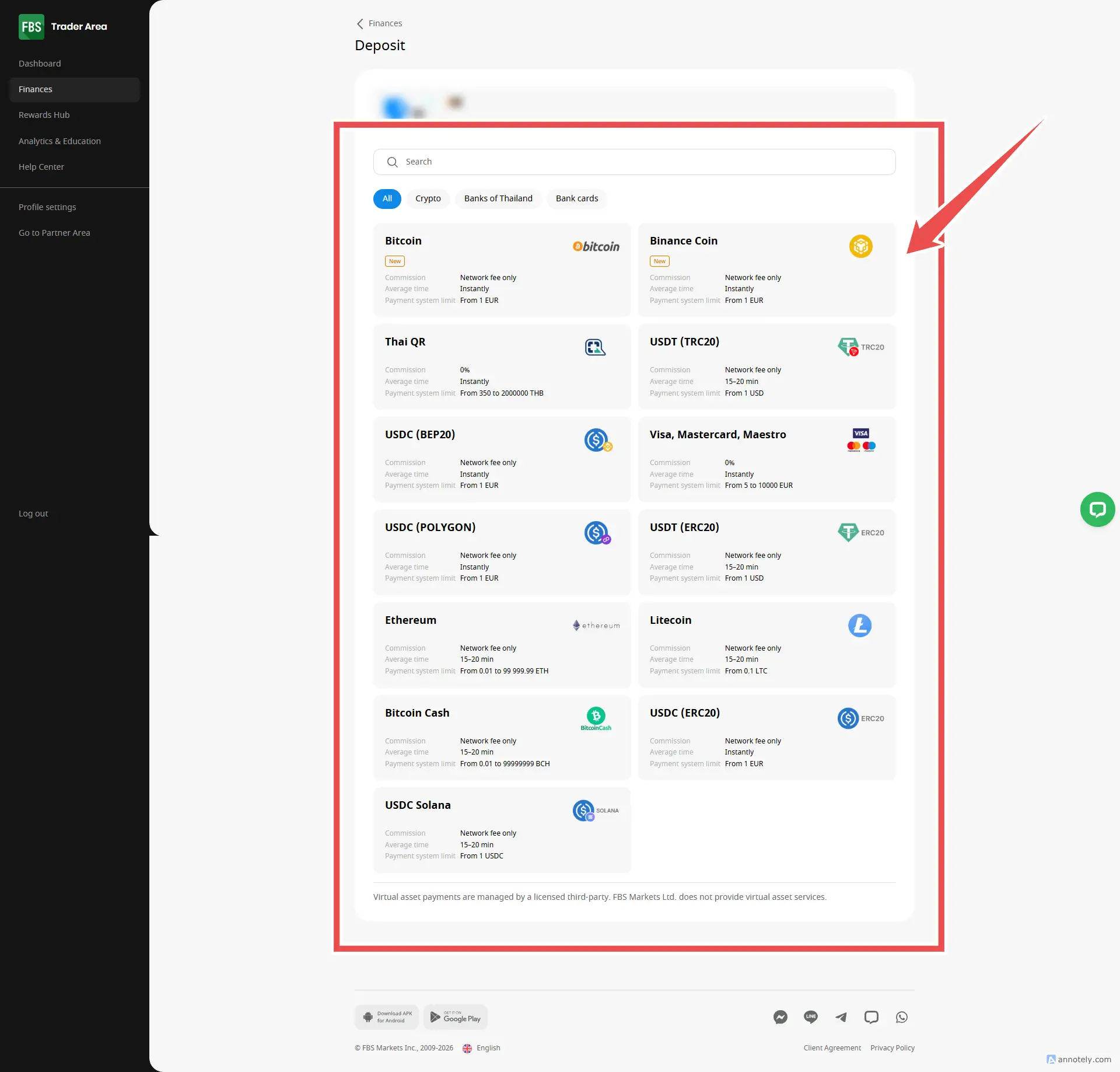
How to deposit FBS
How to withdraw FBS
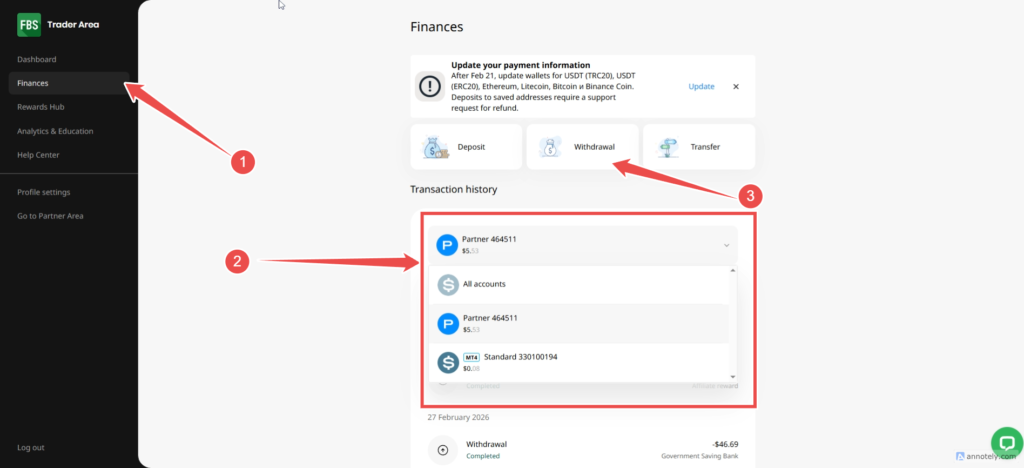
- You can withdraw money on the Withdrawal menu.
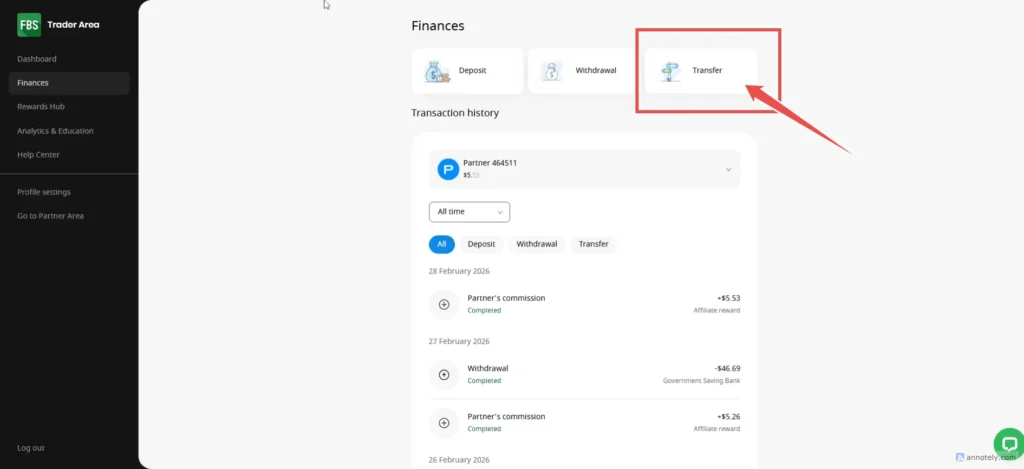
- You can transfer money to your other accounts by going to the Transfer menu.
- Please note that you must withdraw money through the same payment method you used to deposit. If that method does not work Please withdraw money to your local bank.
- If you have multiple deposits including depositing money through the card Please withdraw money to that card first (within 365 days) and then follow the rules that The last deposit will be withdrawn first.
How to trade FBS on MT4 MT5
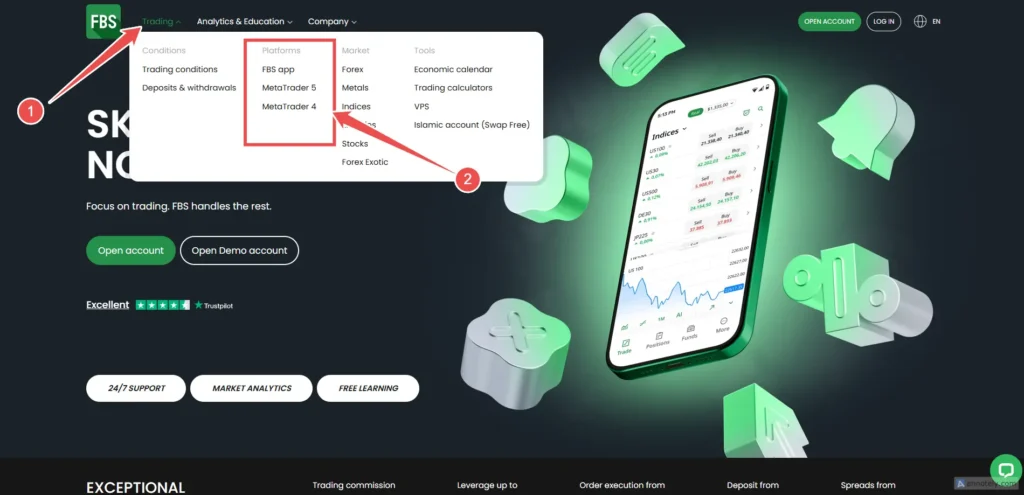
- Select download between MT4 and MT5.
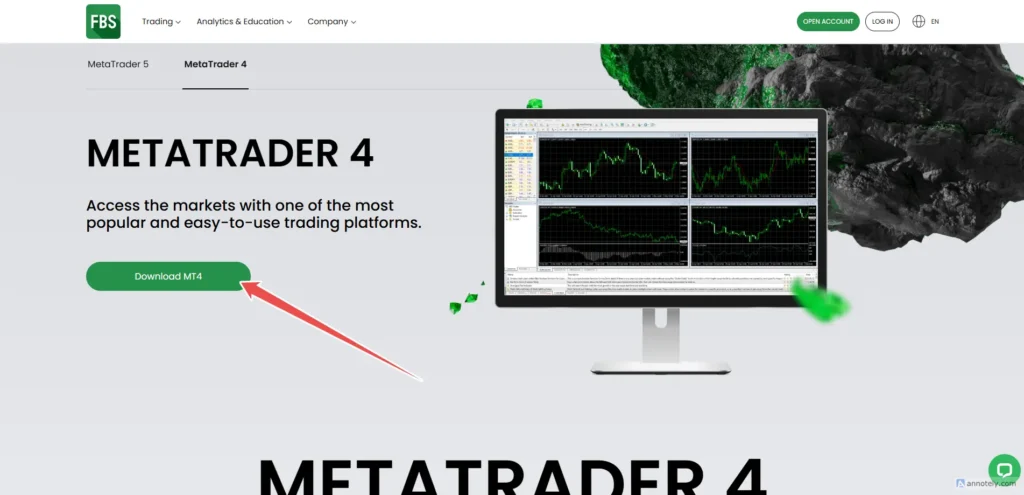
- Select Download (In here I will download MT4)
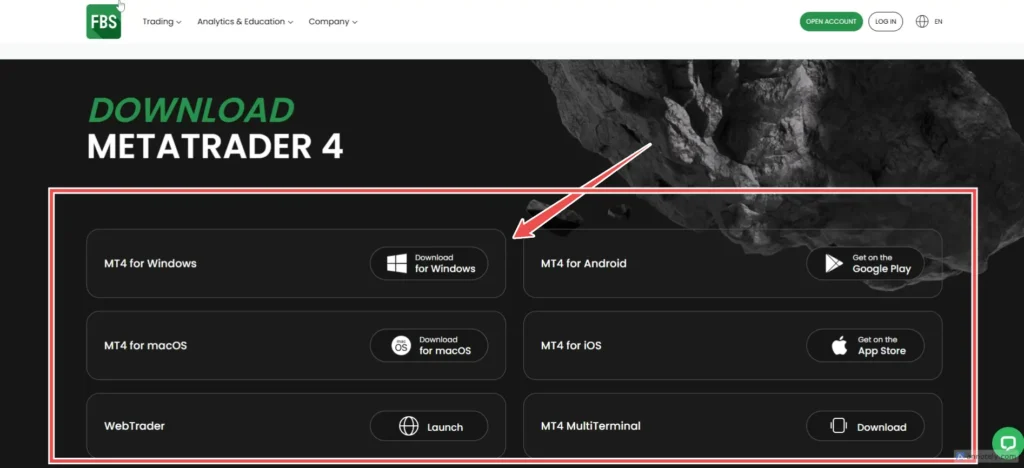
- Choose an operating system
How to use MT4 for FBS (basic)
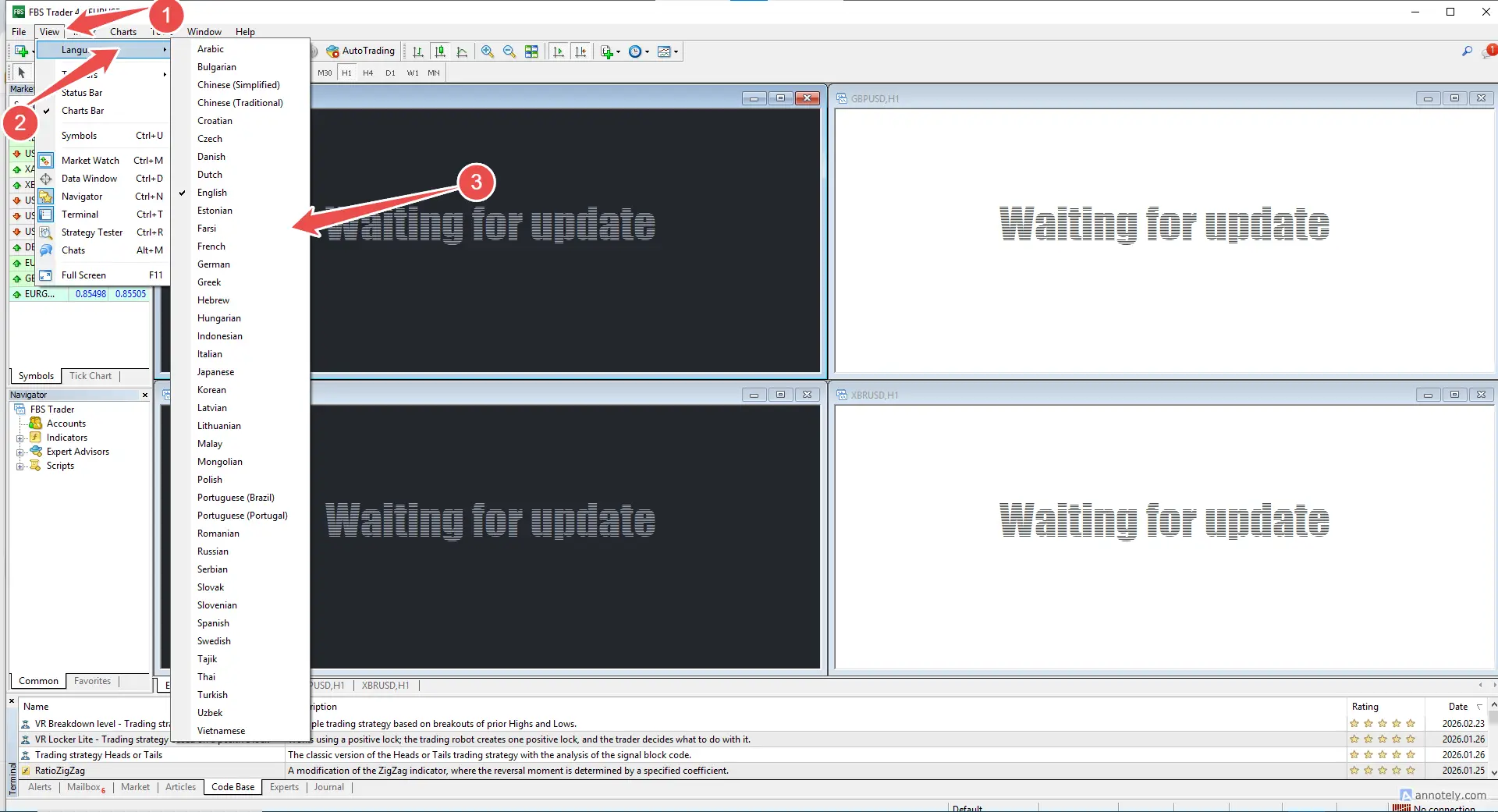
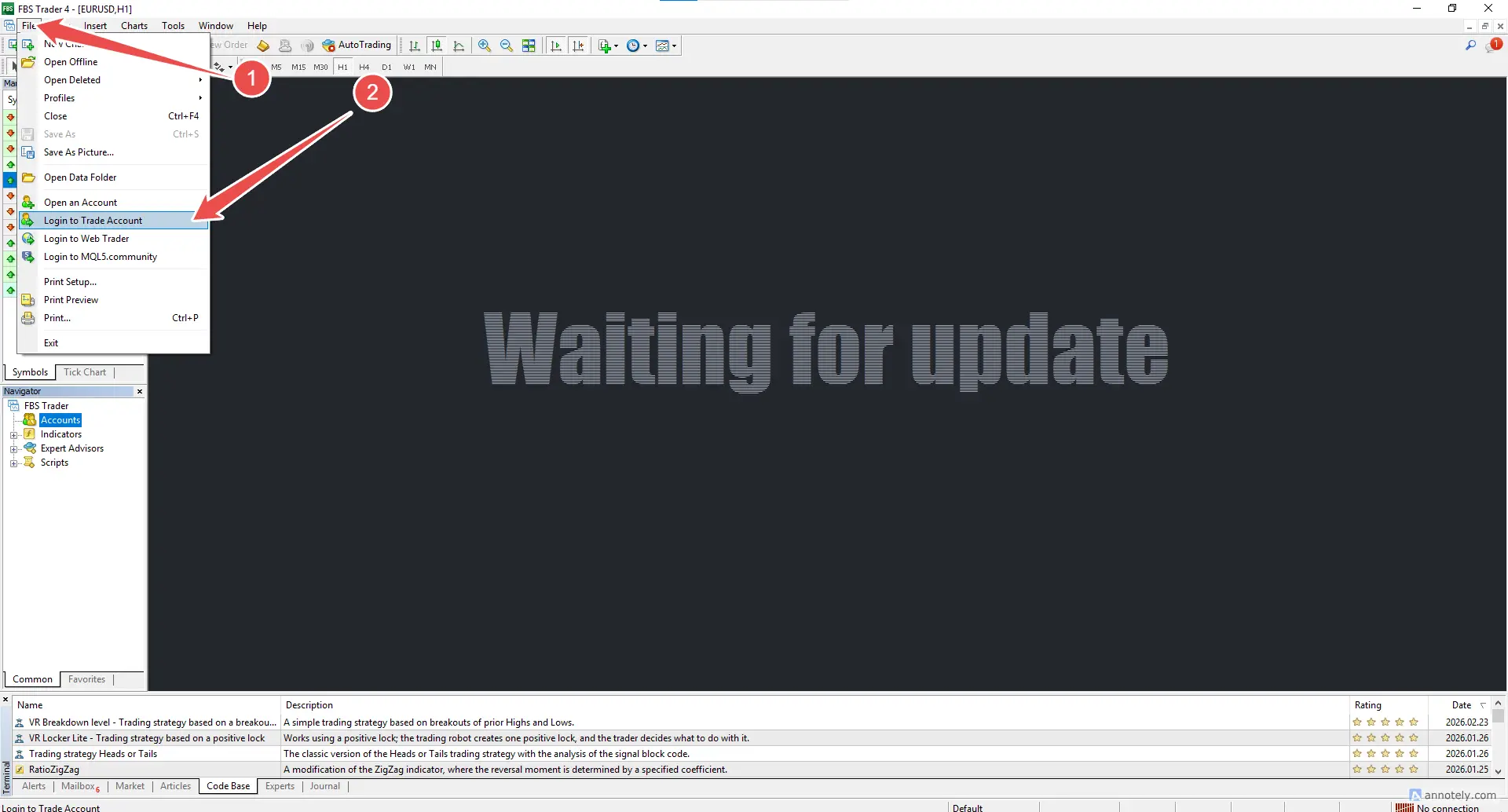
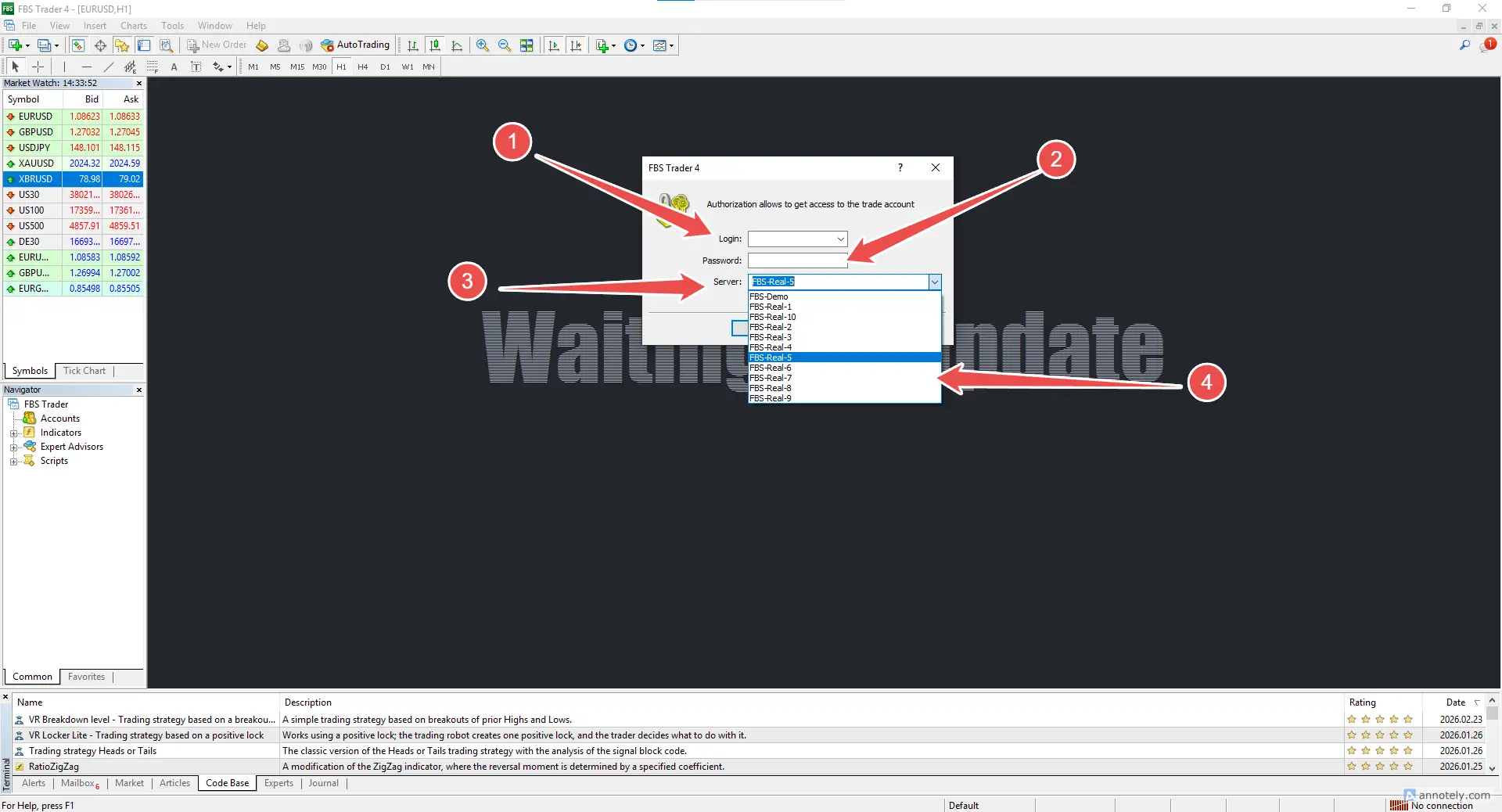
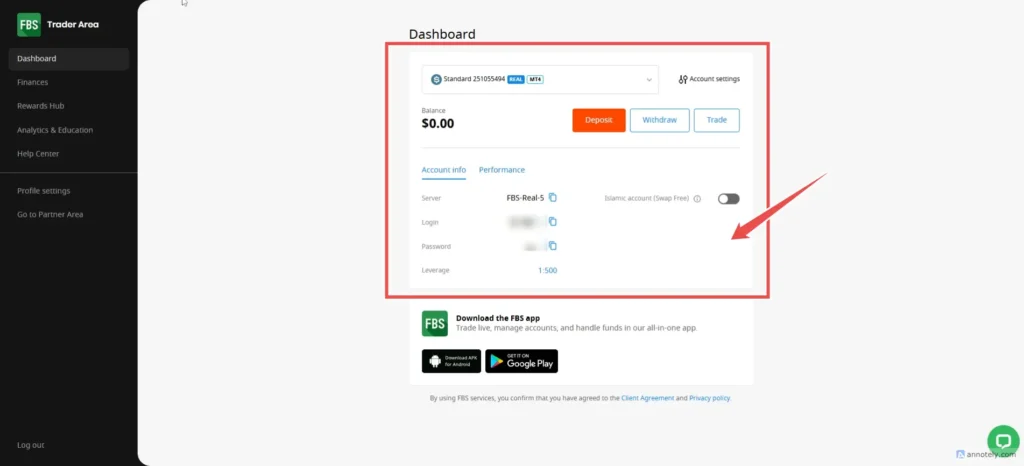
important details
- Server, such as FBS-REAL-5 (for selecting Server on MT4), enter it correctly.
- Login for login on MT4
- Password Password for trading on MT4 (MetaTrader 4)
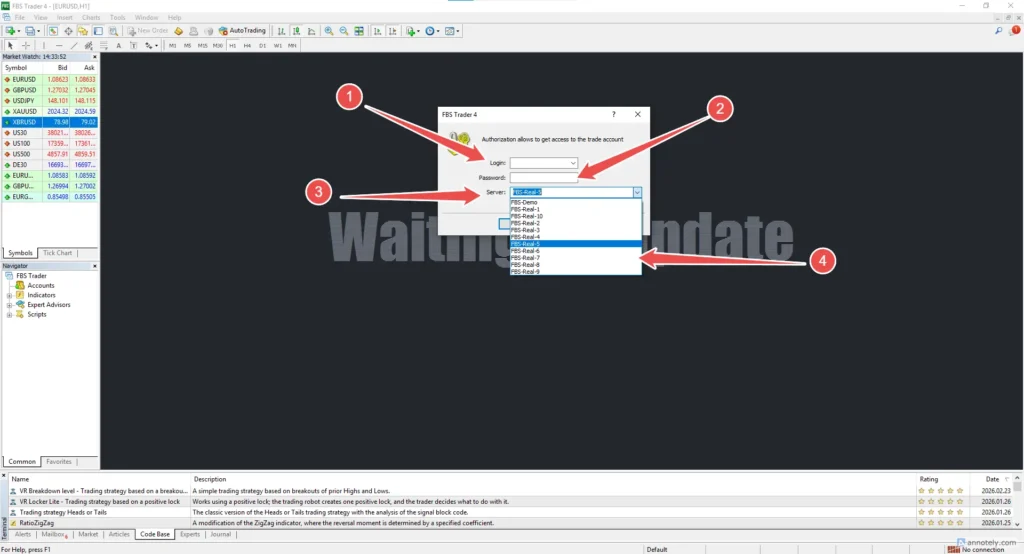
Important * Demo account requires Server FBS-DEMO. If trading with MT4, you must create an MT4 demo account.
Tools on MT4 for FBS (Basic)
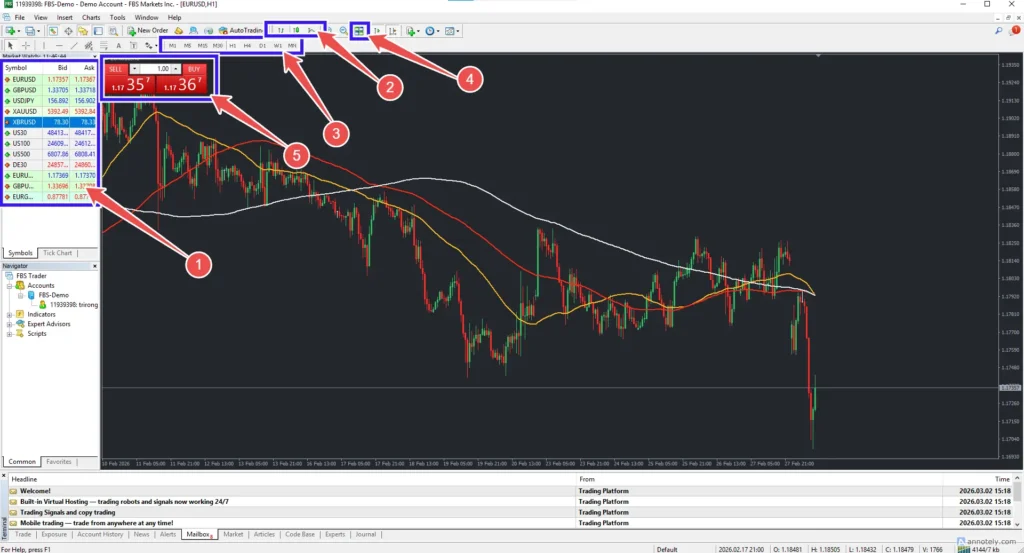
- 1. Choose a pair for the chart chart.
- 2. Select a graph such as candlestick chart, bar graph, line graph.
- 3. Select the time frame (TF) time, i.e. 5 minutes, 1 hour, 1 day.
- 4. For opening multiple graphs
- 5. For quick trading
How to trade on MT4 for FBS (basic)
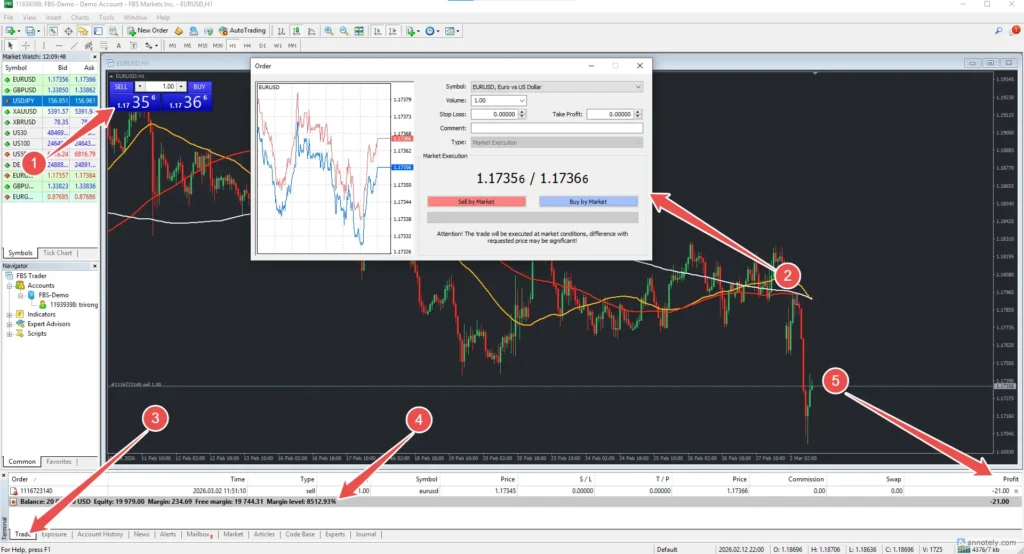
- 1. Click to select Buy or Sell.
- 2. Enter trading details such as number / set stop loss / set take profit
- 3. For details of the open order in the box (Traed)
- 4. Order details that are open
- 5. View profit or loss from this section (Profit).
What is the difference between MT4 and MT5?
MT4 (MetaTrader 4)
- focus on trading Forex Main
- Easy to use, lots of people
- There are many indicators and EAs (bots trading) to choose from.
- Use the language to write a bot name. MQL4
- The system is not complicated suitable for newbies
MT5 (Metatrader 5)
- Trade in more markets
- faster and more support for a wider range of orders.
- There are more analytical tools
- Use the language to write a bot name. MQL5 (continued from MQL4)
- bot test system (Backtest) more detailed
How to get free VPS on FBS
Go to the Rewards Hub/VPS Service menu (a one-time deposit of at least $450).
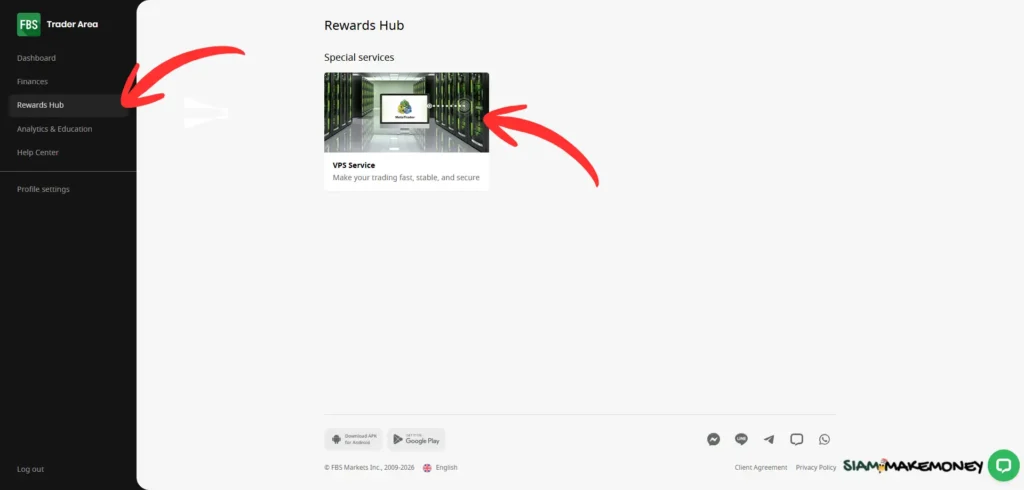
Go to the Rewards Hub/VPS Service menu.
How to get a free VPS:
- Deposit $450 or more and trade at least 3 lots within the first month
- Please use the service by clicking the button ” Set up VPS "
- Enable VPS by clicking the button ” Enable VPS "
- Trading at least 3 lots and more every month.
Terms of service for free VPS
- You can use VPS for free in FBS. Just make a one-time deposit of at least $450 to your trading account.
- VPS service is free for use in the first month only. (from the second month to the next $33 fee)
- This service will still be free if you can trade at least 3 standard lots within the previous month.
You can cancel the service at any time by clicking the “Cancel Server” button on the VPS page in the private area. If you stop using VPS, the fee for the remaining months will not be recalculated.
Recommended 💡* Using a demo account with FBS allows you to practice trading Forex without real money investment. Just apply and open a demo account in the member area. Select the MT4 or MT5 platform, set the simulated amount and leverage, and then log in to start a trading test right away. If the trial money runs out, you can press to top up the new trial for free at any time. Within the platform, account details such as Balance, Equity, Margin and trading history can be found on the page. Dashboard/Performance It can also be adjusted to increase or decrease leverage through the member area. And open a new account, either Demo or Real to separate strategies or try different trading conditions conveniently.
siammakemoney.com
- free demo account for beginners
- Deposits start at 5$ (very little) suitable for beginners.
- Withdraw money within 24 hours
- VPS free and rent
- Deposit and withdraw crypto / crypto accounts
- Islamic account (no swap fee)
- Max leverage ✔ 1:3000
- Deposit and withdraw more than 200 ways
- prevention loss of balance
- Negative balance protection
- no trading fee
- Processing speed in just 0.01 seconds
- No auto copying
- Spreads may expand during market volatility.
- Customer service in a limited number of languages
- The United States and the European Union are not supported.
- The website supports only 7 languages.
- There is only one trading account type to choose from.

About FBS Forex Brokers
FBS is a brokerage company that started operating in the year. 2009 run by FBS Markets Inc.; Registration number 000001317; FBS Markets Inc. Registered with the Financial Services Commission under the Securities Industry Act of 2021 License No. 4077102 Office Address: The Bentley, No. 16 Street Corner A. and Princess Margaret Road, Belize City, Belize.
Contact information
Full board FinanceFreedomSuccess
YouTube @fbsanalytics
mail support@fbs.com
telegram T.me/FBSanalytics
+357 22 010970 Additional contact number +501 611 0594
overseeing
Supervised by FSC (Belize)
FSC (Belize) is the Belize Financial Services Regulatory Agency. Full name, Financial Services Commission, controls and licens licenses for financial services companies such as Forex brokers. investment firm and international financial business to operate in accordance with the laws of Belize
🚫 FBS does not support these countries.
Afghanistan Albania China Cuba Egypt Eritrea European Economic Area (United Countries in the European Union) Honduras Iceland India Iran Iraq Jordan Kazakhstan Kosovo Kyrgyzstan Libya Madagascar Myanmar North Korea Pakistan Palestine Russia Serbia South Korea South Sudan Sudan Syria Turkey Ukraine United Kingdom United States of America Venezuela Yemen
🖍️ FBS is an online forex broker and CFDs suitable for beginners. With a minimum deposit of just $5 and a minimum withdrawal of $10, there is no commission or trading fee. With a demo account (DEMO) to practice trading with virtual money before entering the real market, low spreads, leverage up to 1:3000, supports MT4 and MT5 platforms, as well as free VPS service for trading stability. Even without a copy trading system, FBS is still a popular choice among investors around the world. with the credibility of the supervision by world-class agencies.
siammakemoney.com
Frequently Asked Questions
How to open an FBS account?
How is FBS fee?
FBS “What is the minimum deposit?
Withdraw FBS and what is the minimum?
FBS free bonuses, is it real?
FBS user reviews
What is a Demo Account (Demo)?
What is an Islamic account (no swap)?
What is FBS (Virtual Private Server) VPS?
Terms of use of FBS free VPS What is it
Risk Warning
Trading financial products such as Forex, CFDs, indices, stocks, commodities. and cryptocurrencies There is a high risk and may not be suitable for all investors. Especially leverage trading, which can expand both profit and loss quickly. You may lose all or more of your investment in some cases. Before making an investment decision, you should study the product information. Trading Terms and fees carefully Assess the investment objectives experience level and the ability to take their own risks If necessary, consult an independent financial advisor. Past performance cannot guarantee future outcomes. And it's a good idea to invest with money that you can only accept losses.
Forex Broker FBS , Open FBS Account , FBS Withdraw , FBS Fees , FBS Review , FBS Minimum Withdrawal , FBS with Exness , FBS Advantages lose , FBS minimum withdrawal , FBS free bonus , FBS MT5 , FBS and Exness comparison , XM and OctaFX comparison

 Thai
Thai  English
  Japanese
  Korean
  German
  French
  Russian
  Spanish
  Chinese
  Hindi
Hindi